The Non-Technical Hackathon Stack: How to Ship a Real App with Cursor and Momen


Introduction: The “Hollow Demo” Problem
Have you ever watched a hackathon demo that looked impressive — until someone clicked “Next” or “Refresh,” and everything stopped working?
This happens more often than people admit.
In 2026, AI coding tools make it very easy to generate a beautiful interface. In a few minutes, you can create pages, buttons, and forms that look like a real product.
But then a judge tries to sign up, type in data, run a workflow, trigger an AI feature....
And suddenly, nothing works.
This is the most common problem for non-technical teams in hackathons:
The app looks real, but it doesn’t actually do anything.
Building UI with AI is fast. Building backend logic — where data is saved, rules run, and AI actually works — is still the hard part.
That’s why many “vibe coded” projects become hollow demos.
In this guide, we introduce a practical non-technical hackathon stack:
This combination helps you go beyond a demo and ship a working, data-persistent application in a weekend.
Chapter 1: What You Actually Need to Build in a Hackathon
In 2026, joining a hackathon without coding skills is normal.
You don’t need a full engineering team. You need the right two building blocks.
No matter what your idea is — AI tool, community app, marketplace, or internal system — every working hackathon project has the same structure.
1. Frontend: The Interface Layer
This is everything the user can see and touch: pages and layout, buttons and forms, login screens and dashboards
With Cursor, you describe what you want in natural language, and the AI generates real production code. You get full control of the code and freedom to design any UI. But UI alone is not a product.
2. Backend: The Brain Layer
This is the part most non-technical teams underestimate.
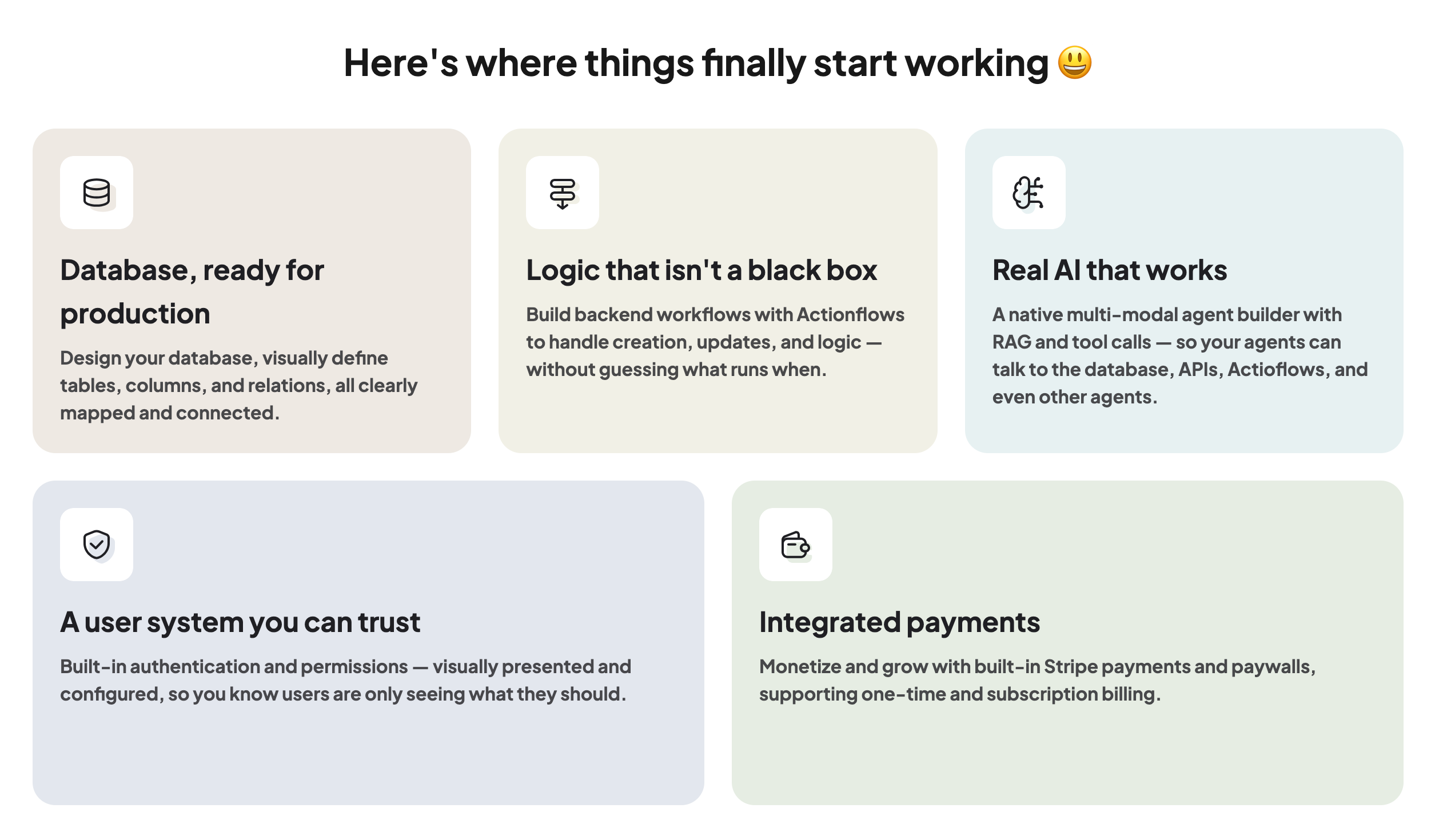
The backend handles:
Saving users to a database
Authentication and permissions
Business logic like “if user pays, unlock feature”
AI workflows powered by your own data
Without this layer, your project is not an app. It’s a slideshow.
This is where judges start to separate demos from real products.
Chapter 2: Why Cursor + Momen Is a Good Stack for Non-Coders
Many teams try to use one tool to do everything.
That usually leads to two problems:
The UI is flexible, but the backend is fragile
Or the backend is powerful, but impossible to control without code
Cursor and Momen work well together because each focuses on one clear role.
The Cursor Edge: Custom Frontends with AI Help
Cursor is an AI-powered code editor.
You build real frontends by chatting with AI. Cursor helps you generate, refactor, and debug React, Next.js, or TypeScript code as you go.
For hackathons, this matters because you’re not locked into templates. You can build exactly what your idea needs, using real production code instead of a black box.
But Cursor gives you code for everything, including the backend.
For non-technical teams, backend code can be hard to read, understand, debug, and fix when something goes wrong.
That’s where Momen comes in.
The Momen Advantage: A Visual Backend You Can Control
Momen is a full-stack no-code platform, but in this stack, you mainly use it as a backend-as-a-service.
The key difference for non-technical users is this:
In Momen, almost everything is visual and inspectable.
Workflows look like flowcharts
Data tables look like Excel
AI agents have clear inputs, tools, and outputs
Logs show exactly what happened
This makes building, customizing, and debugging much more controllable for non-coders.
The roles are clear:
Cursor builds the frontend users interact with
Momen runs the backend your app depends on
Chapter 3: A Simple Step-by-Step Workflow for Hackathons
This workflow is designed for non-technical teams working under time pressure.
The goal is not to build everything.
The goal is to build one working path from UI to database.
Phase 1: Clarify What You Are Building
Before writing any code, define your product in simple terms.
Start with three questions:
Who is the user?
What is the one main action they take?
What data must be saved?
Example:
“As a freelance designer, I want to upload a sketch so that the AI can render it into a 3D model, and I need to save it to my portfolio.”
Now turn this into a technical blueprint.
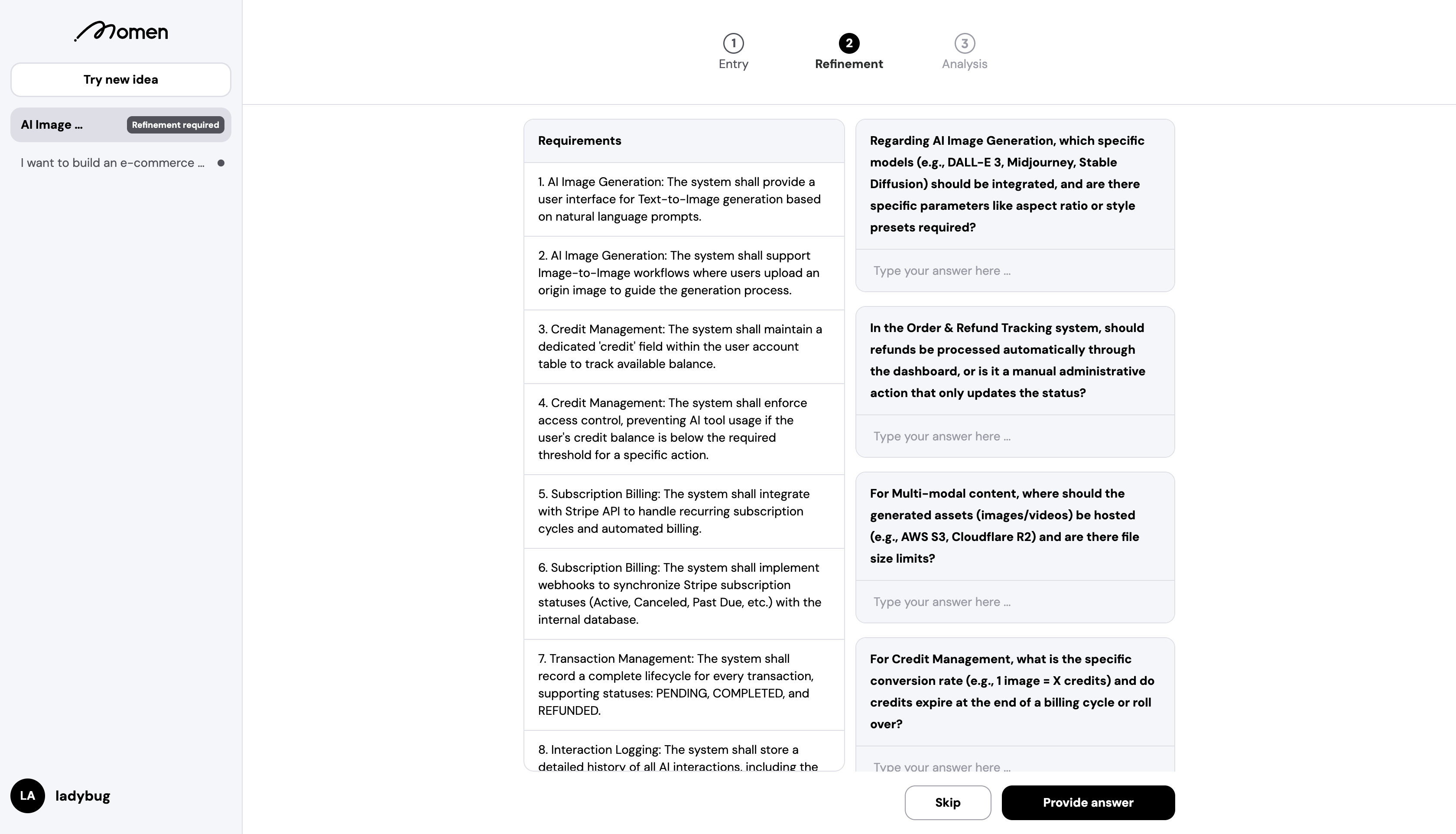
Using a Requirement Analyzer (built on Momen), you generate:
A PRD (Product Requirements Doc)
Data model instructions
This helps you improve you develop more concrete App idea: what features to build, what tables you need and how the system should be structured
Now you are ready to build.
Phase 2: Connect Cursor to Your Momen Backend
This is where the Momen's Vibe Architect for Cursor come in. With Vibe Architect, you can connect Cursor to a no-code, visual backend in Momen. Instead of guessing how the backend works, you follow clear, guided steps to set up your data, logic, and AI workflows — then let Cursor build the frontend on top of it.
Step 1: Generate Your Idea Blueprint
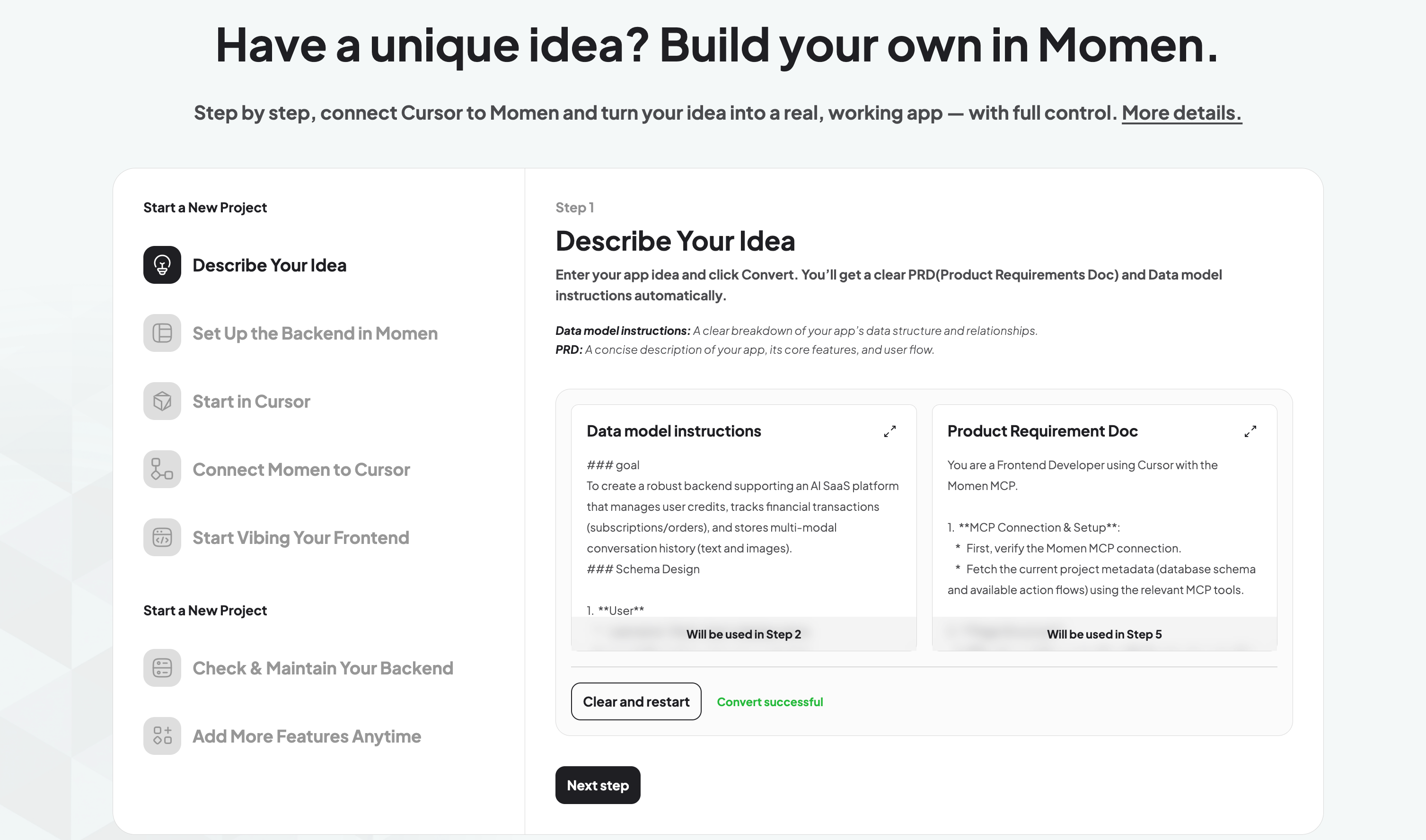
Describe your idea and get:
PRD
Data model instructions
You will use them later.
Step 2: Set Up Backend in Momen
In Momen:
Go to Data → AI Copilot
Paste the data model instructions
Let Momen create your tables
Click Sync Changes
Your backend data model is now ready.
More in Momen backend you can build:
Build the core logic
Use Actionflows to define workflows step by step.Set up AI agents
Define inputs, tools, context, and outputs visually.Configure system basics
Authentication, permissions, payments if needed.
At this stage, you are not chasing a perfect product.
You are making sure one path works:
User action → backend logic → database → result
If this path runs, your backend foundation is ready.
You can follow a detailed step-by-step guide here: how to use Momen during a hackathon.
Step 3: Start in Cursor
Create a new project in Cursor.
Clone the Momen Cursor Rules:
git clone https://github.com/privateJiangyaokai/momen-cursor-rules.git
cd momen-cursor-rules
Copy the .cursor folder into your project.
Now Cursor understands Momen’s backend structure.
Step 4: Connect the MCP Server
Add the Momen MCP Server so Cursor can read your real schema:
{
  "mcpServers": {
    "momen": {
      "command": "npx",
      "args": ["-y", "momen-mcp@latest"]
    }
  }
}
This lets Cursor generate code that actually matches your backend.
Step 5: Start Vibing Your Frontend
Now prompt Cursor with your PRD generated.
Cursor will generate pages, forms, and API calls connected to your real backend.
You now have a real full-stack app.
Chapter 4: Debugging Like a Builder, Not a Demo Maker
Most hackathon failures happen during debugging.
In Cursor
Be specific in prompts
Bad:
“It’s broken.”
Good:
“CreateTask mutation returns 403 after login.”
Revert quickly when a change breaks things
Read error messages carefully
In Momen
After changing logic, always click Sync Backend
Use Logs to see where workflows failed
Use Mirror Preview to test permissions and AI end-to-end
This is how you turn a fragile demo into a stable product.
Don’t Just Demo. Ship Something That Works.
Hackathons reward clarity, speed, and working demos more than big ideas.
Judges don’t ask how ambitious your roadmap is.
They ask one simple question: Does it actually run?
The best teams do three things well:
Limit the scope
Finish one full loop: UI → logic → database → result
Test the real path end to end
When you work this way, you move beyond screens.
You’re not showing a concept.
You’re showing a real solution to a real problem.
With the Cursor + Momen stack, many non-technical teams can go from idea to a working app in days, not months.
Explore the Cursor Rules:
https://github.com/momen-tech-org/momen-cursor-rules
Explore Momen now for more possibility at momen.app
If you’re a student or teacher, you can also apply for Momen’s Education Program to get more benefits and support while building.
