How to Implement Secure Order Inventory Deduction

Imagine multiple customers clicking "Buy Now" on the exact same millisecond for the last item in stock. Who gets the order? Standard "read-then-write" visual workflows and unstructured databases often fail under concurrent traffic, leading to race conditions, phantom availability, and manual refunds. By leveraging Momen's native PostgreSQL and ACID-compliant Actionflows as a headless backend connected to a Codex frontend, you can guarantee data consistency and prevent double bookings permanently.
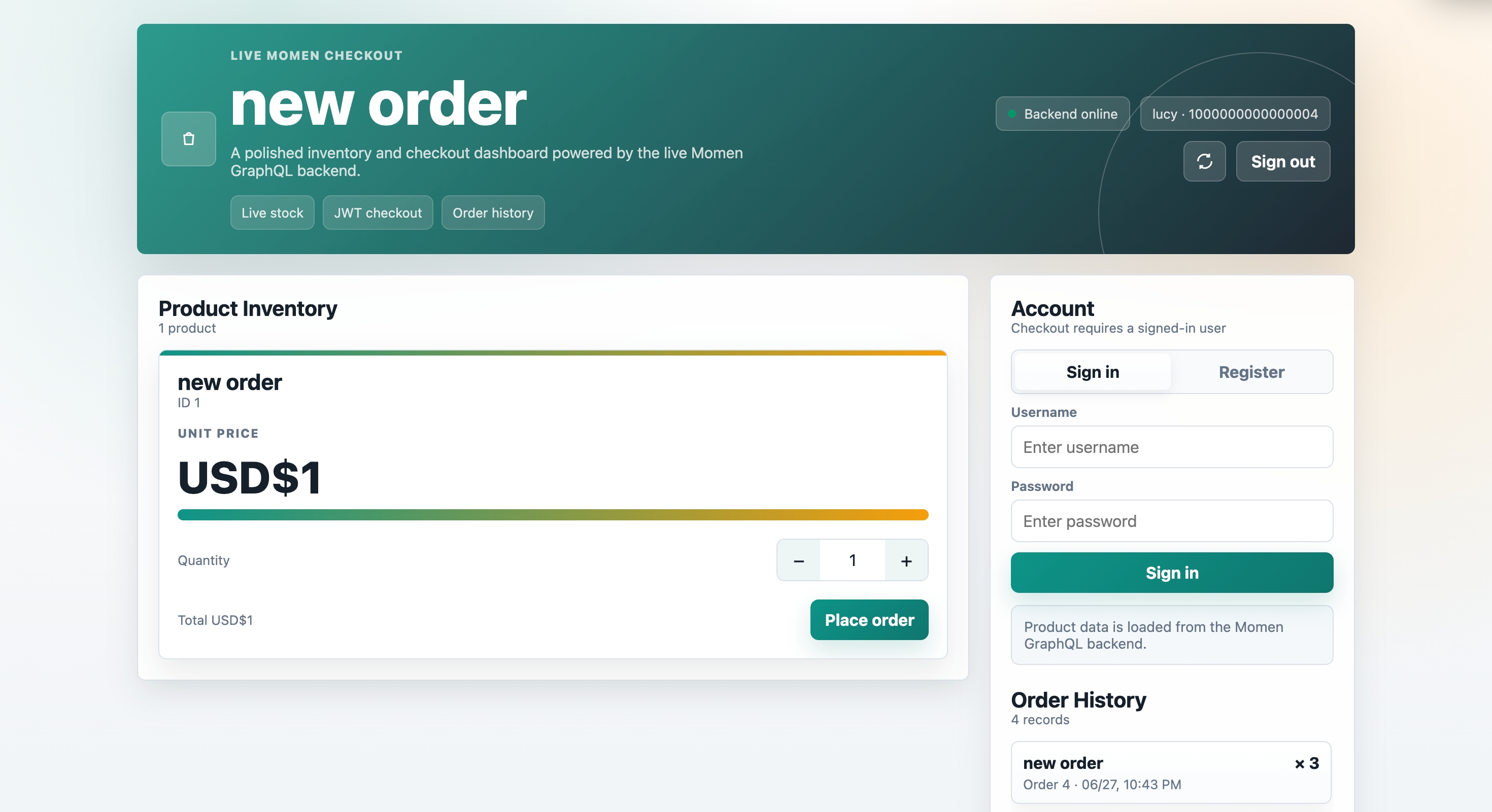
What Is Secure Inventory Deduction and When to Use It
Secure inventory deduction is an atomic database operation that checks stock and deducts inventory in a single, locked step utilizing row-level locking. It prevents "race conditions"—where concurrent requests read the same initial state and execute successful purchases without properly deducting stock.
Typical use cases:
E-commerce flash sales
Rental equipment availability
Limited-ticket event bookings
Do not use this for simple brochure websites. As many former Bubble users have noted, relying on frontend availability checks for complex logic often results in overlapping bookings.
Learn more:
Why Your E-Commerce Platform Needs ACID Compliance (And How Momen Gets It Right)
The Double-Booking Trap: Managing Rental Availability in No-Code
How to Build This in Momen
Introduction
Goal: To implement a secure inventory deduction process that prevents overselling during high-concurrency e-commerce scenarios.
Applicable Scenario: Flash sales, limited-time offers, or any high-traffic checkout process.
Core Logic: Use an Actionflow to perform a conditional database update. The system only deducts stock if the current inventory is greater than or equal to the requested quantity, ensuring data consistency at the database level.
Steps
Note: This tutorial utilizes pre-styled layout blocks from the "Common UI Presets" template page to streamline the visual setup. These preset elements only contain foundational designs and typographies; they do not include any conditional logic, database bindings, or action flows. When building your own app, you can directly copy elements from this template page to skip manual styling and focus entirely on core frontend logic.
Data Storage
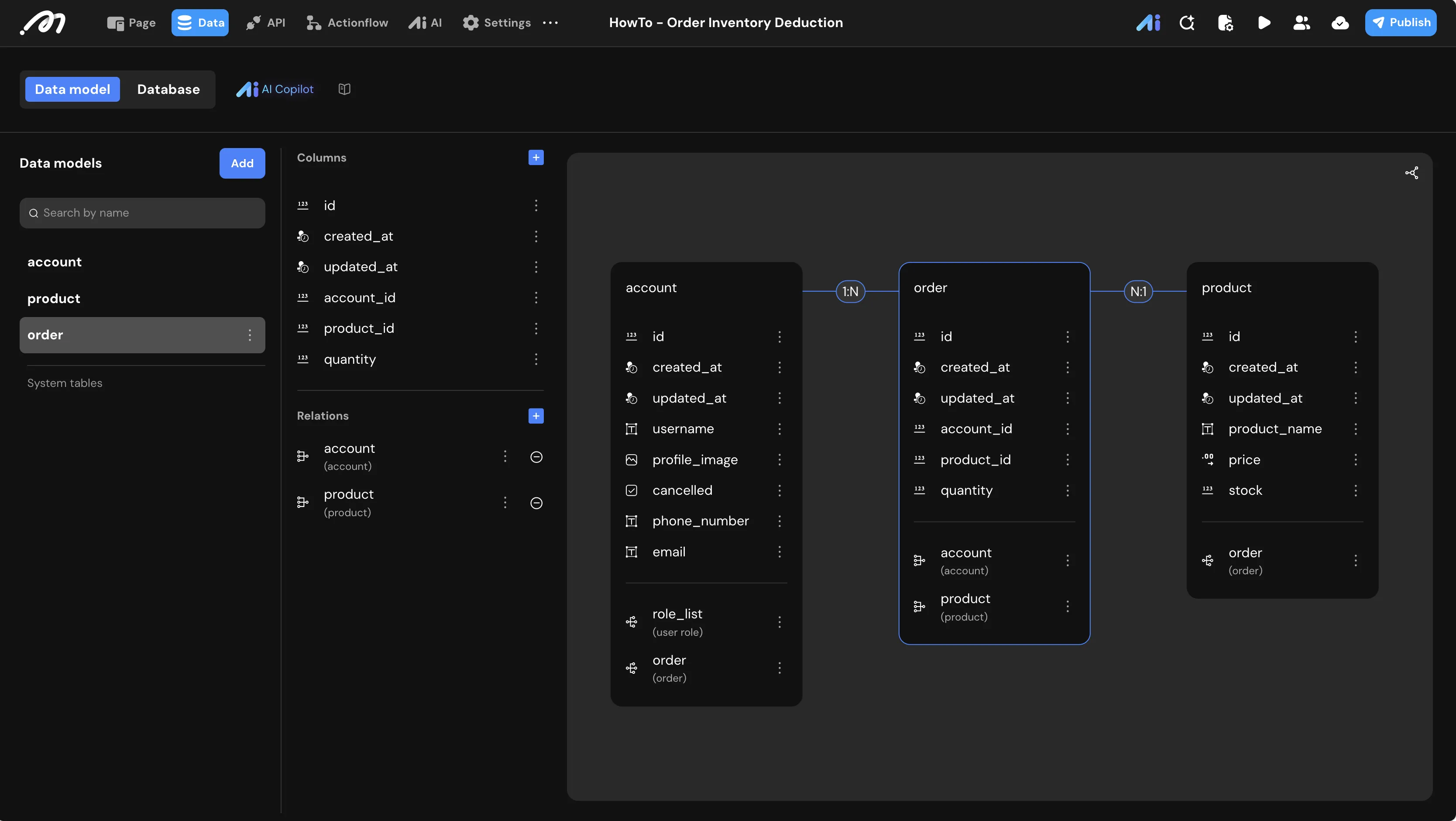
Data Model
Configure the relational database to store products, orders, and user accounts.
1. Table: product Stores product details and the core inventory control field.
Field Name | Type | Note |
|---|---|---|
product_name | Text | Name of the item |
price | Decimal | Unit price |
stock | Bigint | Available quantity (Core control field) |
2. Table: order Acts as a transaction receipt linking users and products.
Field Name | Type | Note |
|---|---|---|
account_id | Bigint | Foreign key to the |
product_id | Bigint | Foreign key to the |
quantity | Bigint | Number of items purchased |
Logic & State Configuration
Actionflow Construction: Place Order
Inputs: Define
product_id(Bigint) andquantity(Bigint) as required inputs for the flow.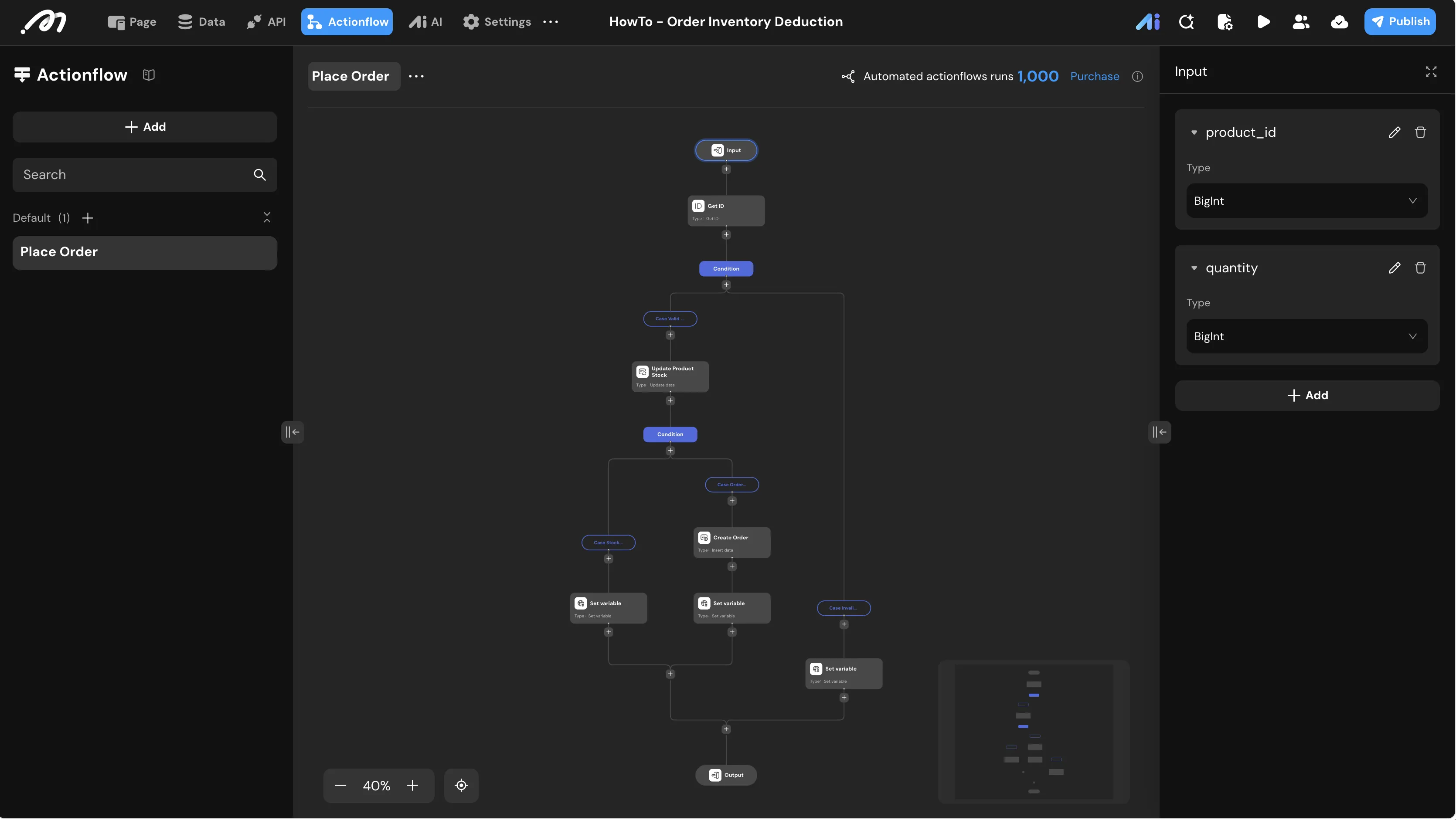
Actionflow Variable: Create a
status(Text) variable to return feedback to the UI.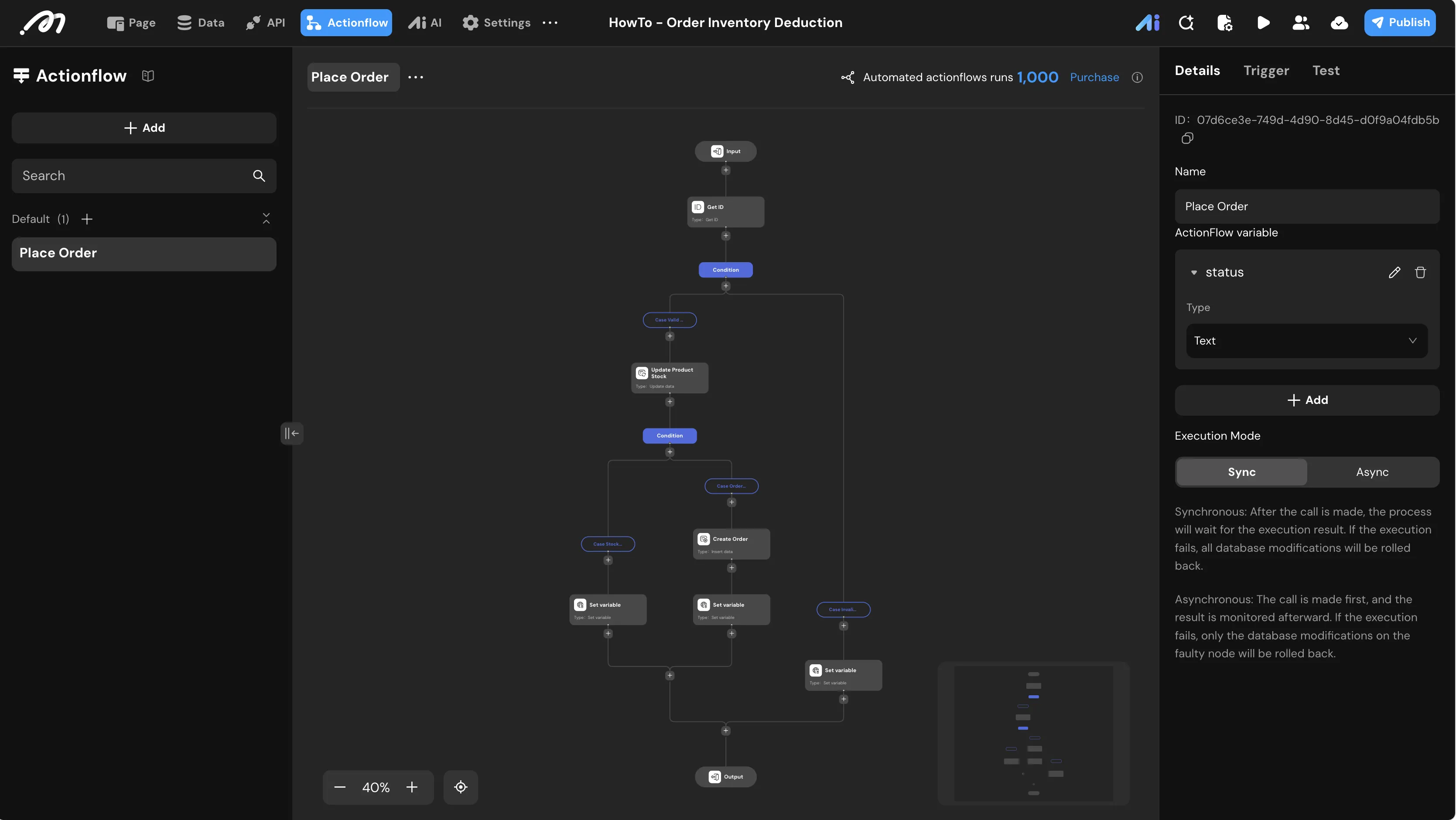
Get ID: Use the Get ID node to retrieve the
current_account_id.Condition Branch: Validate Quantity
Branch: Valid Quantity
Condition setting:
Actionflow data/input-data/quantityIs not null AND Greater than0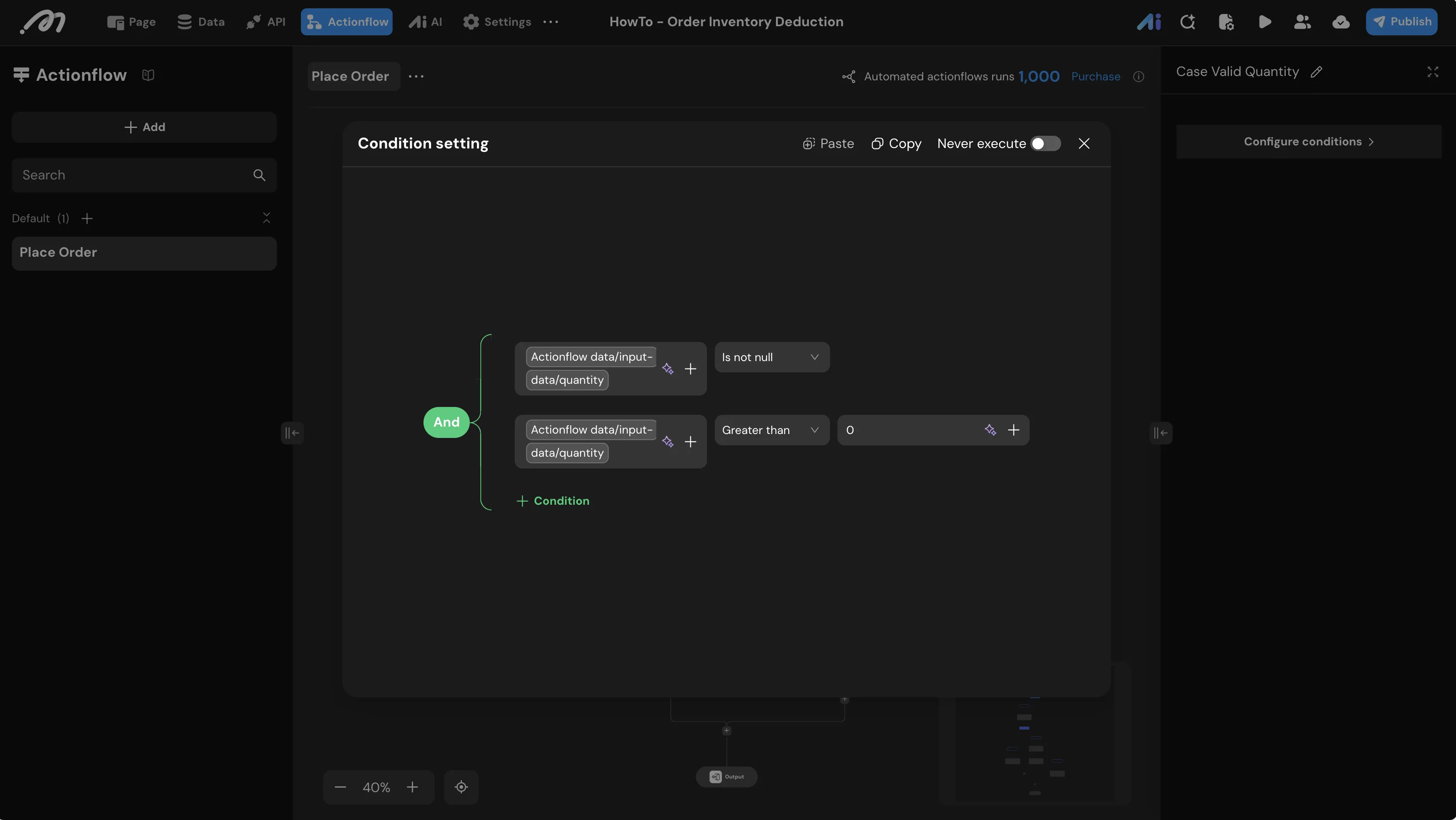
Branch: Invalid Quantity
Condition setting:
Otherwise(executed when the above condition is not met)Under the Invalid Quantity branch, add a Set Actionflow variable node to set
statusto "Please enter a valid quantity".
Update Data: Update Product Stock On the Valid Quantity branch, add an Update data node named
Update Product Stock.Table: Select
productFilter:
idEqual toActionflow data/input-data/product_idstockGreater than or equal toActionflow data/input-data/quantity
Parameters: Set
stockto Decrease byActionflow data/input-data/quantityWarning: This step is critical. By including
stock >= quantityin the filter, the database will only perform the update if sufficient stock exists, preventing negative inventory in high-concurrency scenarios.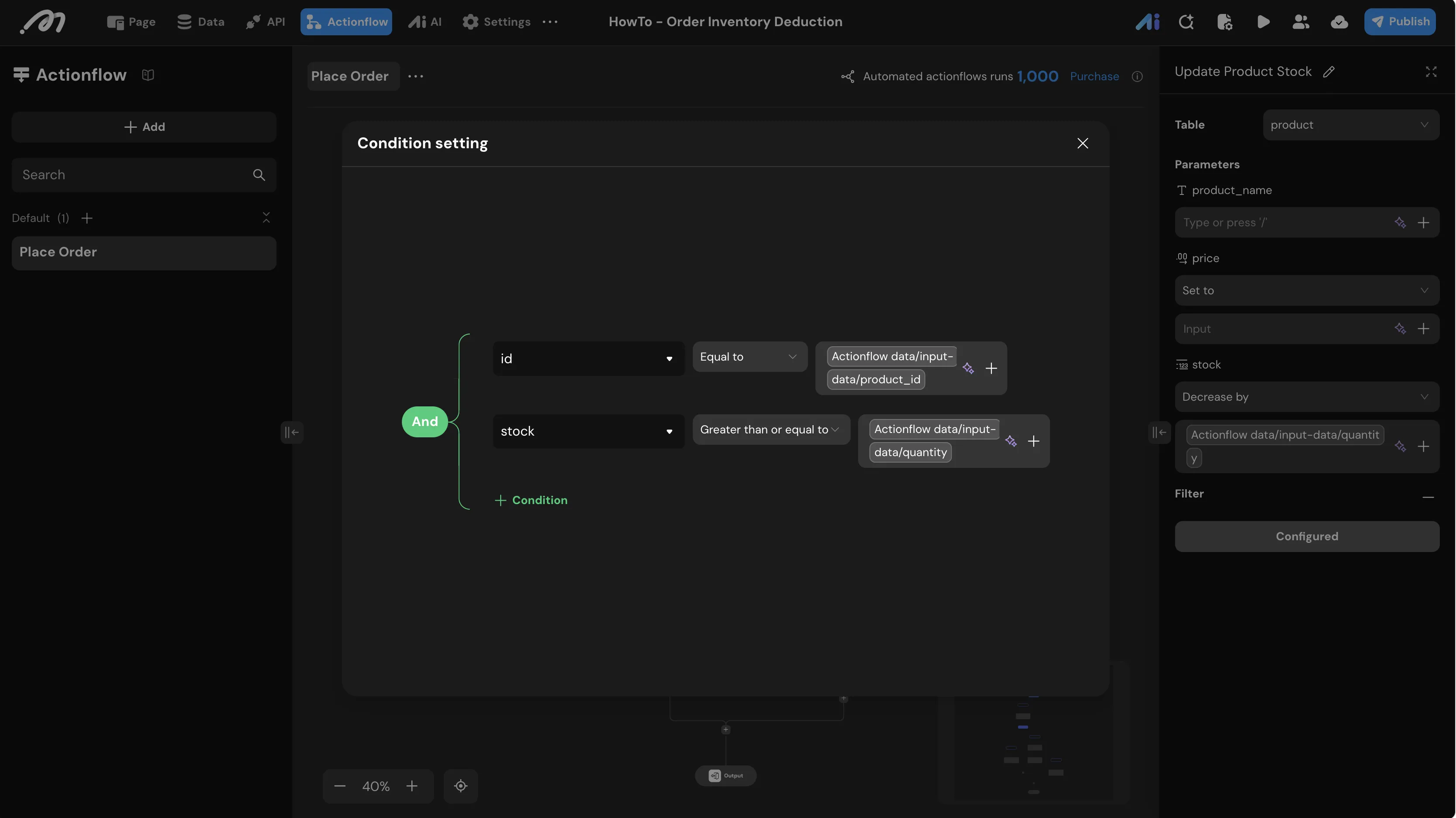
Condition Branch: Check Stock Deduction Result After the
Update Product Stocknode, add a new condition branch node to check whether the update succeeded, creating two branches:Branch: Stock Shortage
Condition setting:
Actionflow data/Update Product Stock/idIs null (indicating the update affected no rows, i.e., insufficient stock)Under the Stock Shortage branch, add a Set Actionflow variable node to set
statusto "Stock shortage".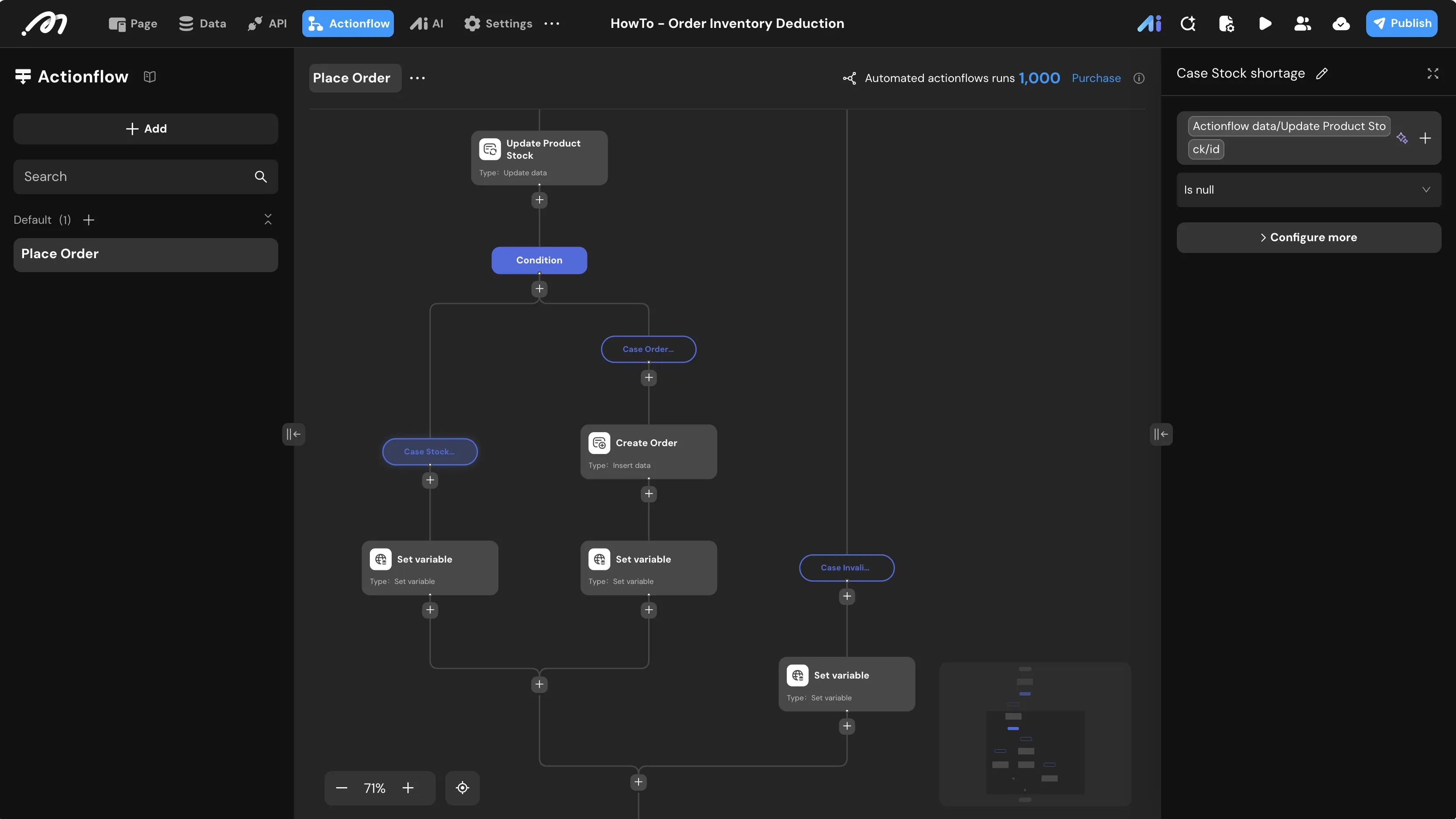
Branch: Success (Stock Sufficient)
Condition setting:
Otherwise(indicating the update succeeded, stock has been deducted)
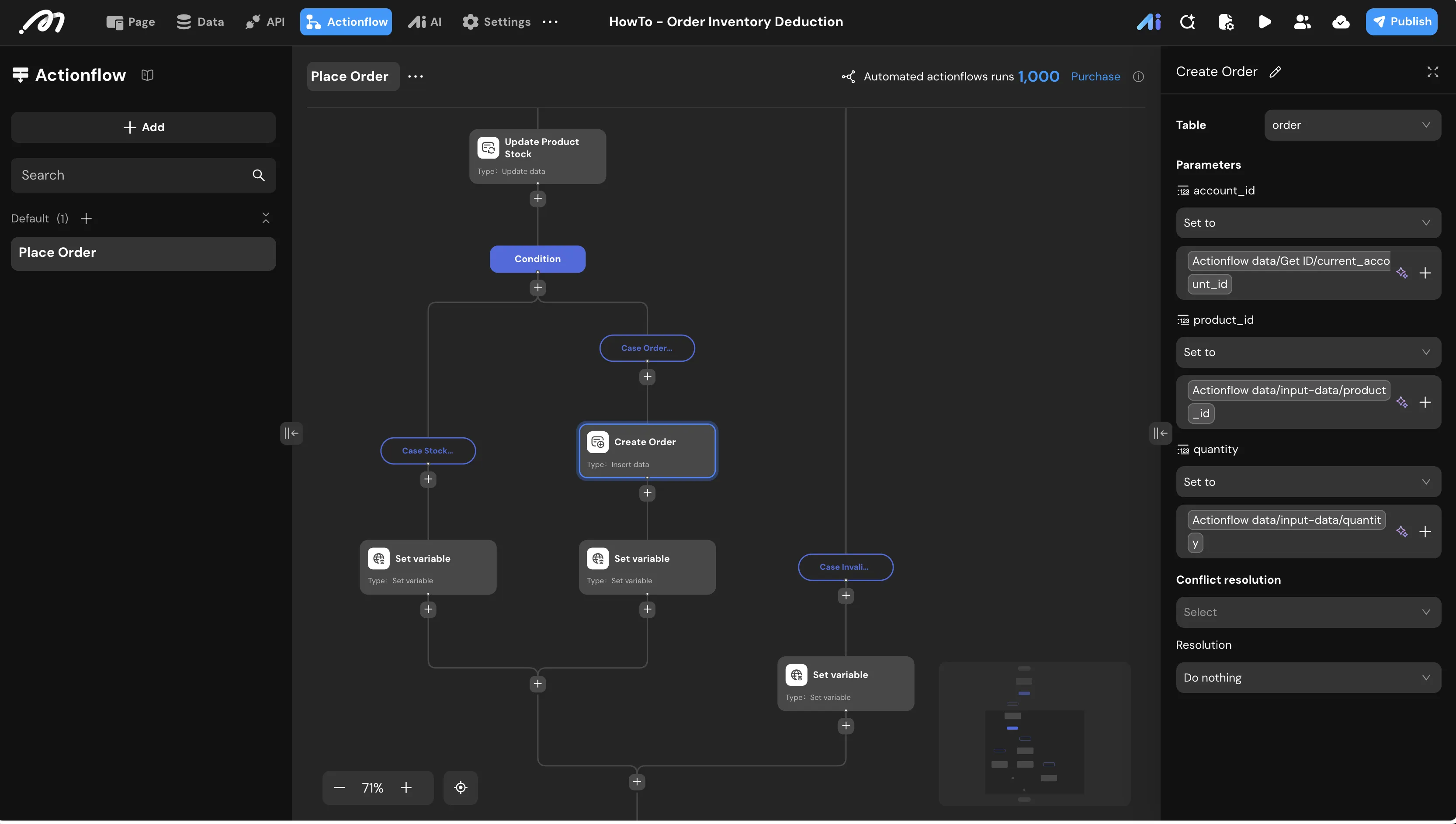
Insert Data (Create Order) Under the Success (Stock Sufficient) branch, add an Insert data node.
Table:
orderFields:
account_id: Map from the Get ID nodeproduct_id:Actionflow data/input-data/product_idquantity:Actionflow data/input-data/quantity
Set Variable: After the order is successfully created, add a Set Actionflow variable node to set
statusto "Order placed successfully".Output: Return the
statusvariable.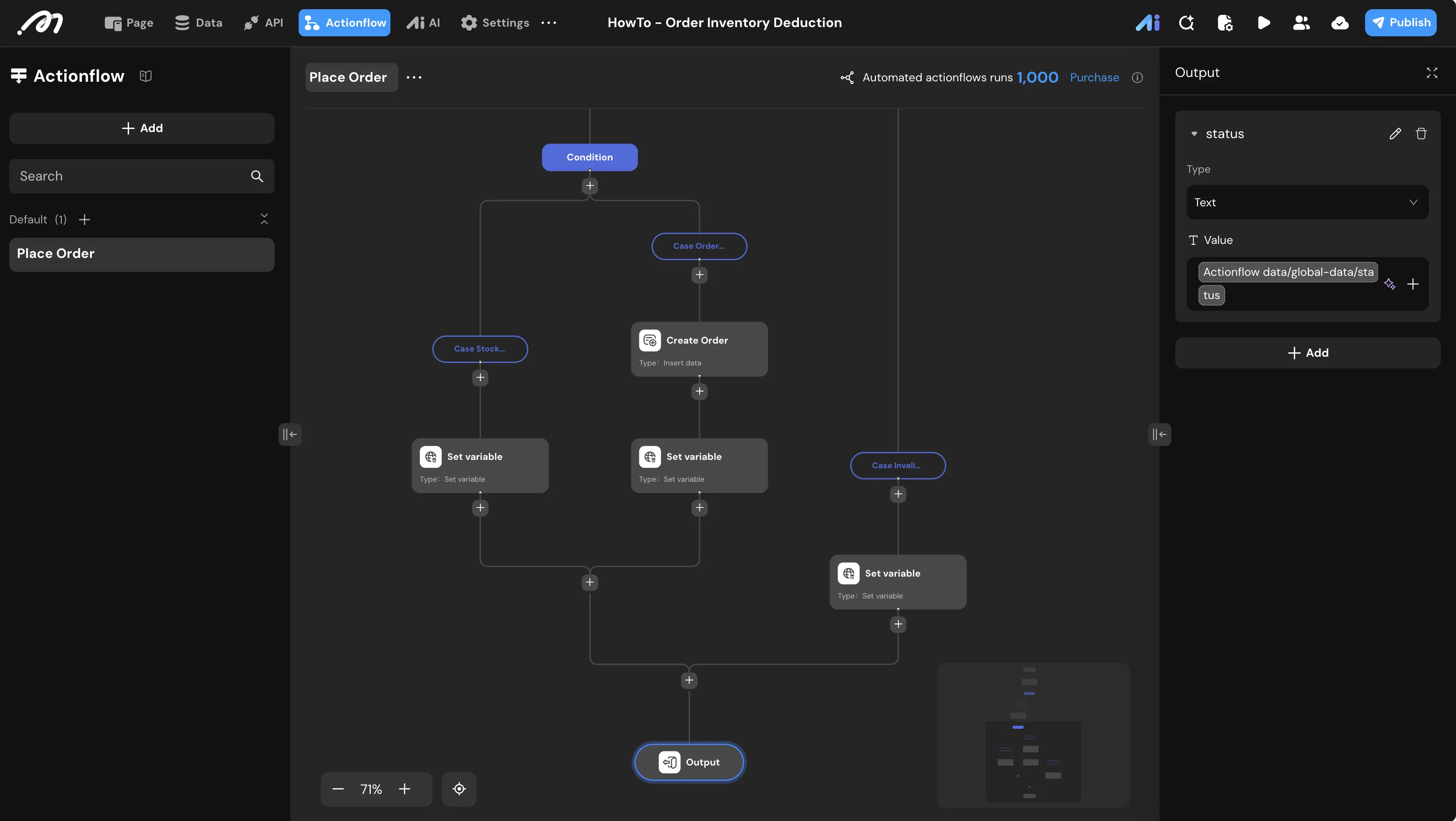
UI Construction & Interaction
Page Layout
Create a new page named
Page Order Inventory Deduction.Add a List component to the canvas.
Data source: Bind to the
producttable.Request type:
Subscription(to see real-time stock updates).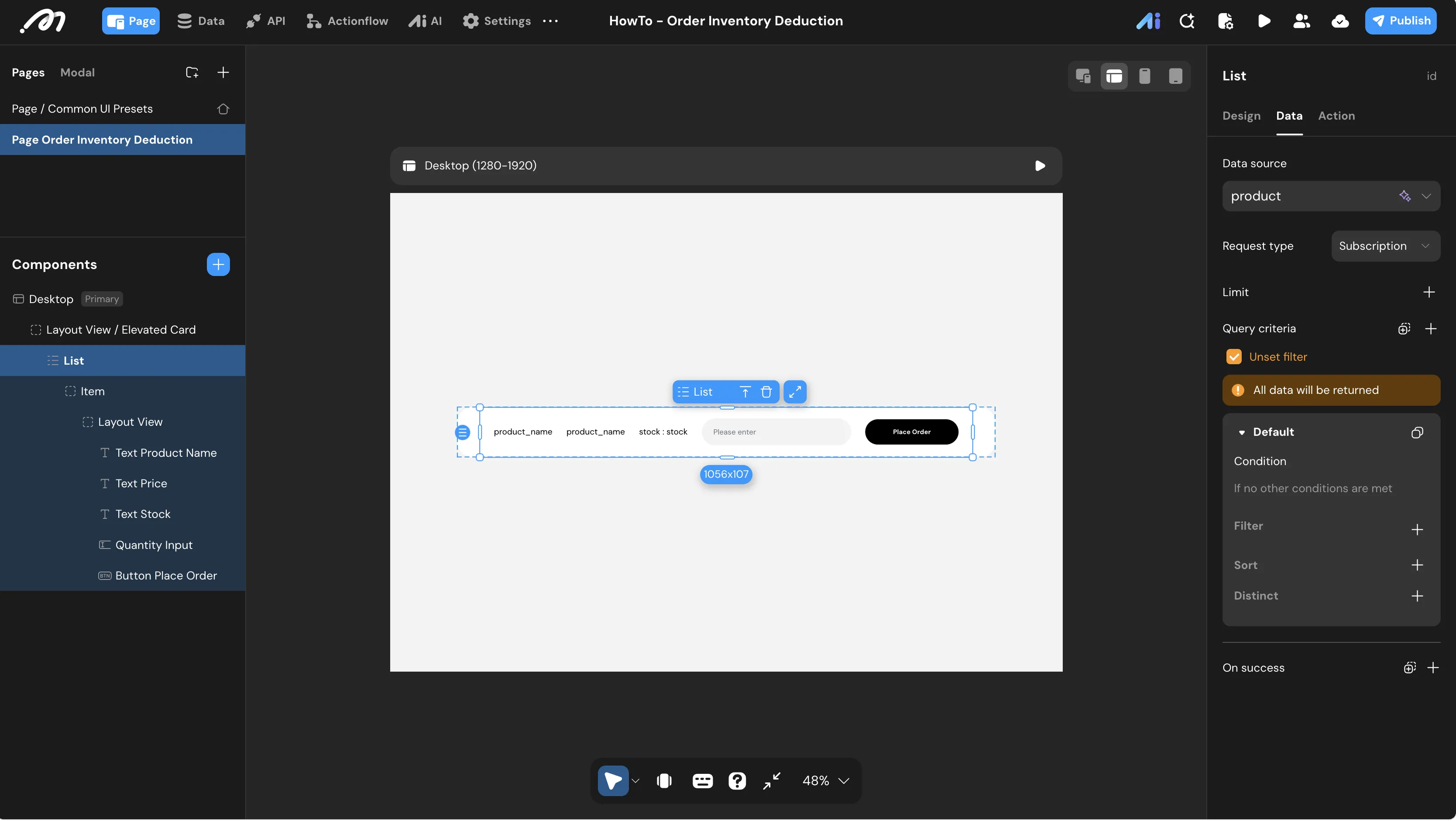
Inside the List Item, arrange the following components:
Text: Bind to
List item.product_nameText: Bind to
List item.priceText: Bind to
List item.stock(prefixed with "stock: ")Text Input: Named
Quantity Input. Set Input value type toBigintButton: Named
Button Place Order
Interaction Configuration
Configure the OnClick event for the Button Place Order:
Condition: Check if the user is logged in, creating two branches:
Branch: Not Logged In
Condition setting:
Global.is_logged_inIs false
Branch: Logged In
Condition setting:
Otherwise
Action (Not Logged In): Show toast with the message "Please log in first".
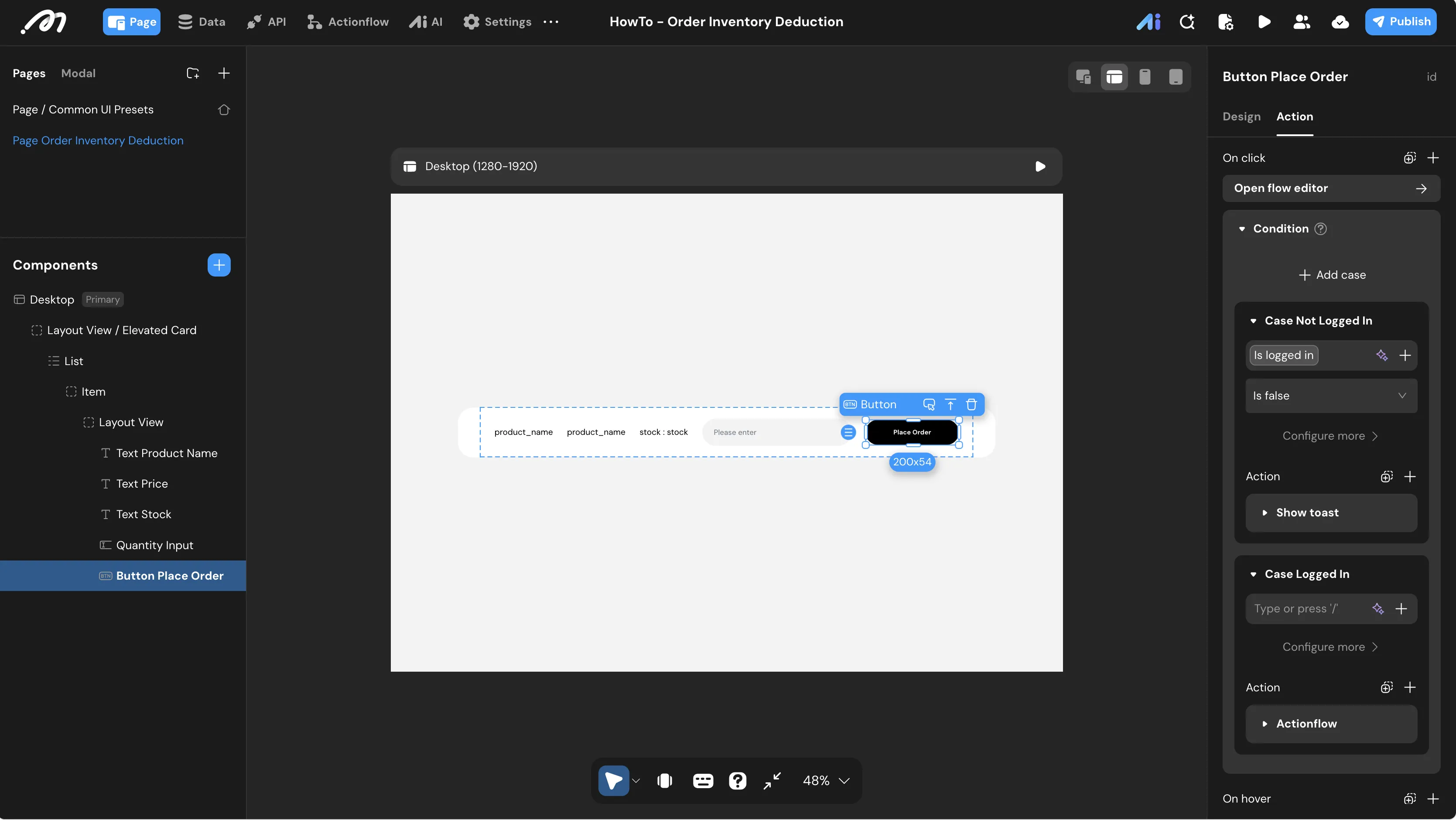
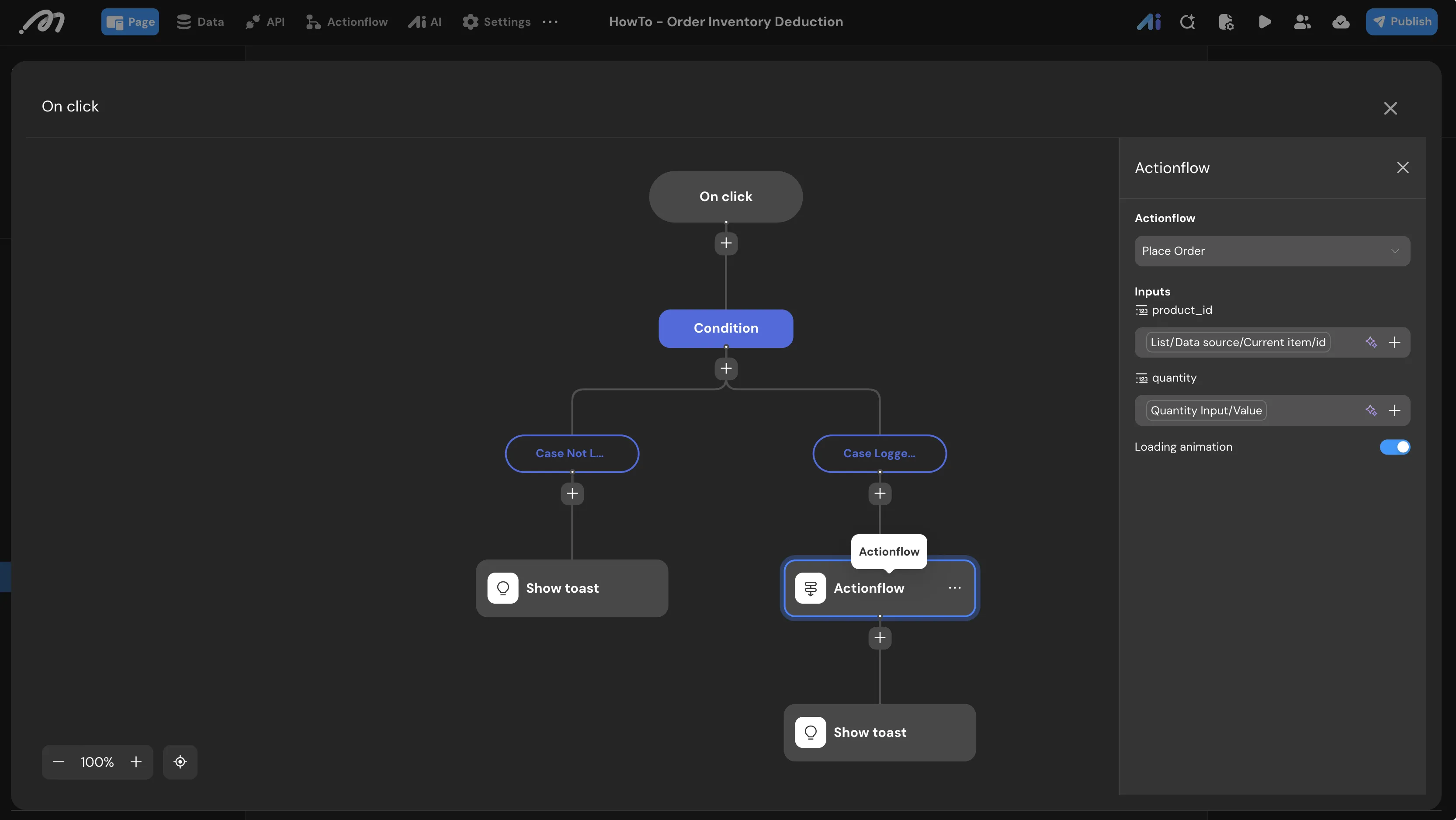
Action (Logged In): Actionflow -> Select
Place Order.Inputs:
product_id: Bind toList item.idquantity: Bind toQuantity Input.value
On Success: Show toast
Message: Bind to
Action result.status
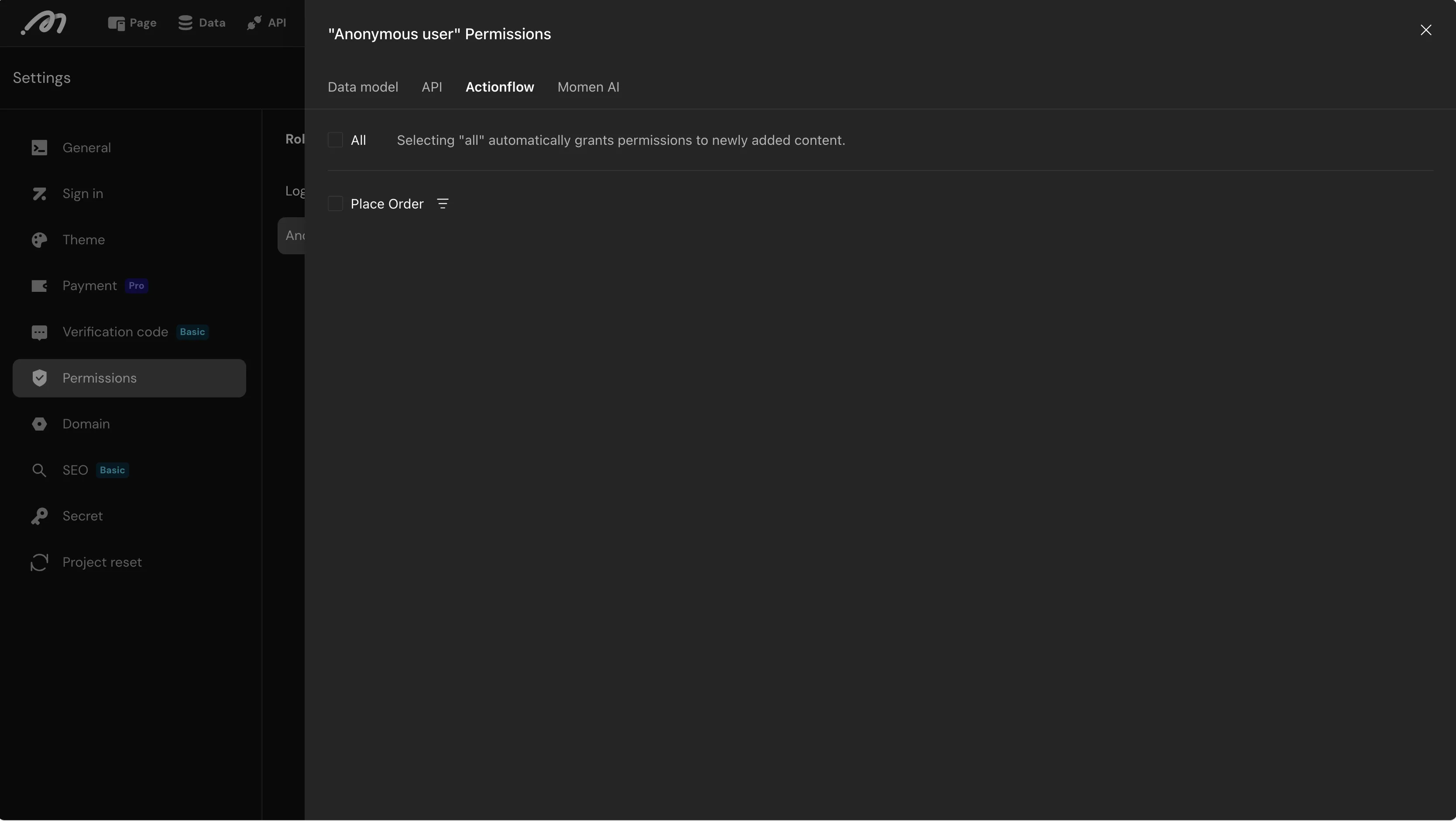
Note: Remember to configure permissions in Settings > Permissions to allow the relevant user roles to execute the "Place Order" Actionflow.
Verification
Step 1: Login Simulation
Use the Login simulation tool in the bottom bar to log in as a test user.
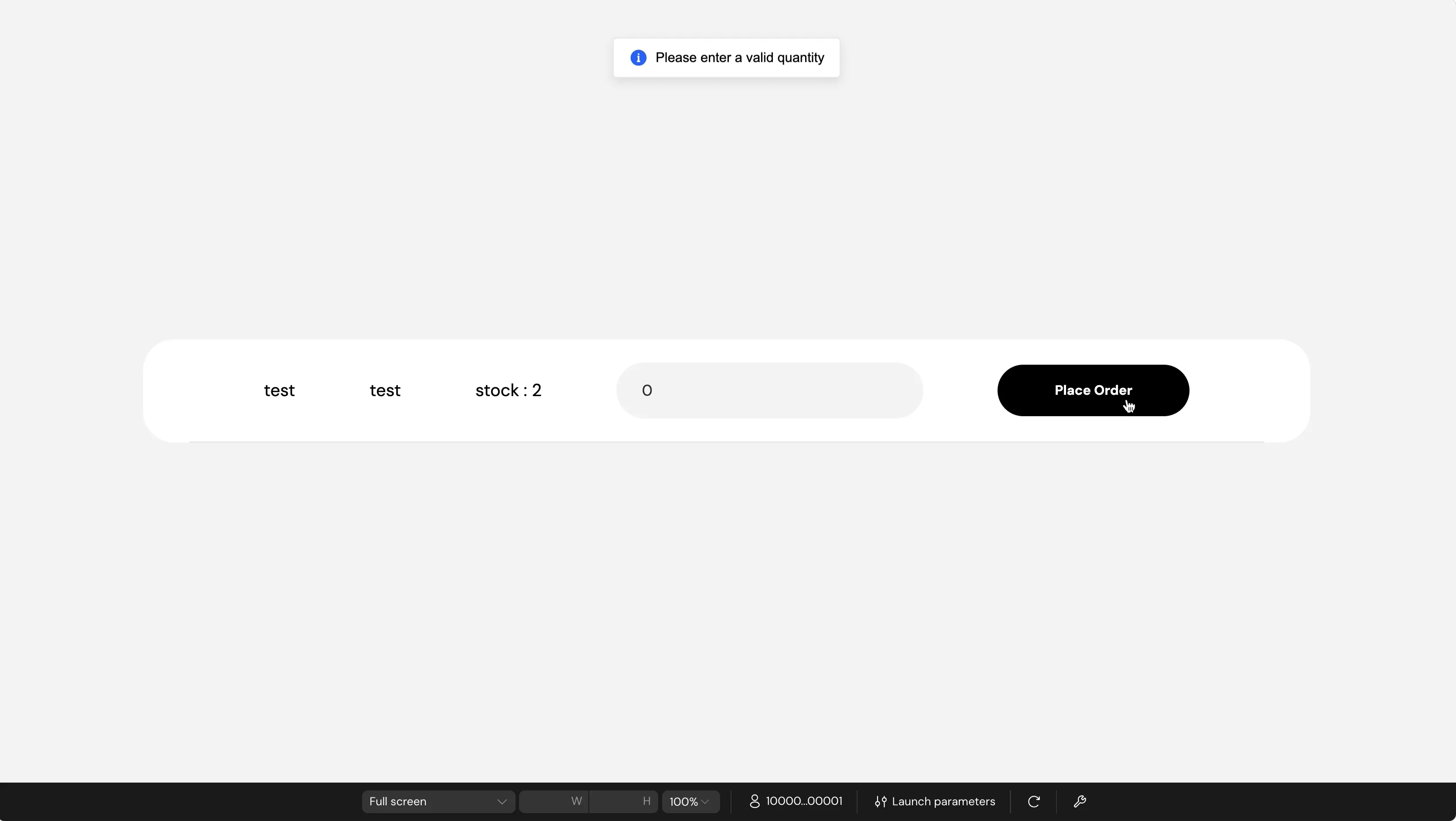
Step 2: Test Invalid Input
Enter 0 in the quantity input and click Place Order. Expected Result: A toast message appears saying "Please enter a valid quantity".
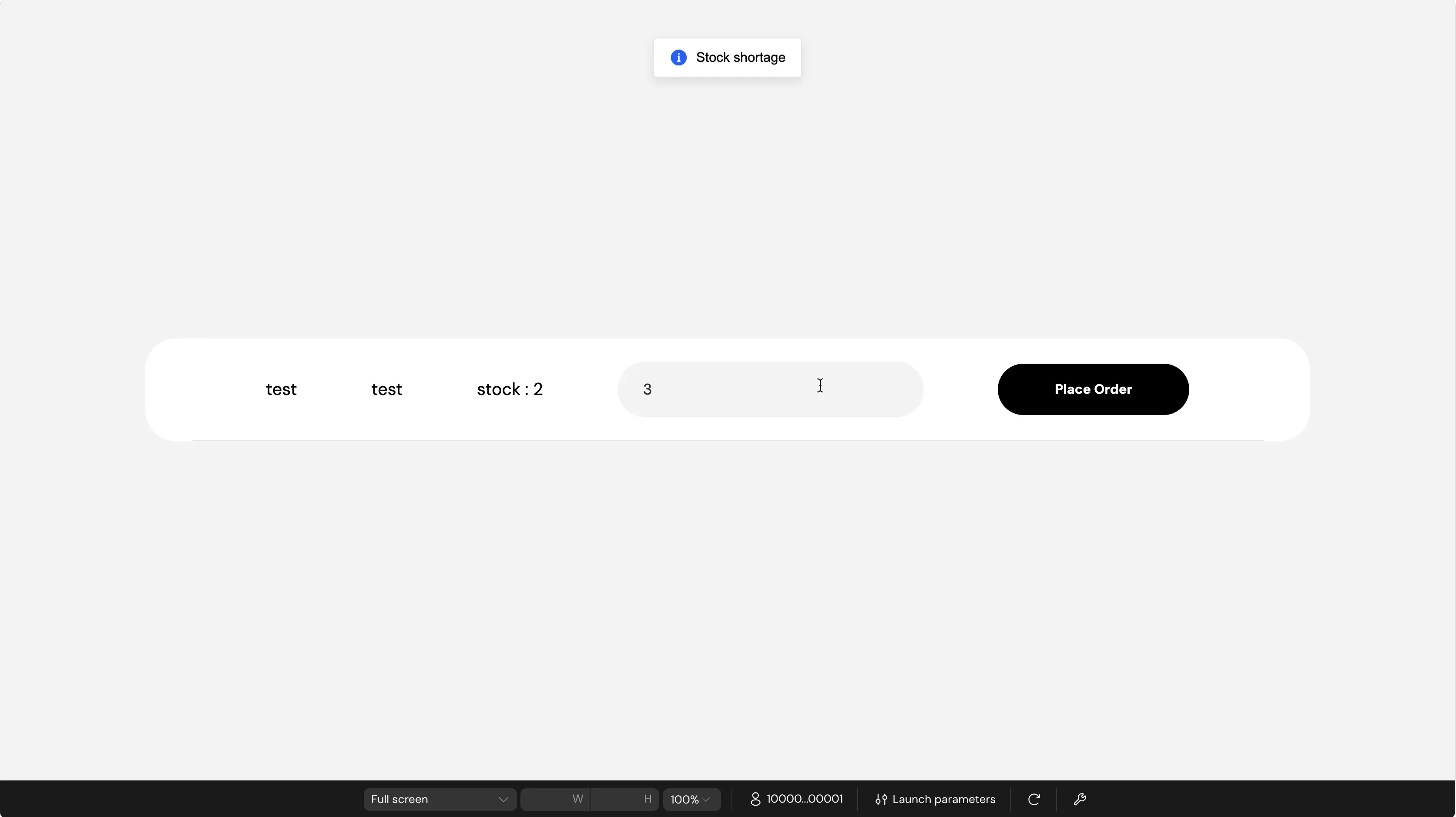
Step 3: Test Stock Shortage
If the current stock is 2, enter 3 in the input and click Place Order. Expected Result: A toast message appears saying "Stock shortage". The database stock remains unchanged.
Step 4: Test Successful Purchase
Enter 1 in the input and click Place Order. Expected Result:
A toast message appears saying "Order placed successfully".
The UI stock count automatically updates to
1.In the Data -> Database view, a new record appears in the
ordertable with the correctaccount_id,product_id, andquantity.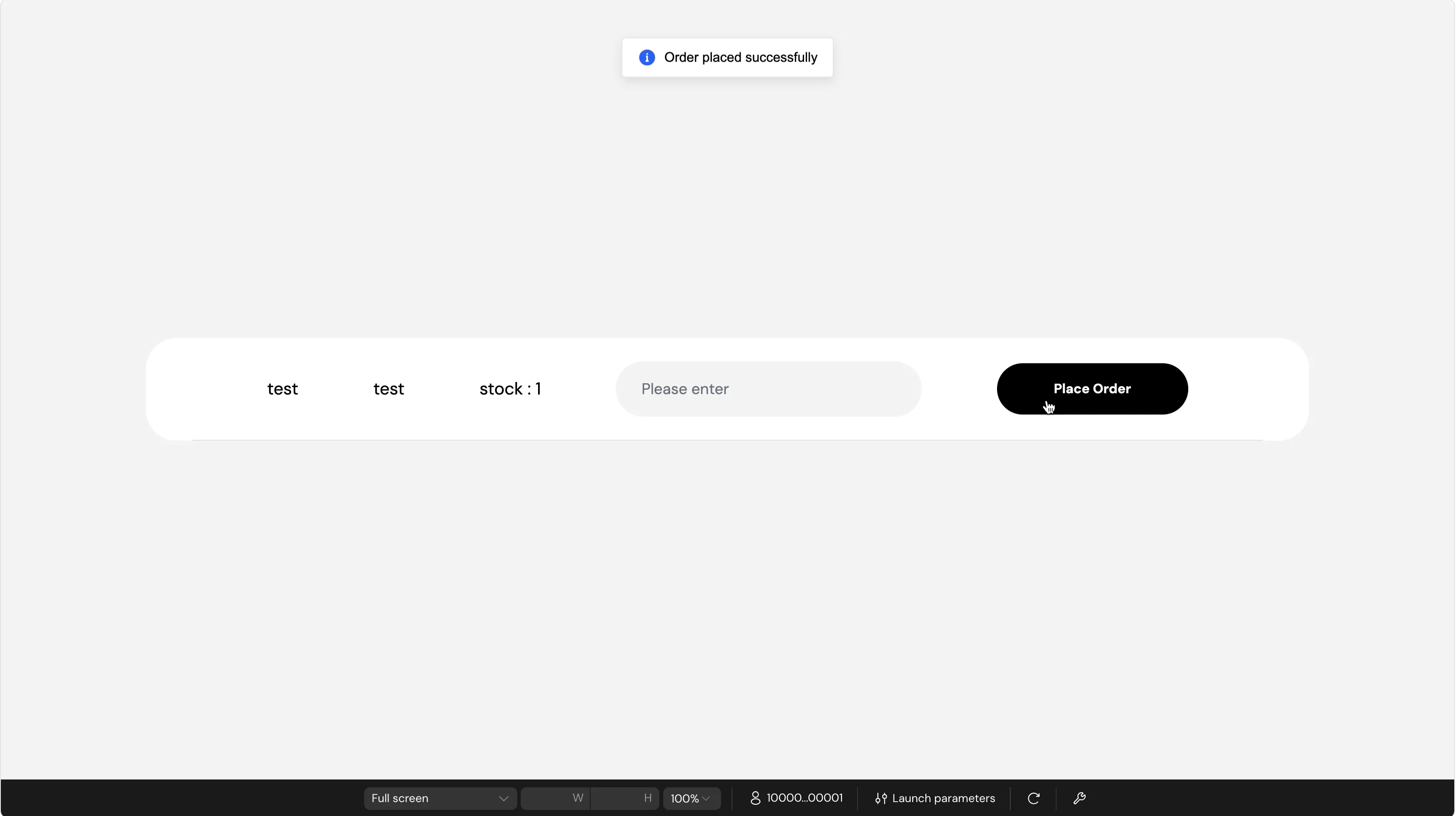
Note: Because the List component uses a Subscription, the stock count on the page will update instantly for all users whenever a purchase is made.
Alternative Setup: Decoupled Frontend with Codex
If you prefer building your frontend externally, you can utilize Momen's headless architecture to pair this database logic with a custom UI.
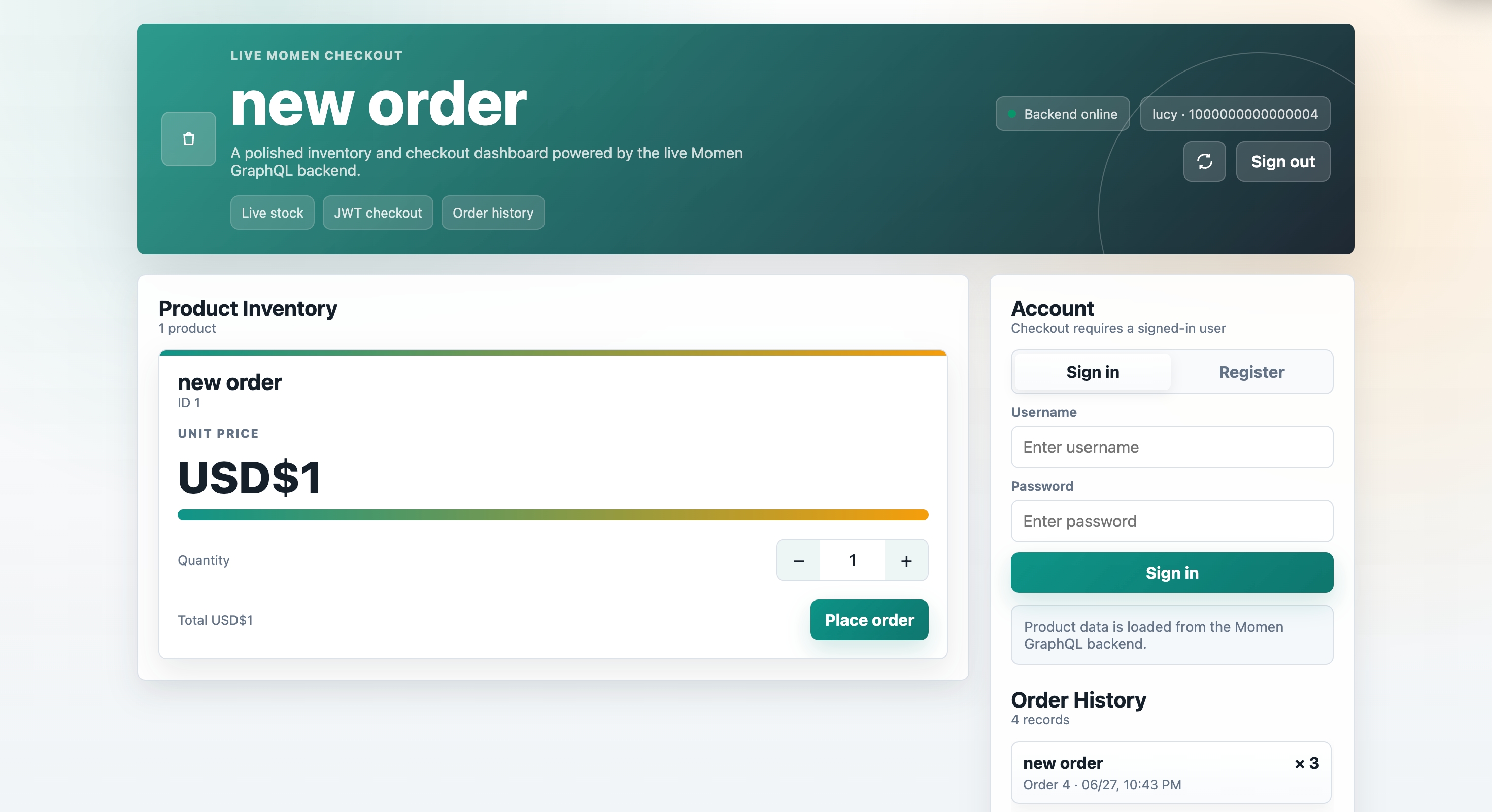
Expose the backend logic via Momen BaaS/GraphQL API: Once your data model and Actionflows are finalized, Momen automatically transforms them into standardized GraphQL APIs. Open the "Connect Backend" modal in the Momen editor to retrieve your project's HTTP endpoint and Admin Token. This exposes your Place Order workflow to be securely triggered from any external client.
Connect Codex to the Momen backend: In your Codex project, configure your data connection using the Momen GraphQL endpoint. Build your custom checkout UI visually, and map your "Buy Now" button to execute a GraphQL mutation that calls the Momen Actionflow. Ensure you pass the
product_idandquantityas variables.Test concurrent orders: Simulate high traffic by firing multiple checkout requests from Codex simultaneously. Momen's built-in row-level locking guarantees that only the request with sufficient stock processes successfully. The others will safely roll back and return the "Stock shortage" status to your Codex UI, strictly preventing double booking.
Try It Yourself And Learn More
We highly encourage you to clone the provided project to inspect the backend architecture firsthand. Open the project and review the exact Actionflow configuration to see how the database constraints directly protect your inventory logic.
From there, you can customize the workflow to fit your exact business needs, such as adding user membership tiers or integrating a Stripe payment gateway directly into the transaction loop. You can also connect AI assistants like Cursor or Windsurf via the Momen MCP server, allowing them to read your backend schema and automatically generate UI components based on your secure rules.
Conclusion
Secure inventory deduction relies entirely on solid backend database architecture, not just front-end logic or browser states. When a platform forces you to use "read-then-write" workarounds, it exposes your application to data corruption and poor scaling under pressure.
Momen provides the transactional rigor—including strict ACID compliance and row-level locking—of enterprise-grade engineering. Because this backend is fully decoupled, you can integrate it securely with any frontend framework like Codex. Clone the project, review the Momen BaaS documentation, and start building a scalable, fail-proof e-commerce backend today. If you are willing to clone the project, please check the link here.
