How to Build a Random Content List in Momen (Step by Step)

When you open an app and see different content every time, it feels fresh, fair, and engaging.
Maybe it’s:
A few random ads on a homepage
A “lucky winner” announcement
A short quiz that never repeats the same questions
A daily quote or joke that changes on every refresh
Behind all of these experiences is the same idea: randomly selecting a small group of items from a larger list.
In this tutorial, you’ll learn how to build this behavior in Momen, step by step, without writing any code.
We’ll start with a simple version so you can understand the core logic, then move to a recommended advanced version that feels more polished and reliable.
What Is a “Random List” in Momen?
A Random List means:
Momen generates several random numbers, uses them as IDs, and then fetches the matching records from your database.
Instead of showing everything, you only show a small, random selection.
This approach is flexible and works for many scenarios.
Common Scenarios Where This Is Useful
You might use this pattern when building:
Ad banners or recommendation sections
Randomly rotate content so everything gets exposure.Lucky draw or giveaway pages
Randomly select winners or prizes.Quizzes or psychological tests
Randomly choose questions so each attempt feels new.Content discovery features
Show random jokes, quotes, or tips on every visit.Exam or test systems
Randomize questions or options to reduce cheating.
Part 1: Basic Version (Understand the Core Logic)
This version focuses on clarity and learning.
It’s the best place to start if this is your first time.
Step 1: Create the Data Table
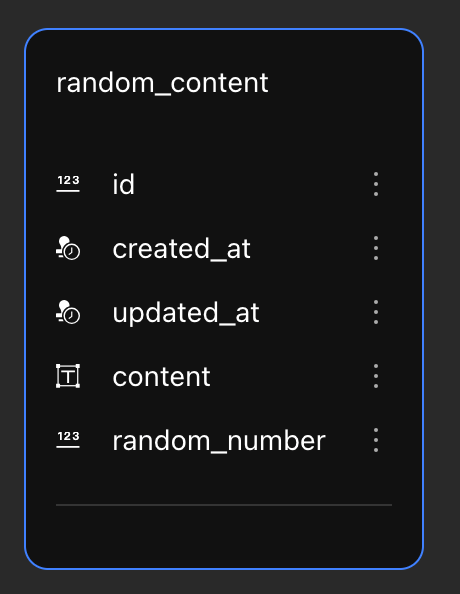
First, you need a place to store the content you want to display randomly.
Create a table with the following fields:
Field name | Type | Purpose |
|---|---|---|
| INT (Primary Key) | Unique identifier |
| DATETIME | Creation time |
| DATETIME | Update time |
| TEXT | The text you want to display |
| BIGINT | A unique random value (required) |
Why do we need random_number?
While id exists, we use random_number because it:
Gives more control
Avoids assumptions about ID order
Makes random selection safer and more flexible
👉 When inserting data, make sure each random_number is unique.
Step 2: Create a Page Variable to Store Random Numbers
Next, we need a place to store the random values generated on the page.
Create a Page Variable
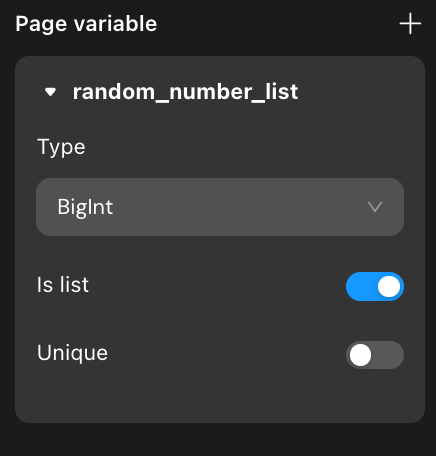
Name:
random_number_listType:
BigintCheck Is list
This variable will hold multiple random numbers, not just one.
Step 3: Generate Random Numbers on Page Load
Now we tell Momen to generate random values.
On Page Load, add an action:
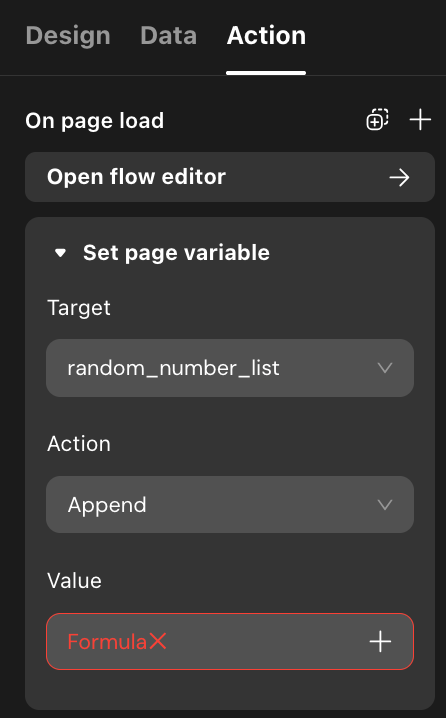
Set Page Variable
Target:
random_number_list
For the value:
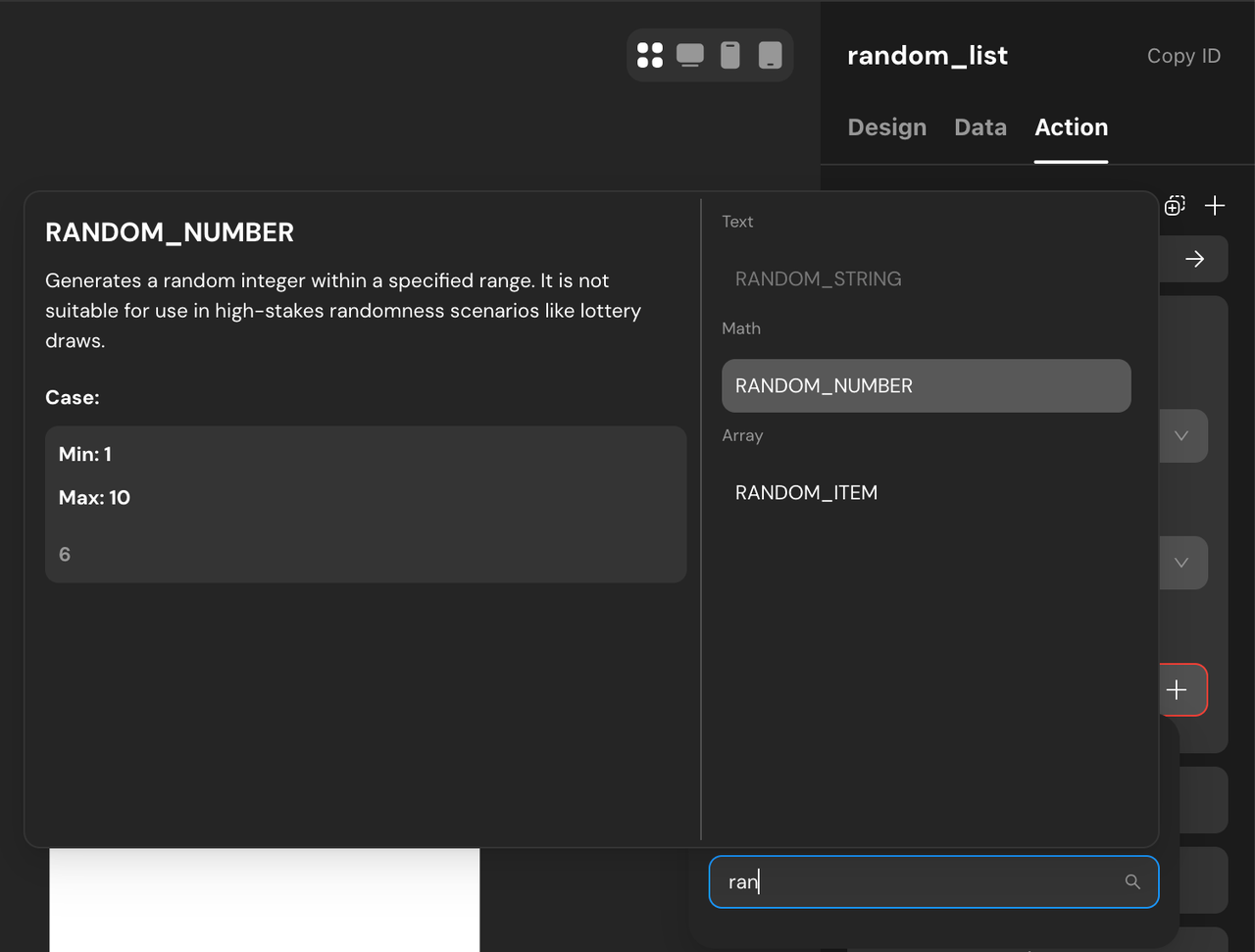
Choose the formula
RANDOM_NUMBER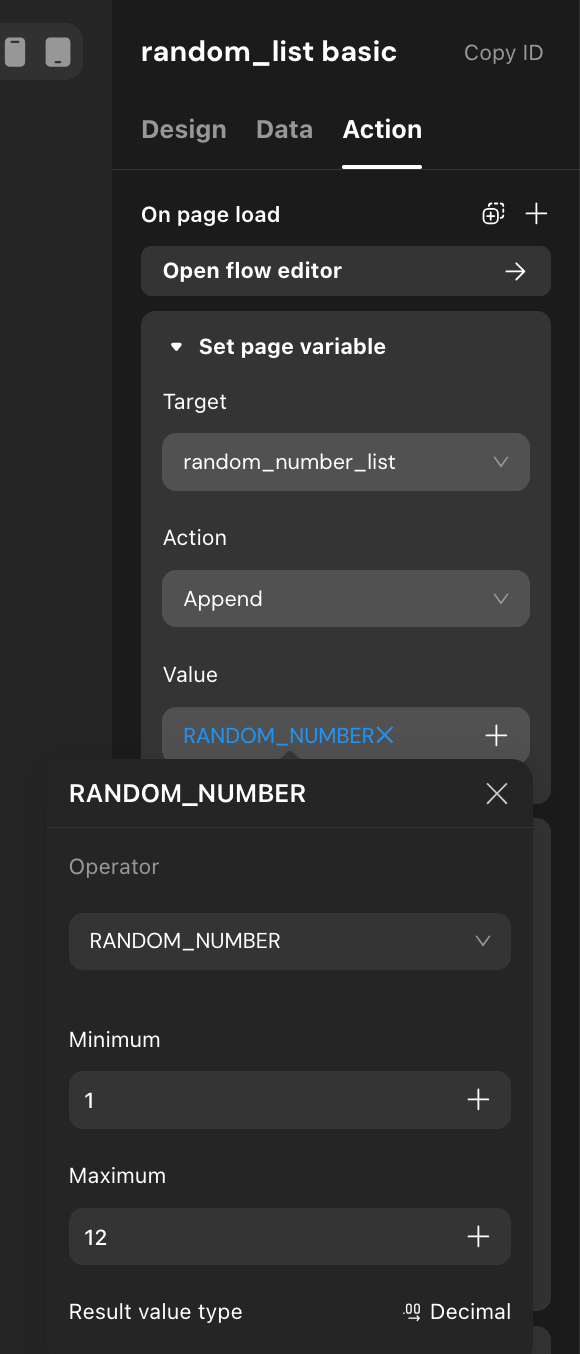
Enter a minimum and maximum value
(You can use fixed numbers for now)
Decide how many items you want to show
Example: 5 itemsCopy this action and paste it 4 more times
Total: 5 identical actions
Each one generates one random number
📌 At this point, random_number_list might look like:[3, 7, 12, 7, 19]
Duplicates are possible — we’ll fix this later.
Step 4: Display the Random Content
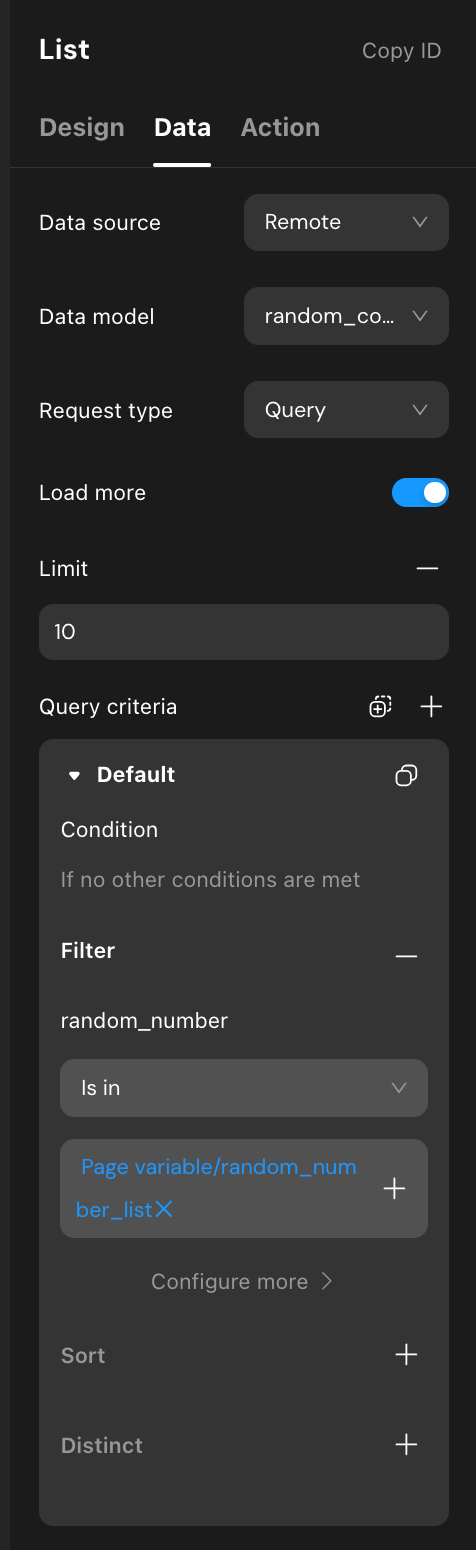
Now we use those numbers to fetch real data.
Add a List component
Select your content table
Set a filter:
random_numberis inrandom_number_list
Inside the list item:
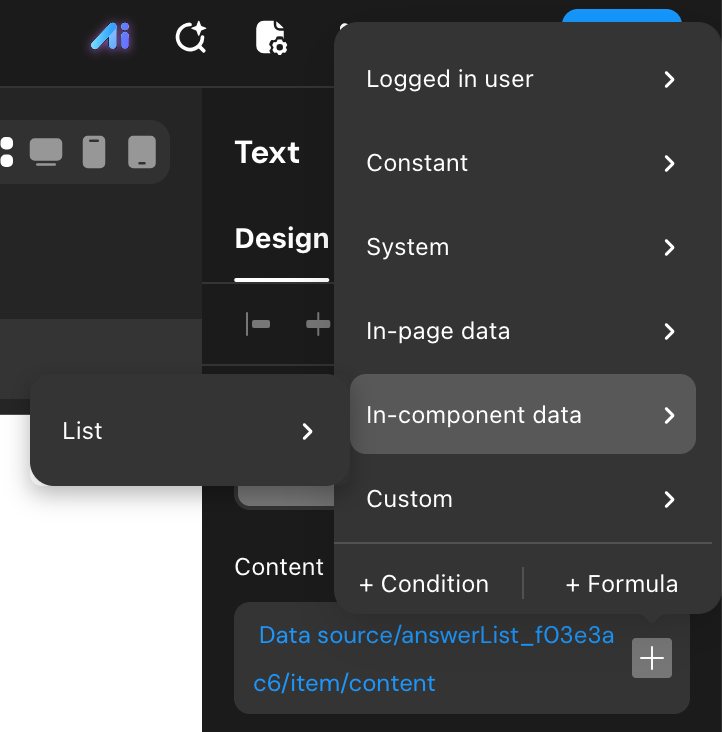
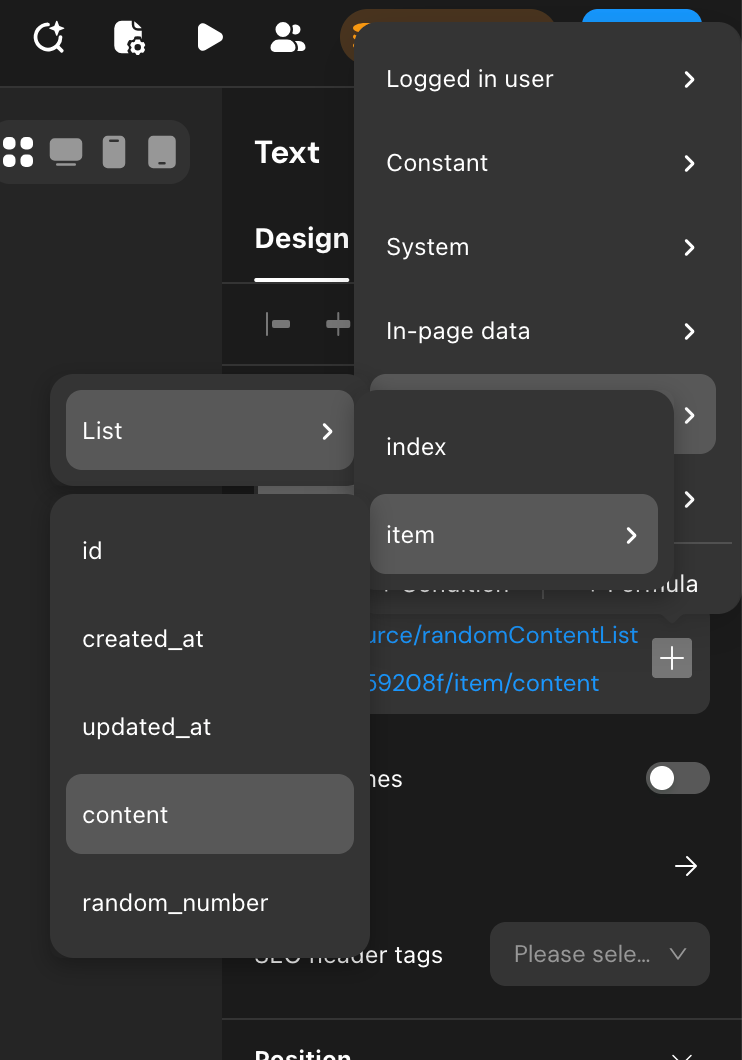
Add a Text component
Bind it to the
contentfield
Important Note
If there are duplicates in the random list, the final display count may be less than expected.
This is normal in the basic version.
Part 2: Advanced Version (Recommended for Real Apps)
Now let’s turn this into a production-ready solution.
This version:
Automatically adapts to your data size
Ensures enough items are shown
Adds a clean loading experience
Step 1: Get the Real Random Range from Your Data
Instead of guessing min and max values, we fetch them directly.
Create two Data Sources:
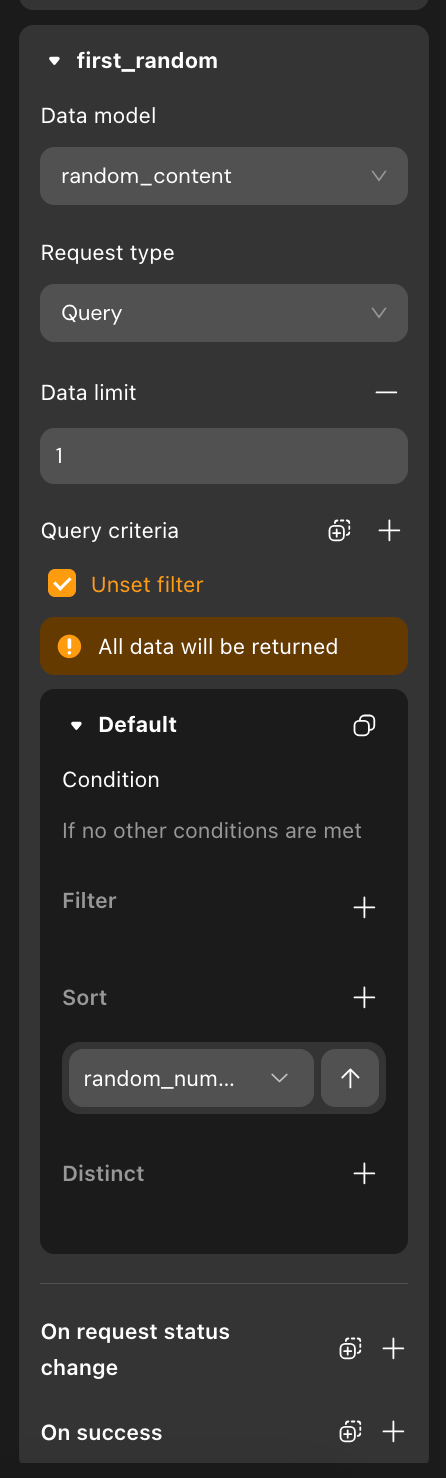
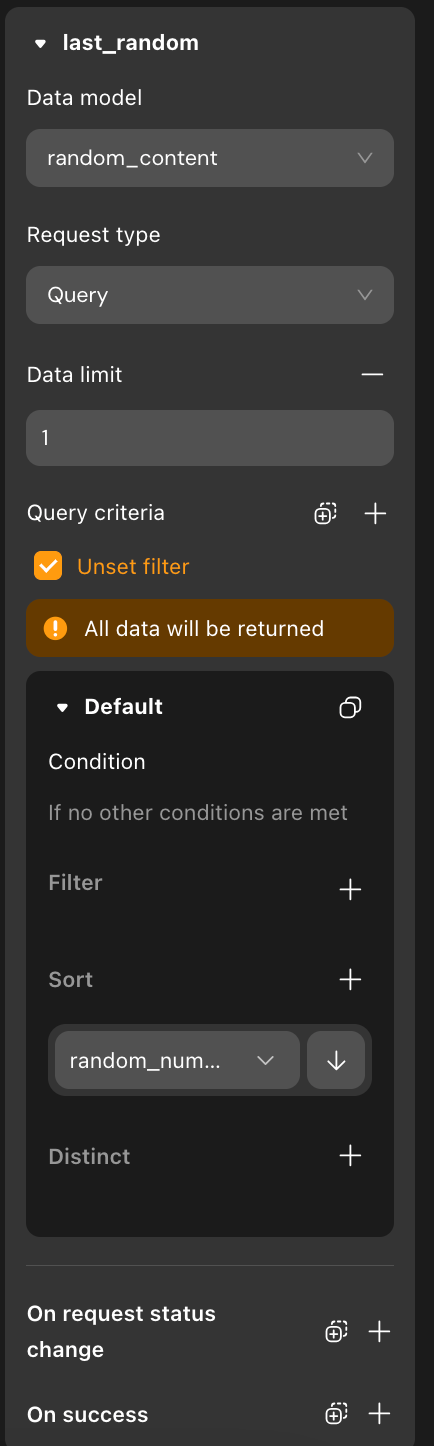
first_random
Sort by
random_number→ ascendingLimit:
1Purpose: get the minimum value
last_random
Sort by
random_number→ descendingLimit:
1Purpose: get the maximum value
Now your random range always matches your data.
Step 2: Generate Random Numbers After Data Loads
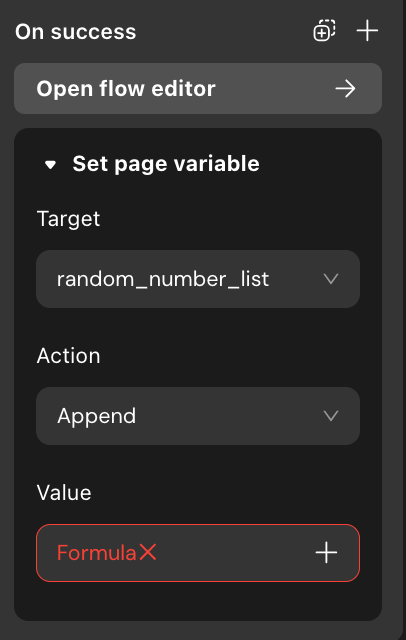
On last_random → success:
Add Set Page Variable
Target:
random_number_listUse
RANDOM_NUMBER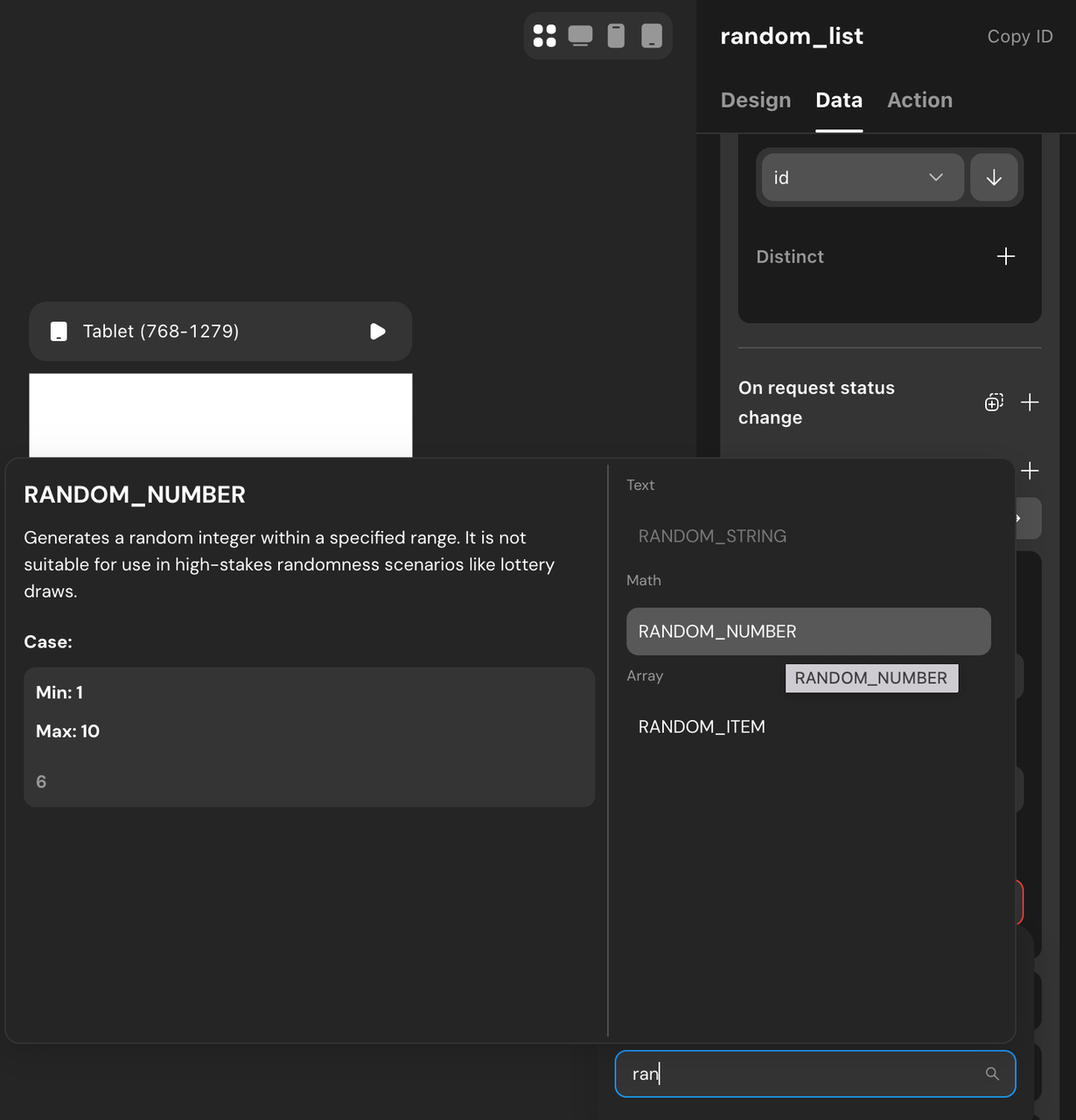
Set:
Min:
first_random → random_numberMax:
last_random → random_number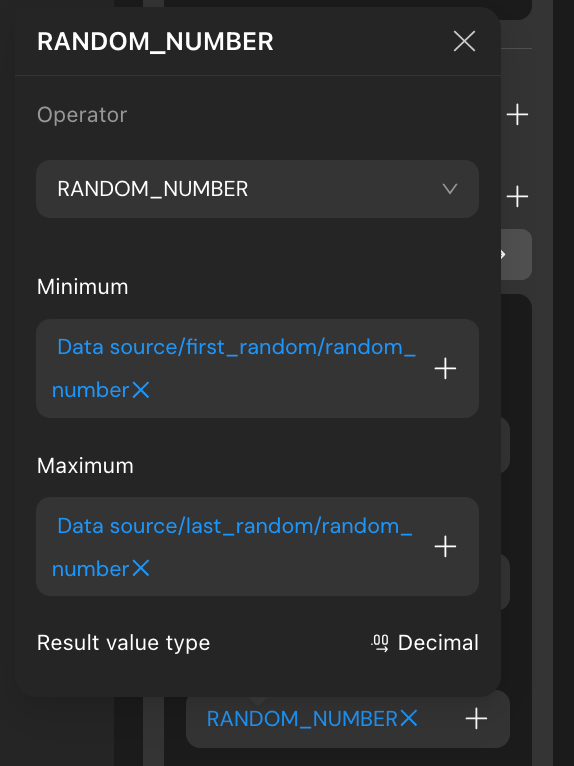
Repeat this action N times (for example, 5 times).
Step 3: Fetch the Random Records
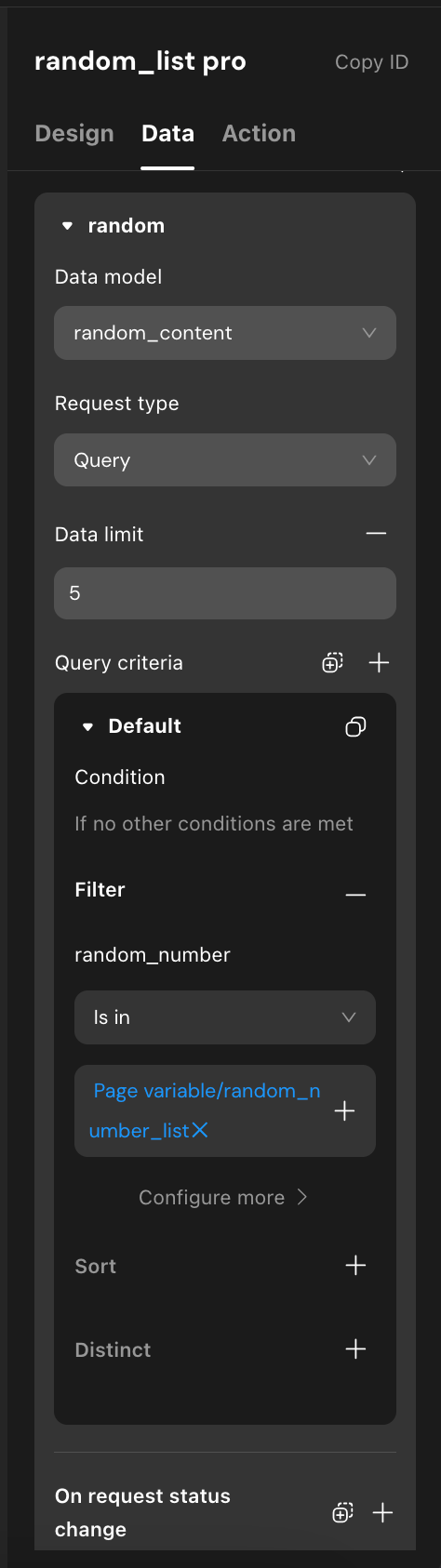
Create a new data source called random:
Table: content table
Limit: number of items you want
Filter:
random_numberis inrandom_number_list
Step 4: Retry If Items Are Missing
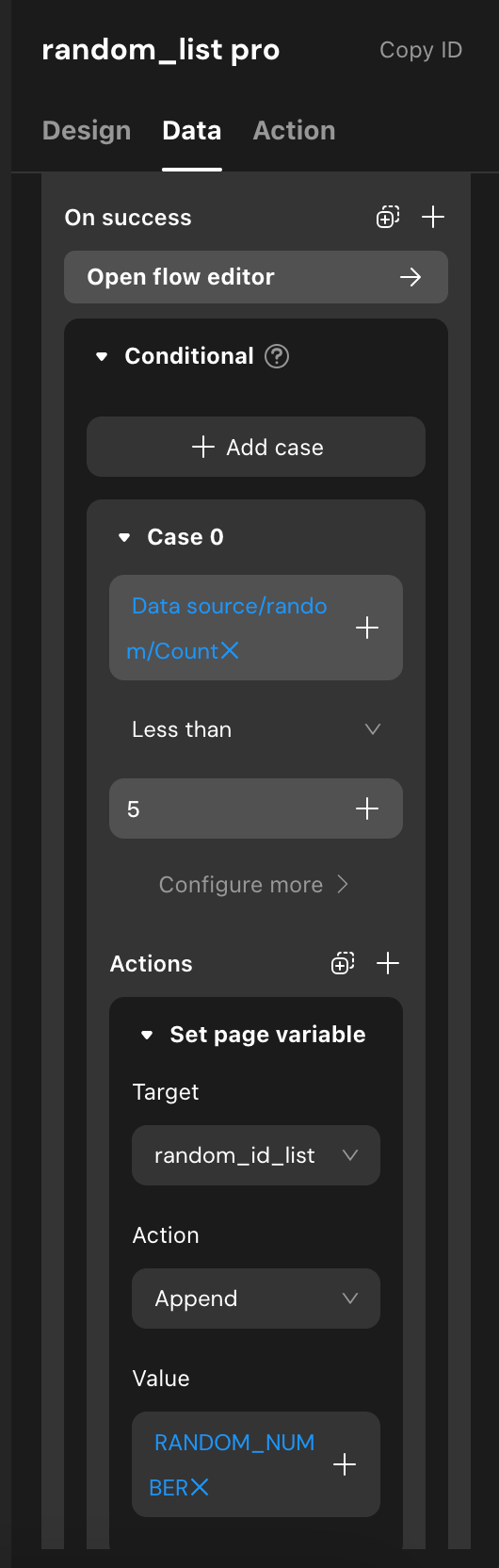
On random → success, add a condition:
If
random → countis less than required:Generate random numbers again
This guarantees a full list.
Step 5: Add a Loading State with Conditional Containers
To avoid showing partial content:
Add a Conditional Container
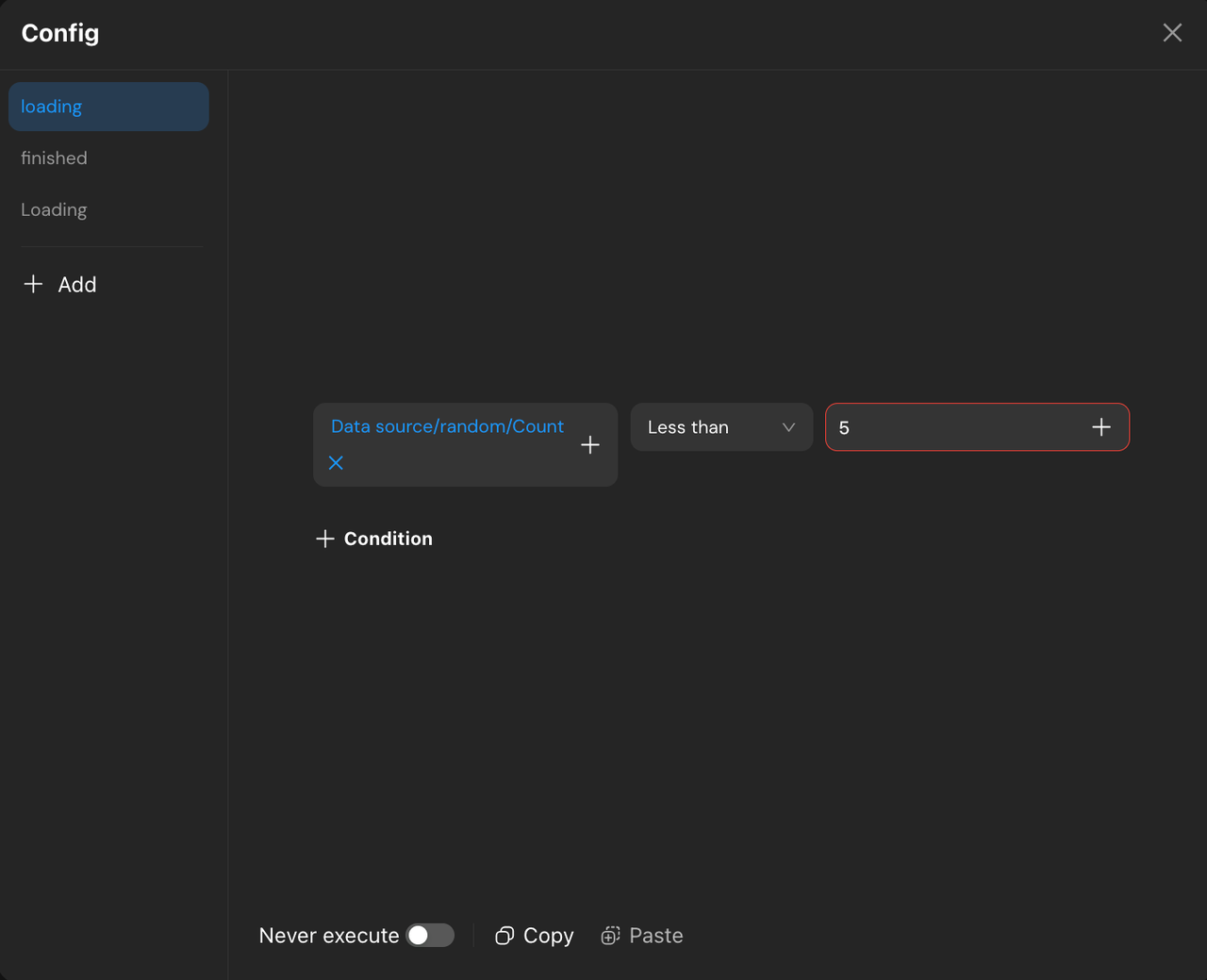
Container A: loading
Condition:
random → count < 5Content:
Text →Loading...
Container B: data_display
Default state
Contains:
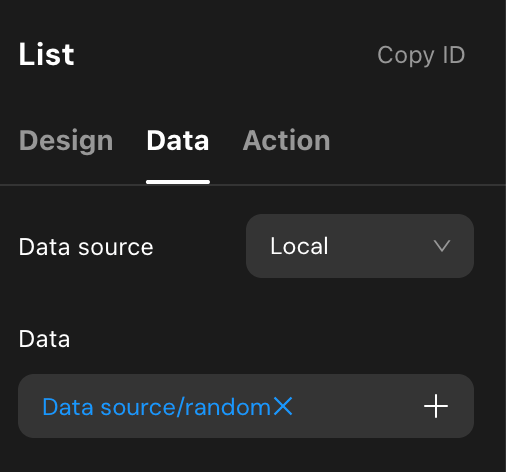
A List
Data source: Local →
randomText bound to
content
Now users only see the list when it’s fully ready.
Final Thoughts & Next Steps
You’ve now built a flexible, reusable random list pattern in Momen.
From here, you can:
Add images, cards, or buttons
Trigger reshuffling with a button
Combine with AI-generated content
Reuse this logic for quizzes, ads, or recommendations
Try it now in momen.app!
