How to build a nano banana image generator quickly with Momen

Try the template here now: https://editor.momen.app/tool/EQvM7zez7dQ/WEB
Introduction
This template allows users to generate AI-powered images while the system refines their prompts for better results. Users provide text prompts and optionally upload input images, and the AI generates visual content based on usage credits. Prompt optimization ensures that generated images are precise and visually creative, considering composition, lighting, style, background, and other visual details.
Basic Project Logic
Users sign up and receive initial credits. They can enter a prompt, optionally upload an image, and use AI to generate a refined prompt. Based on the refined prompt and any uploaded image, the AI generates a new image, which is stored in the user’s account center. Image generation is credit-based, and every new user receives 2 free credits to start.
Data
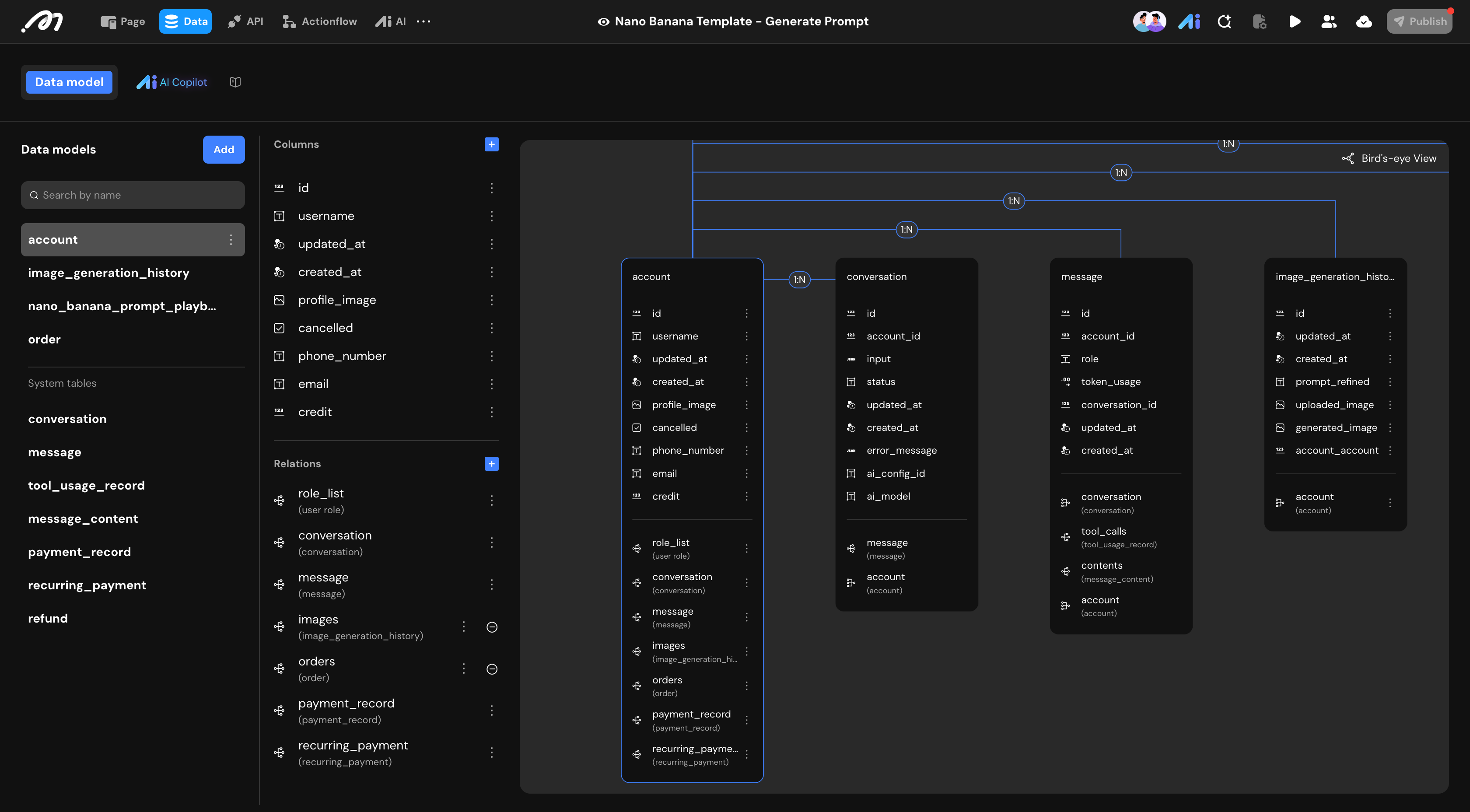
This template uses several core business tables, along with system default tables that handle AI operations and payment logic.
Account: Stores user login information such as email, password, and profile image. It also tracks the number of credits each user has, which determines how many images they can generate.
Image Generation History: Records every image generated by users. It stores the refined prompt used for generation and links each image to the user account, allowing users to review their generation history.
Order: Represents each purchase request. It stores the order amount, status, and connects the order to the user account and related payment records.
In addition to the core tables, the template relies on system default tables.
Payment-related tables store payment records, recurring payment data, and refund information.
AI-related tables store conversation data, message content, and tool usage records. These system tables work automatically and usually do not require modification.
Roles and Permissions are managed through relational tables connecting accounts and roles, enabling flexible access control across the platform.
Prompt Refinement and Guidance: The Nano Banana Playbook table stores prompt guidance for AI, helping it generate more precise and creative images based on user inputs.
Design
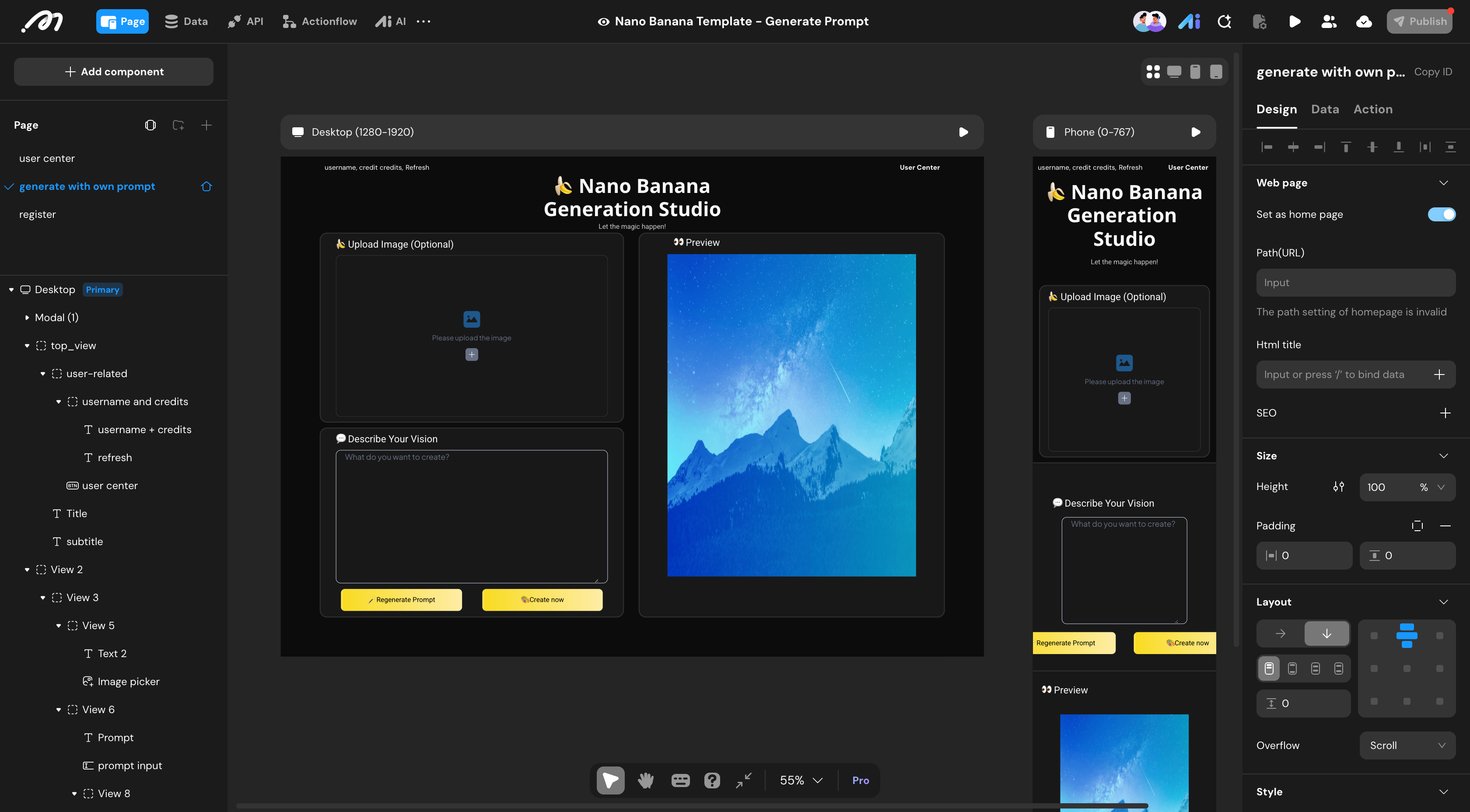
This template fetures 3 main pages:
Register Page: Users can create an account by signing up with basic information. New users are automatically granted free credits to start generating images.
User Center: Displays the user’s current credit balance and image generation history. Users can review past images, purchase additional credits, and manage account settings.
Generate / Home Page: Users can enter a text prompt and optionally upload an input image. They have the choice to refine their prompt using AI for better results or generate an image directly. Generated images are saved to the user account, and credits are deducted automatically.
Action Flows
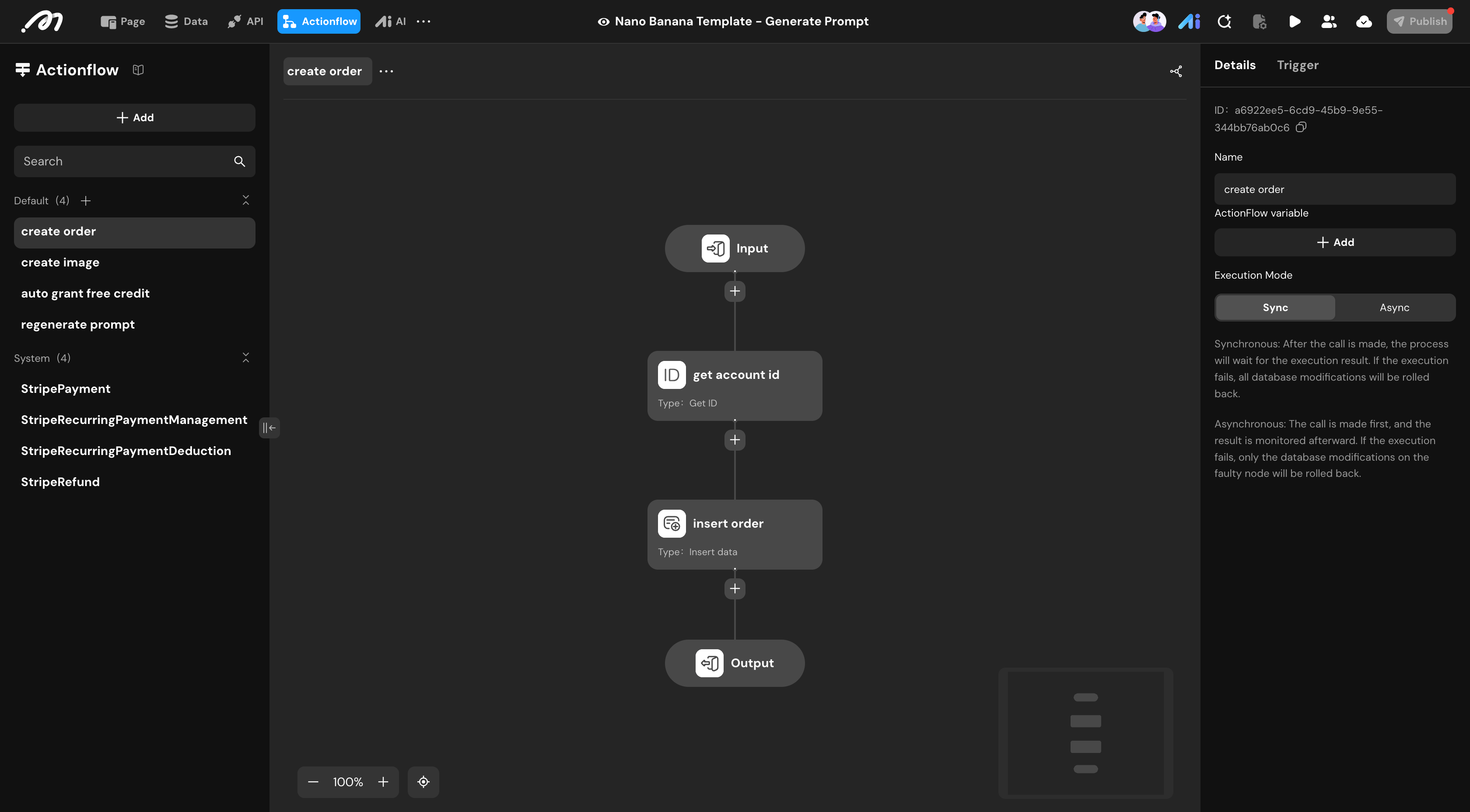
Action flows handle all automated logic in this template, including credit management, image generation, and order processing. This template includes several key action flows:
Create Order: Inserts a new order record for a user and returns the order ID and amount.
Create Image: Generates an image using AI based on a text prompt and optional input image. The flow deducts credits, stores the generated image and refined prompt in the database, and links everything to the user account.
Regenerate Prompt: Refines an input prompt using AI, returning an optimized prompt that improves the quality and visual clarity of generated images.
Auto Grant Free Credit: Automatically adds free credits to a user account, typically for new users or promotional campaigns.
Payment-related action flows, including Stripe payment processing and recurring payment management, are included by default. These can be customized or extended as needed.
AI

This template leverages 2 AI agents to automate image generation and prompt optimization:
Prompt Optimizer: Analyzes user-provided prompts and extracts visual details to create refined prompts. It ensures generated images are precise, visually rich, and aligned with the user’s intent. The agent also references the Nano Banana playbook stored in the database to provide guidance and context for better prompt refinement.
Image Generator: Produces new images from a text prompt and optional input image. The agent uses configurable AI models to balance creativity, style, and visual fidelity.
