Stop the Noise: Build An AI-Powered Spam Detector in Minutes

We’ve all seen it: you launch a beautiful blog, a community forum, or a feedback section, and within hours, it’s flooded. Between the "Get Rich Quick" links, repetitive gibberish, and random strings of characters like asdfgavcugsu, user-generated content can quickly turn into a moderation nightmare.
If you’re managing a platform, you don't want to spend your entire day playing "delete-a-mole." You need a gatekeeper—something that reads every submission and decides if it’s worth keeping before it even hits your screen.
Today, we’re going to build an AI Spam Detector. And the best part? We’re doing it without writing a single line of code.
Meet Momen: Your No-Code Command Center
To build this, we’re using Momen. Momen is a powerful no-code platform that goes beyond simple website builders. It allows you to build complex web applications with integrated databases and, most importantly, custom AI Agents.
With Momen, you don't just build a page; you build "logic." You can tell your app exactly how to think and act, making it the perfect tool for automating the boring stuff.
Where Can You Use a Spam Detector?
While we’re focusing on a comment section today, this logic can be applied to almost any digital interaction:
Customer Support: Filter out "test" tickets or junk emails so your team only sees real issues.
Marketplaces: Flag low-quality product descriptions or suspicious seller listings automatically.
Education Platforms: Keep student discussion boards clean and focused by filtering out off-topic chatter.
Contact Forms: Stop bot-generated leads from cluttering your CRM.
How to Build It: The Step-by-Step Guide
If you want to see the technical "under the hood" details, check out the or follow along with the .
1. Create Your Digital Archive (The Database) 🗄️
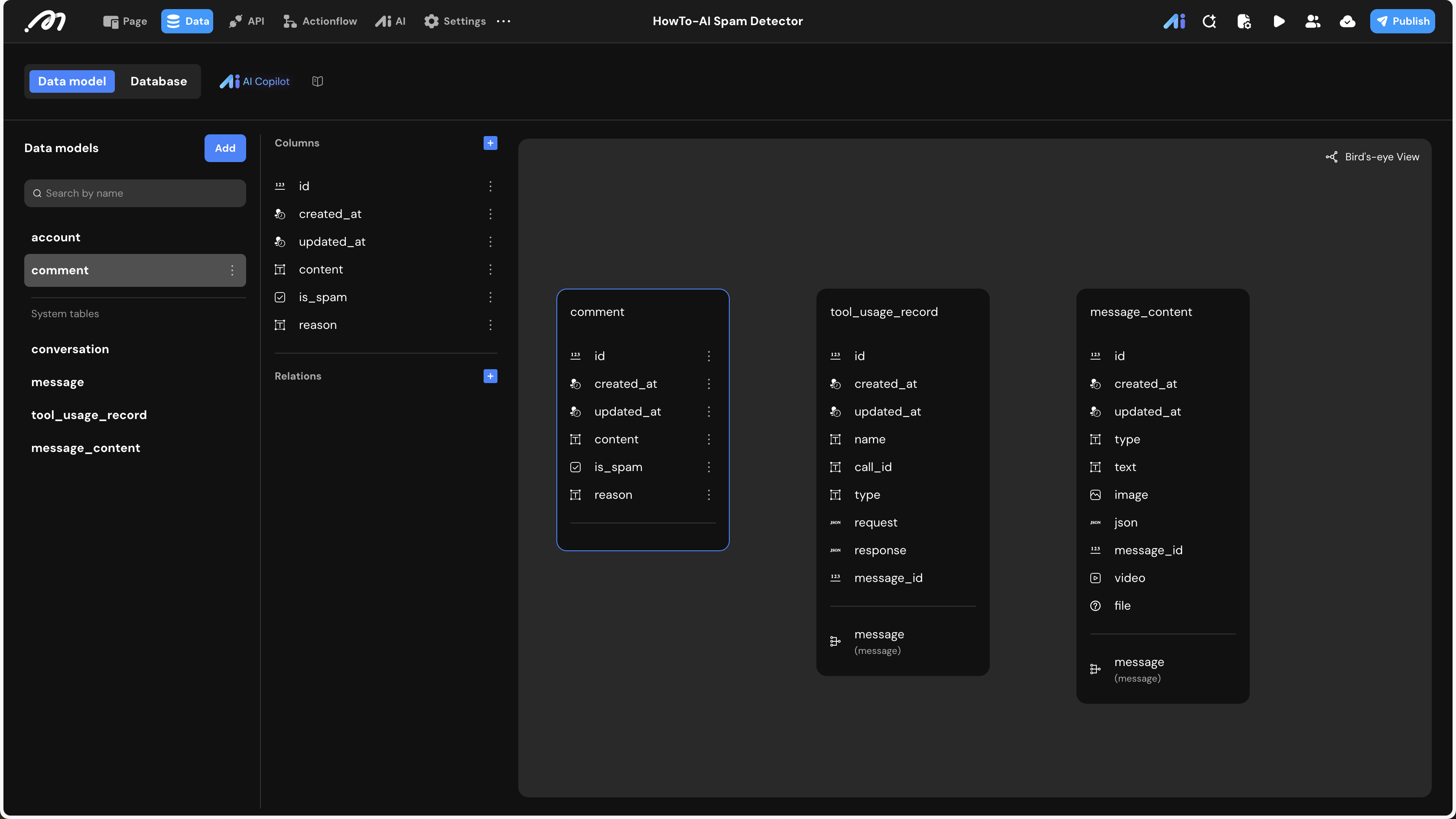
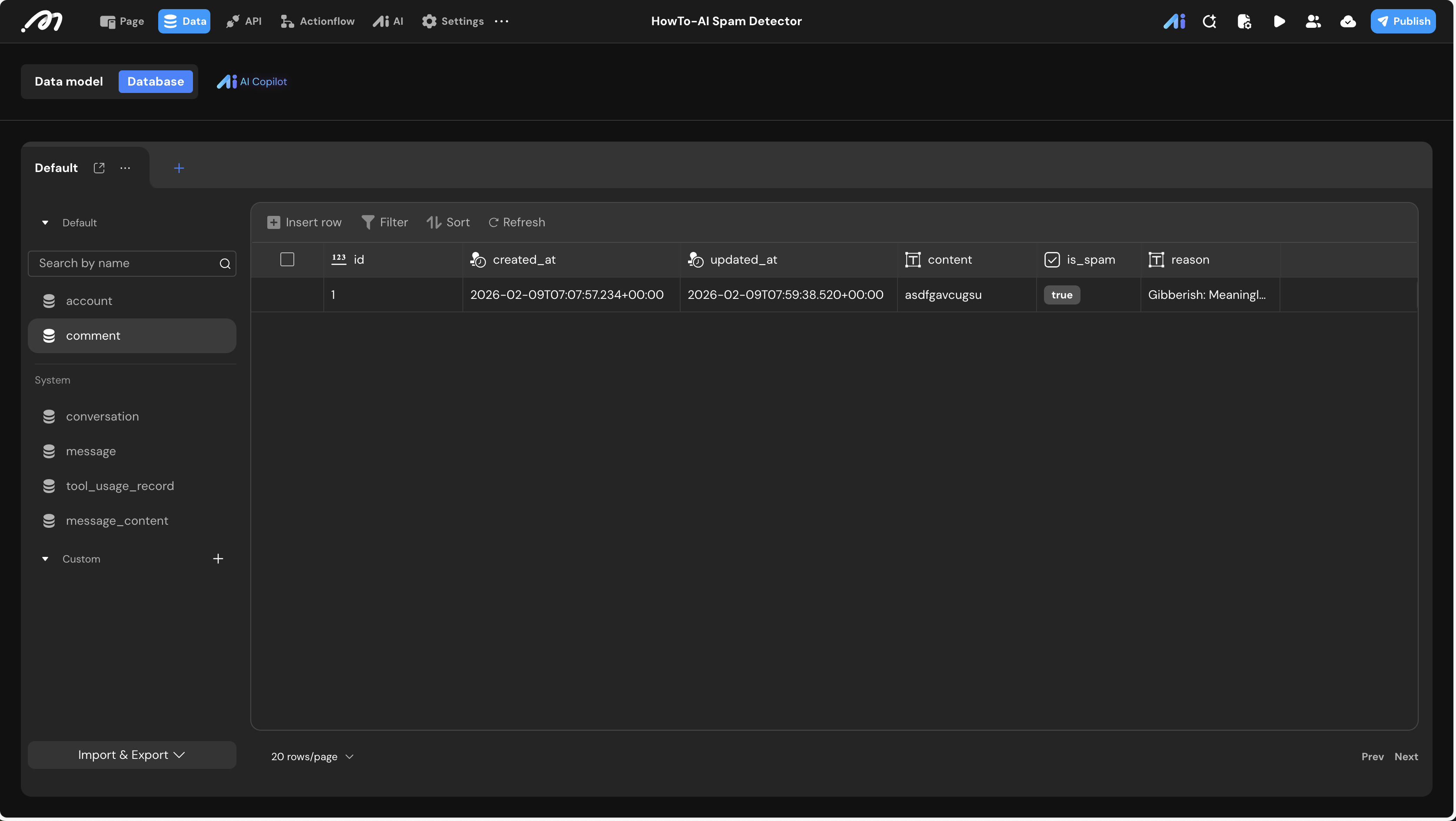
First, we need a place to store the comments. In Momen, you’ll create a table called comment. We’ll give it three specific fields:
Content: The original message the user typed.
Is_Spam: A simple "True/False" checkmark.
Reason: A text field where the AI can explain why it flagged something (e.g., "Contains gibberish").
2. Hire Your "AI Moderator" 🧠
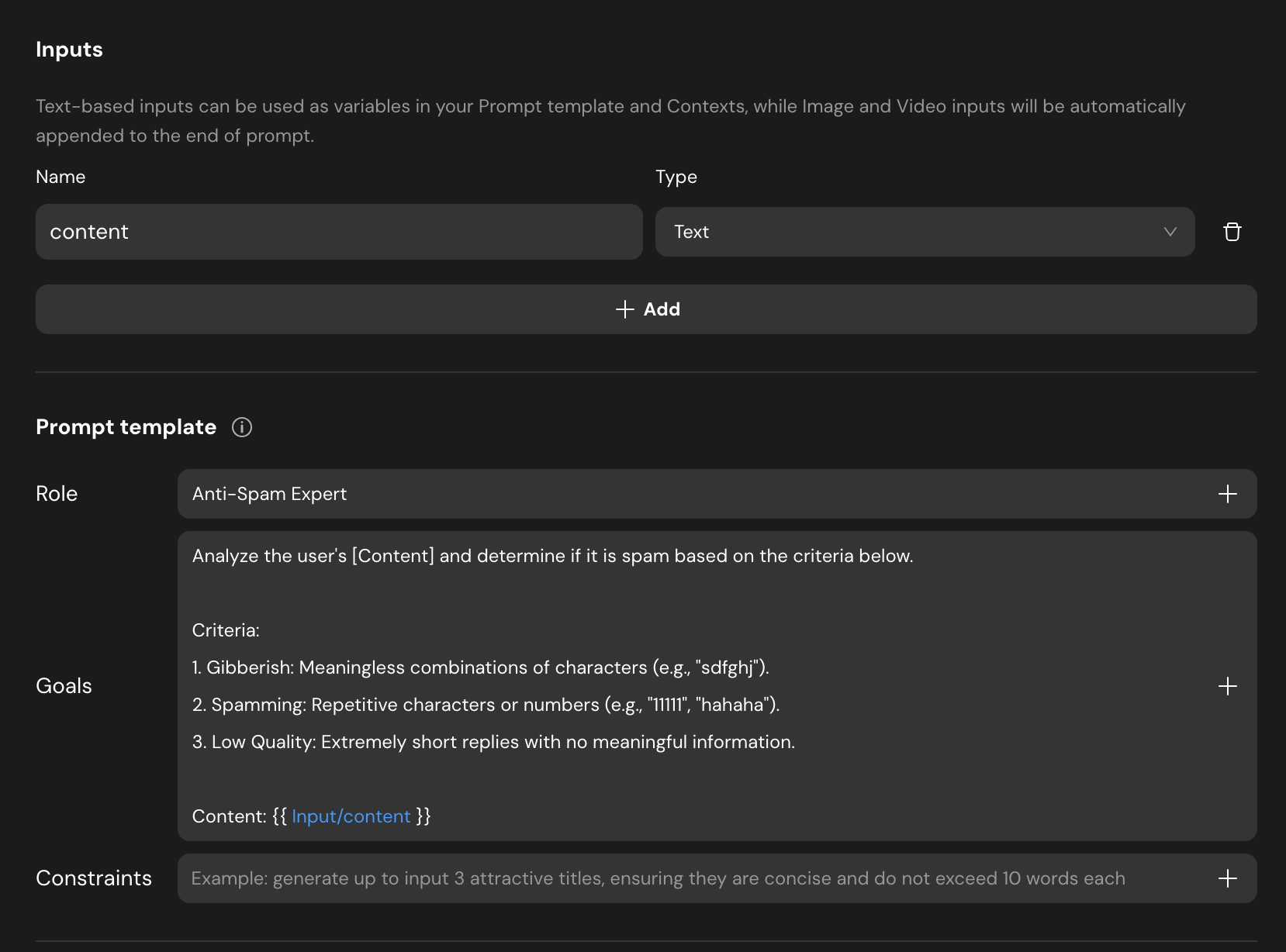
Next, we head to the AI tab. We’re creating an agent called Agent_spam_detector. Instead of just a chatty robot, we give it a specific Role: "Anti-Spam Expert." We tell it exactly what to look for (repetitive text, low quality, or nonsense).
Pro Tip: Use Structured Output. This forces the AI to return a clean "True/False" and a specific reason, rather than a long paragraph. This makes it easy for your app to process the data.
3. Design the "Actionflow" 🔄
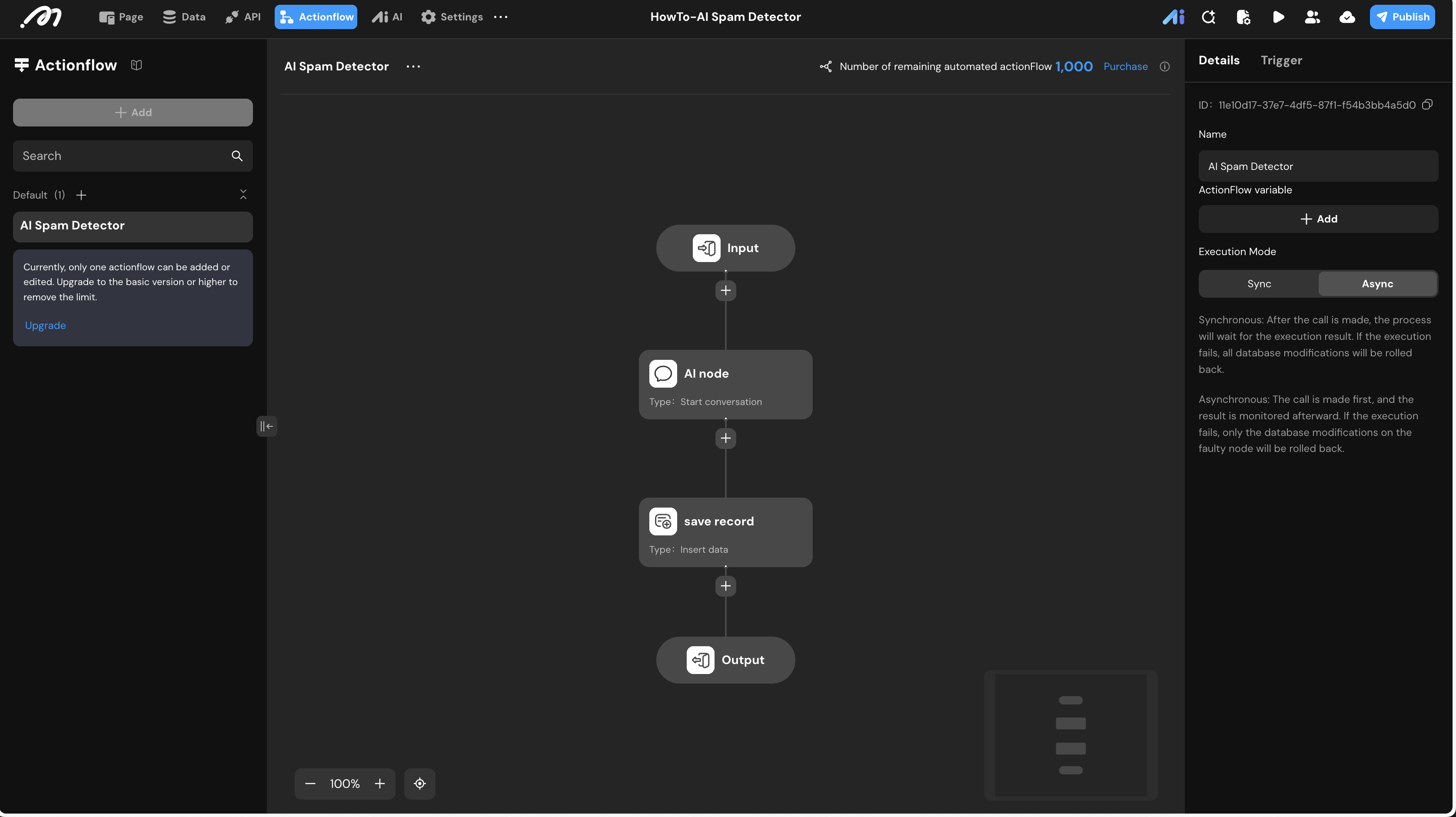
This is the heart of your automation. We create an Actionflow that acts as the middleman.
It takes the user's text.
It sends it to the AI Agent for a "verdict."
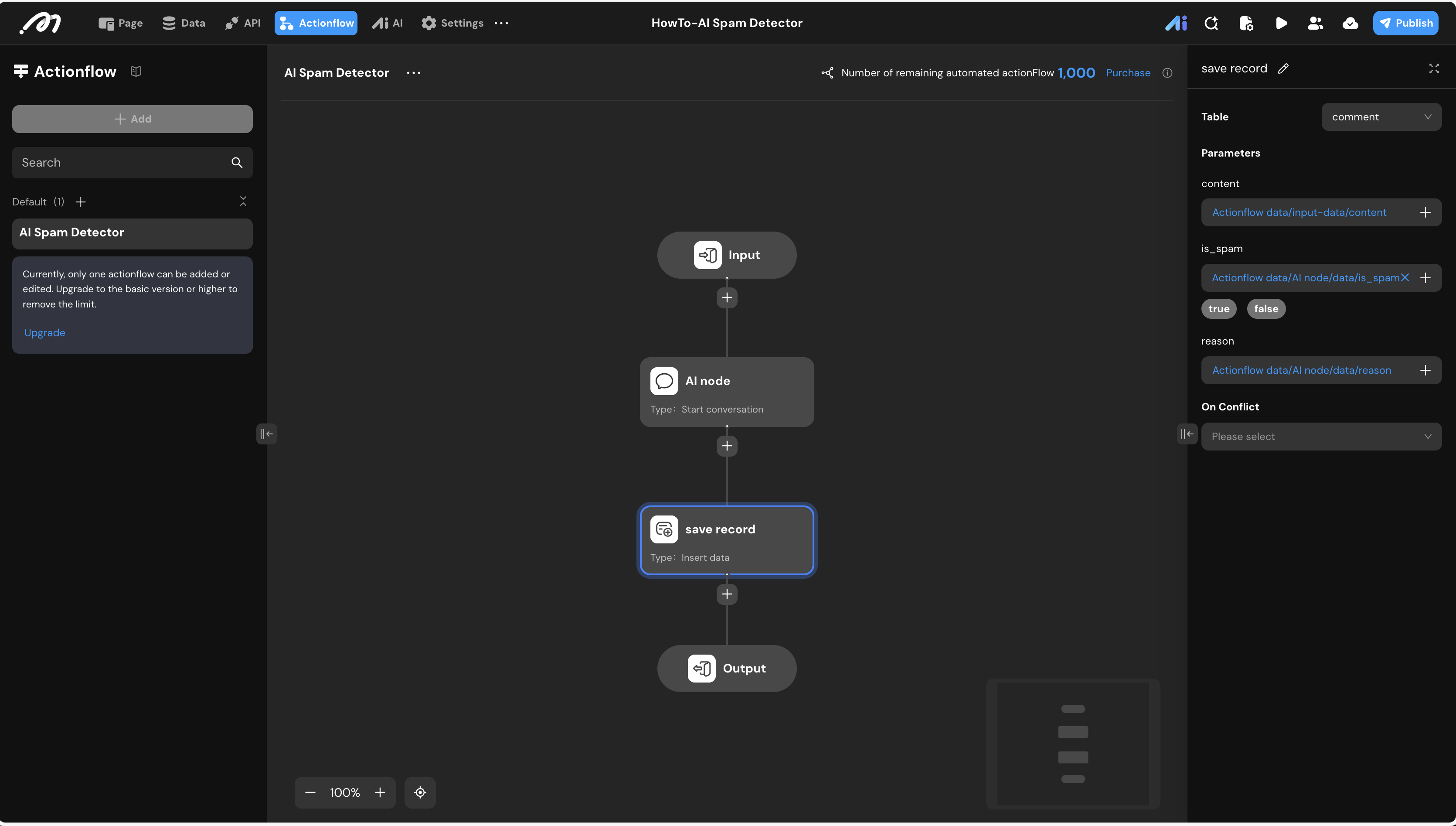
It saves both the text and the AI’s verdict (is it spam? why?) into your database.
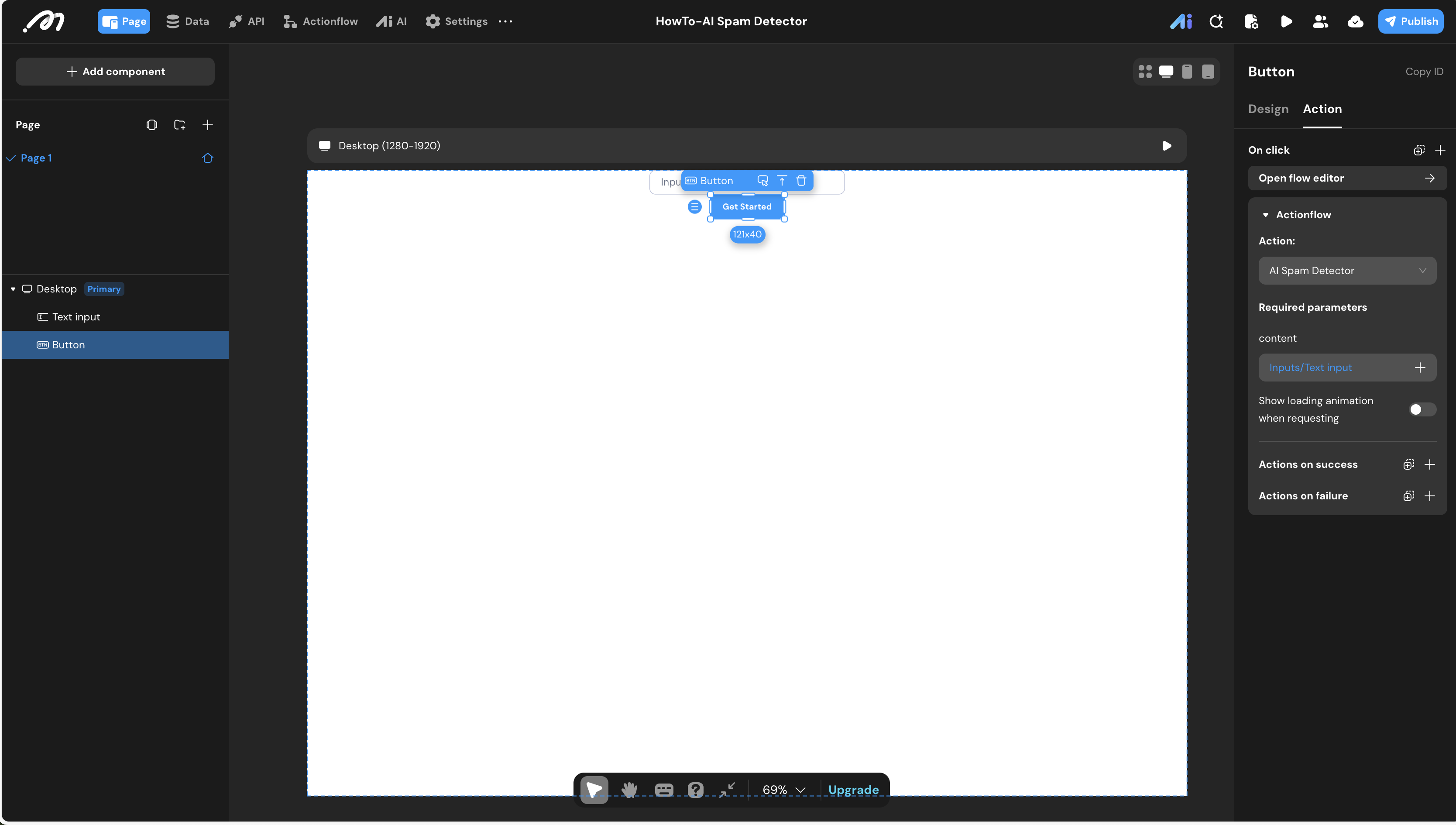
4. Build the User Interface 🖱️
Finally, drag a Text Input and a Button onto your Momen canvas. Link the button to your Actionflow. That’s it! Your app is now smart enough to moderate itself.
Put it to the Test
Enter Preview Mode and try to fool your AI. Type something like "Click here for free money!!!" or just smash your keyboard. When you check your database, you’ll see the AI has already labeled it as spam and documented the reason.
Ready to try it yourself?
🚀 Explore how we build in Momen: https://editor.momen.app/tool/9G6nZlvlrrq/WEB?code=S6A5HygGoBLm3
📖 More detail in Momen Doc: https://docs.momen.app/tutorial/how_to_build_an_ai_spam_detector/
Go Beyond: What’s Next?
Once you’ve mastered the spam detector, you can build even more personalized features to fit your specific needs:
Auto-Delete: Set the logic to automatically delete any comment where
is_spamis true.Shadow Banning: Allow spam comments to be saved but make them invisible to other users.
Sentiment Analysis: Beyond just "spam," have the AI tag comments as "Happy," "Angry," or "Urgent" so you can prioritize your responses.
With Momen and AI, you’re not just building an app; you’re building a smarter way to work. What will you automate next?

