How to Build an AI Cat Digestive Analysis Tool with Momen

Introduction: How AI can help pet owners to monitor cat health
Your cat can’t explain how they feel — but their poop can reveal a lot. Sometimes you might notice something unusual in the litter box, but it’s hard to know:
Should I be concerned?
Is this normal?
Do I need to call the vet?
That’s where AI comes in — helping you make sense of what you see, avoid unnecessary panic, and even offering professional, data-backed suggestions.
In this tutorial, we’ll show you how to build your own AI cat health analysis tool using Momen, a no-code platform. Step by step, you’ll learn how to use AI agents, conditional views, and smart UI logic to create a tool that analyzes cat poop photos for health insights.
👇 Try the working demo below:
Key Component: Conditional Views
Before building, let’s understand one key UI element: Conditional Views. These allow your app to display different screens or messages based on the app’s state — like when the user uploads an image, the app is analyzing, or the result is ready.
In our project, we’ll switch between:
📷 Input view (image upload)
⏳ Loading screen
✅ Result view
Step-by-Step Guide to Building an AI Cat Poop Detector
Step 1: Designing the UI
Your app will consist of three main views:
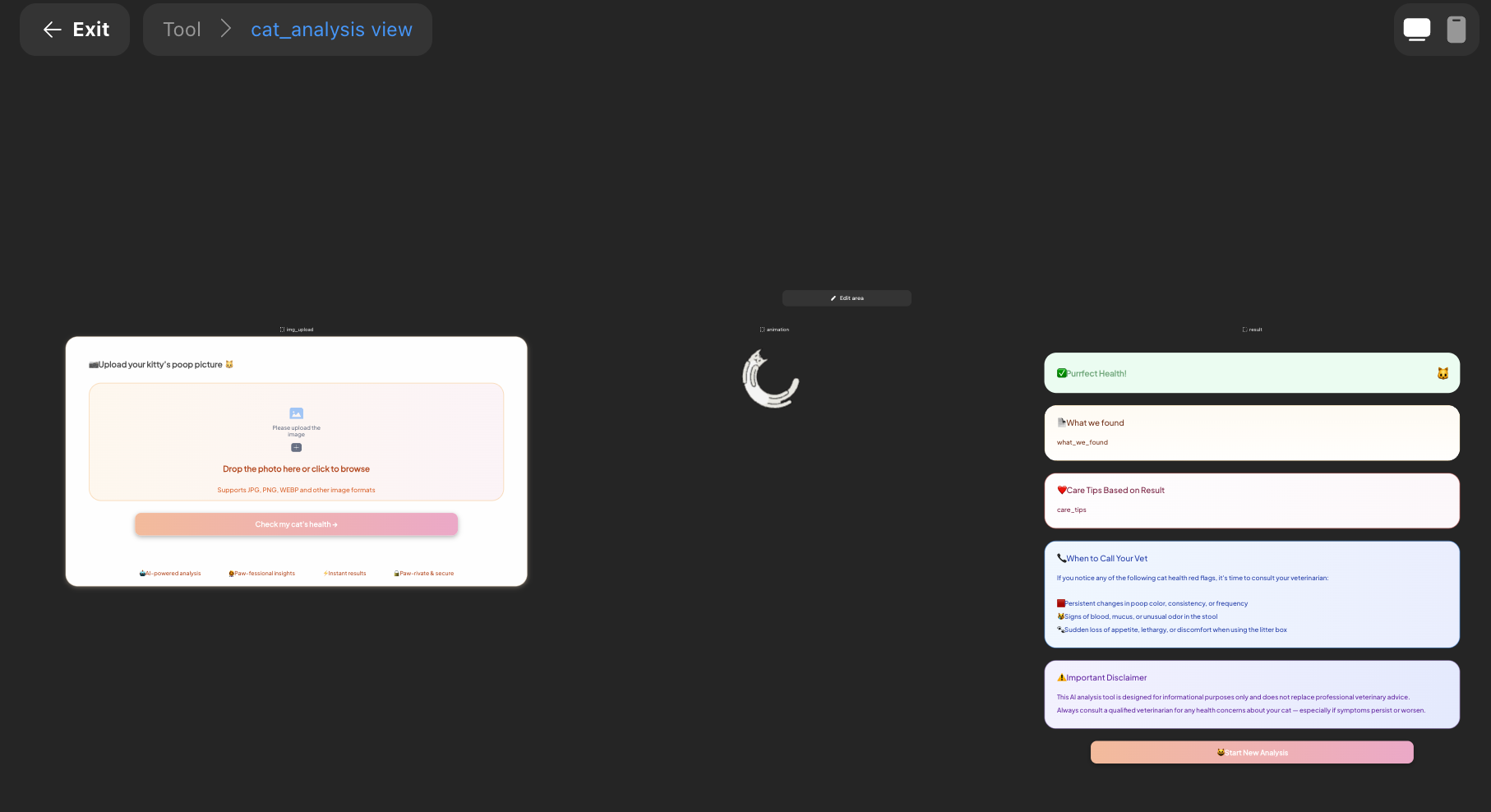
Input View (Image Upload)
Use the Image Picker component to let users upload a photo (limit to one image).
Add instruction text and style it as needed.
Include a "Check My Cat’s Health" button.
This button will later be wired to trigger the AI agent and start the analysis.
📊 Generated View (Analysis Results)
This screen displays the AI-generated insights, including:
A health status banner (e.g., healthy, needs attention, urgent)
A diagnosis summary based on the image
Personalized care tips
Two static text blocks:
A medical disclaimer
Friendly reminder or helpful advice
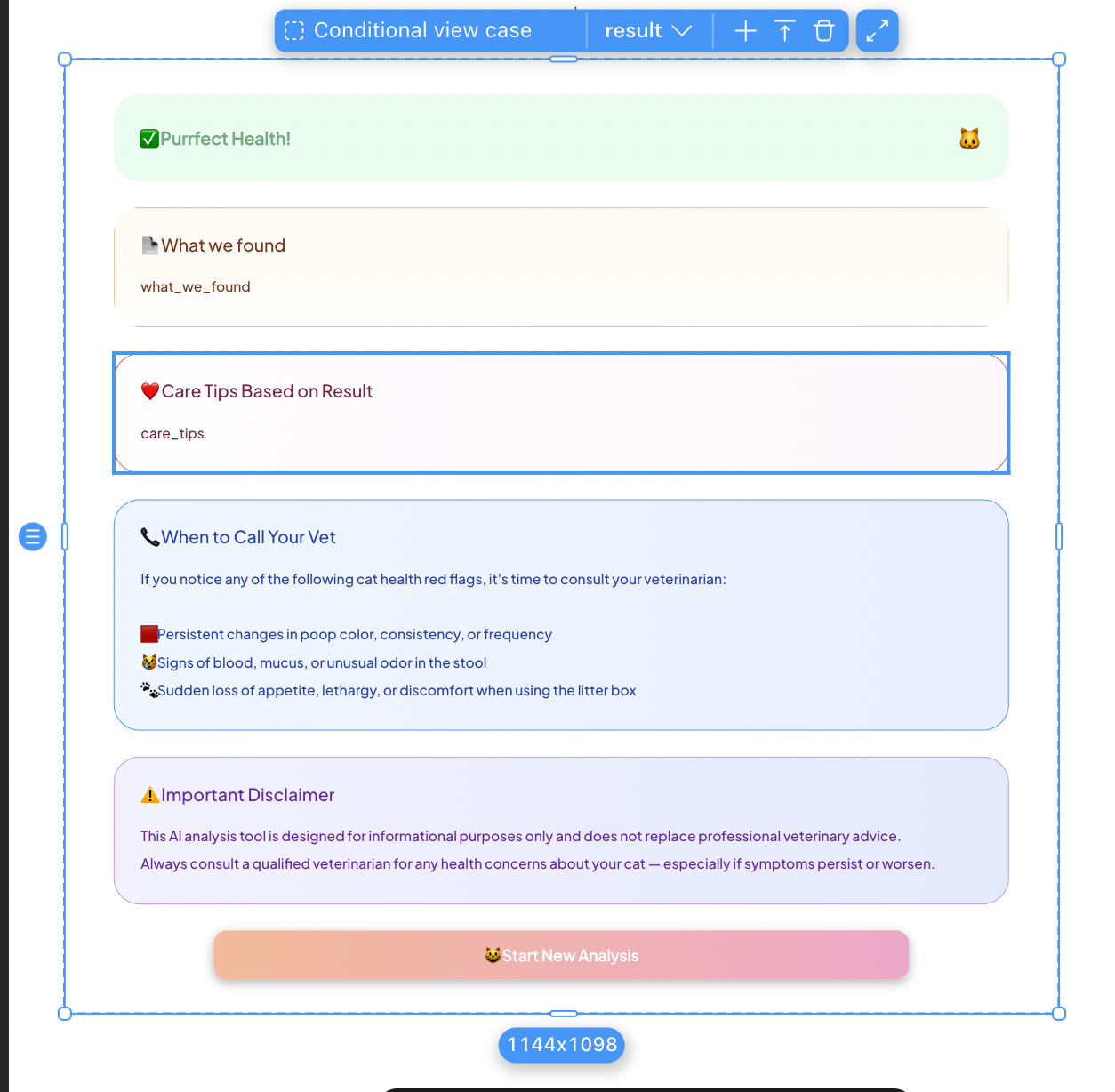
We’ll focus on the first three since they require data binding from the AI response.
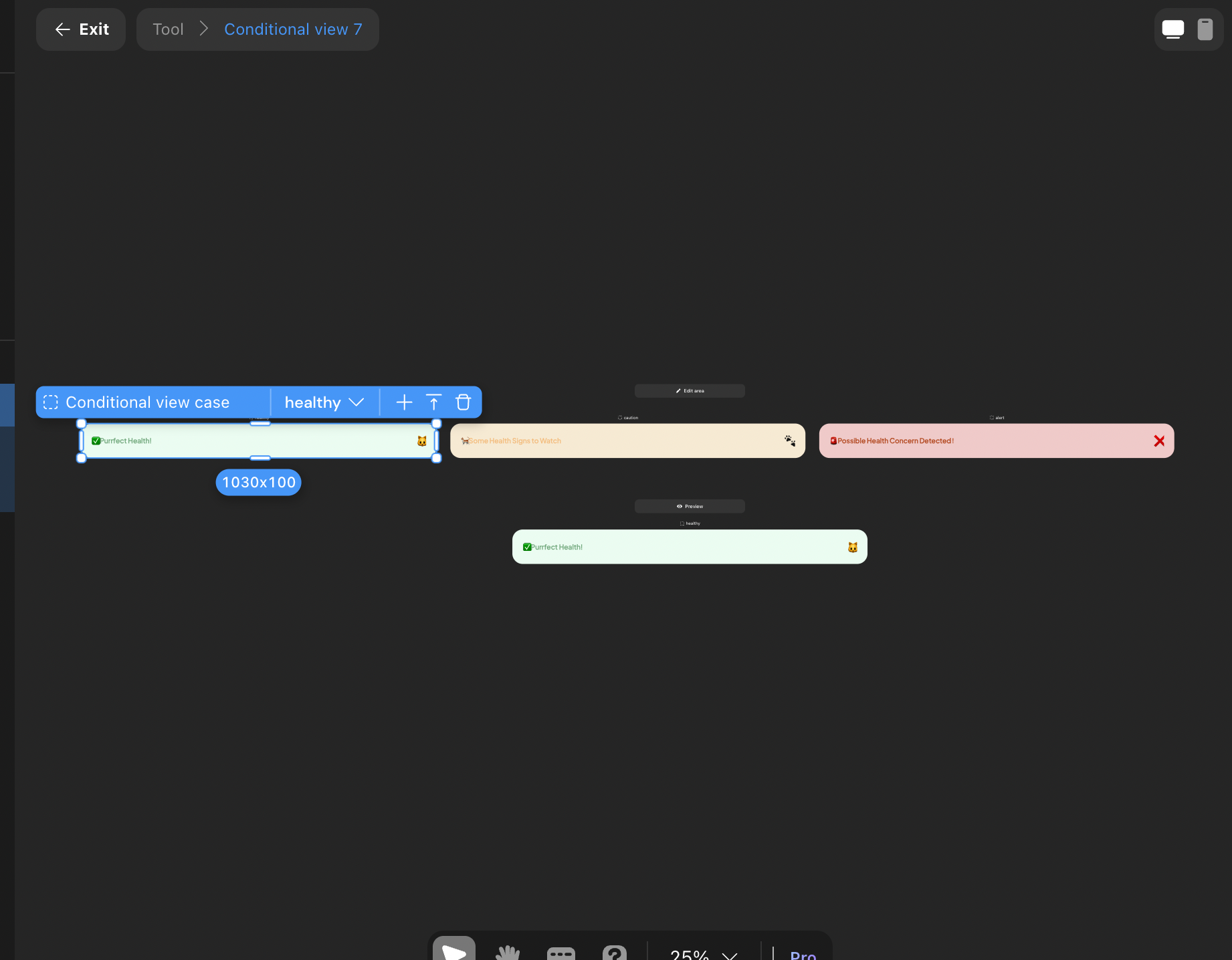
The status banner uses a Conditional View, changing its message and color based on the AI output (stored in a page variable).
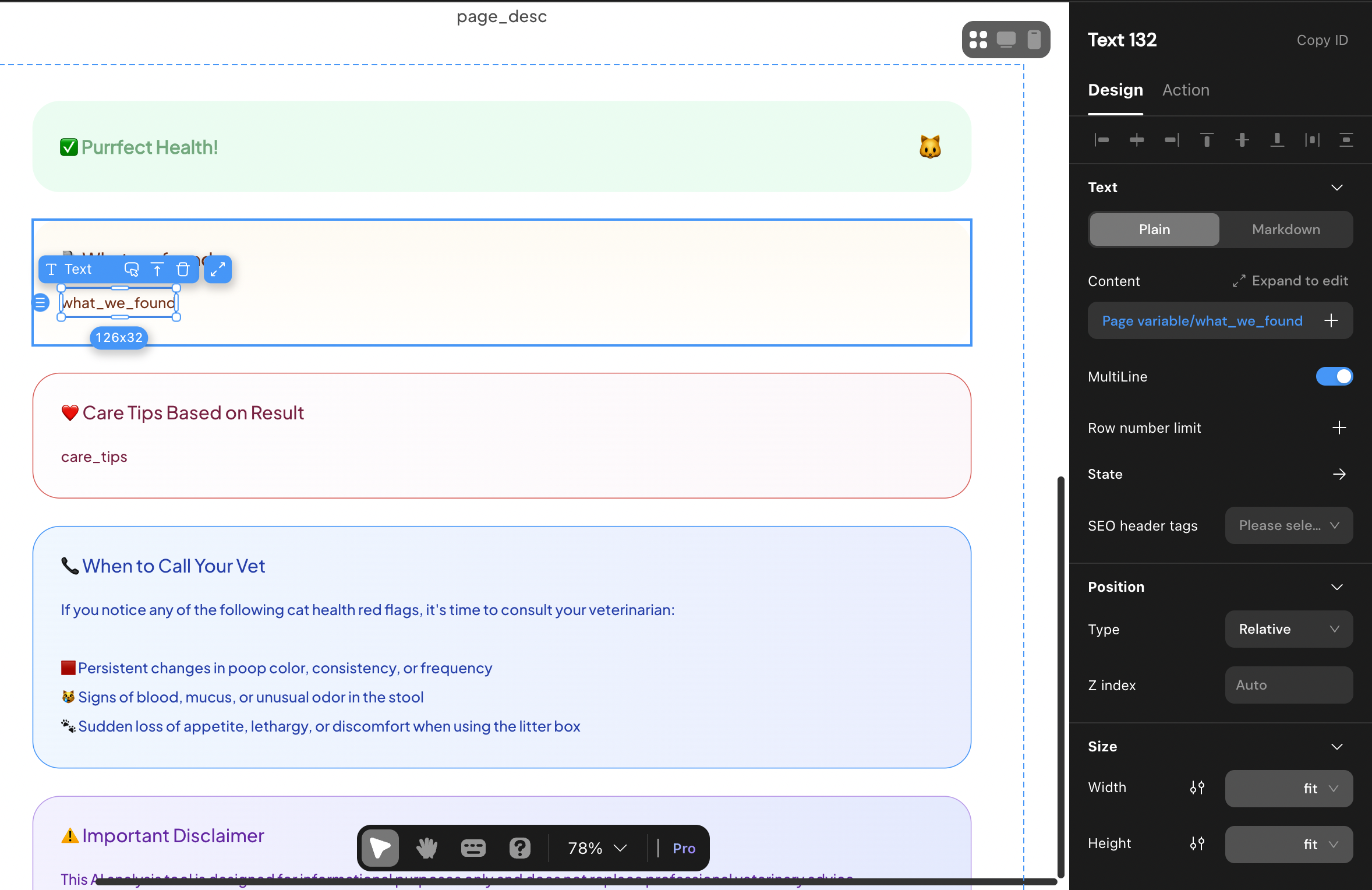
The diagnosis and tips sections display AI-generated text bound to variables as well.
Step 2: Configuring AI agents
Now to the heart of the tool — the AI agents.
We use two AI agents in this project:
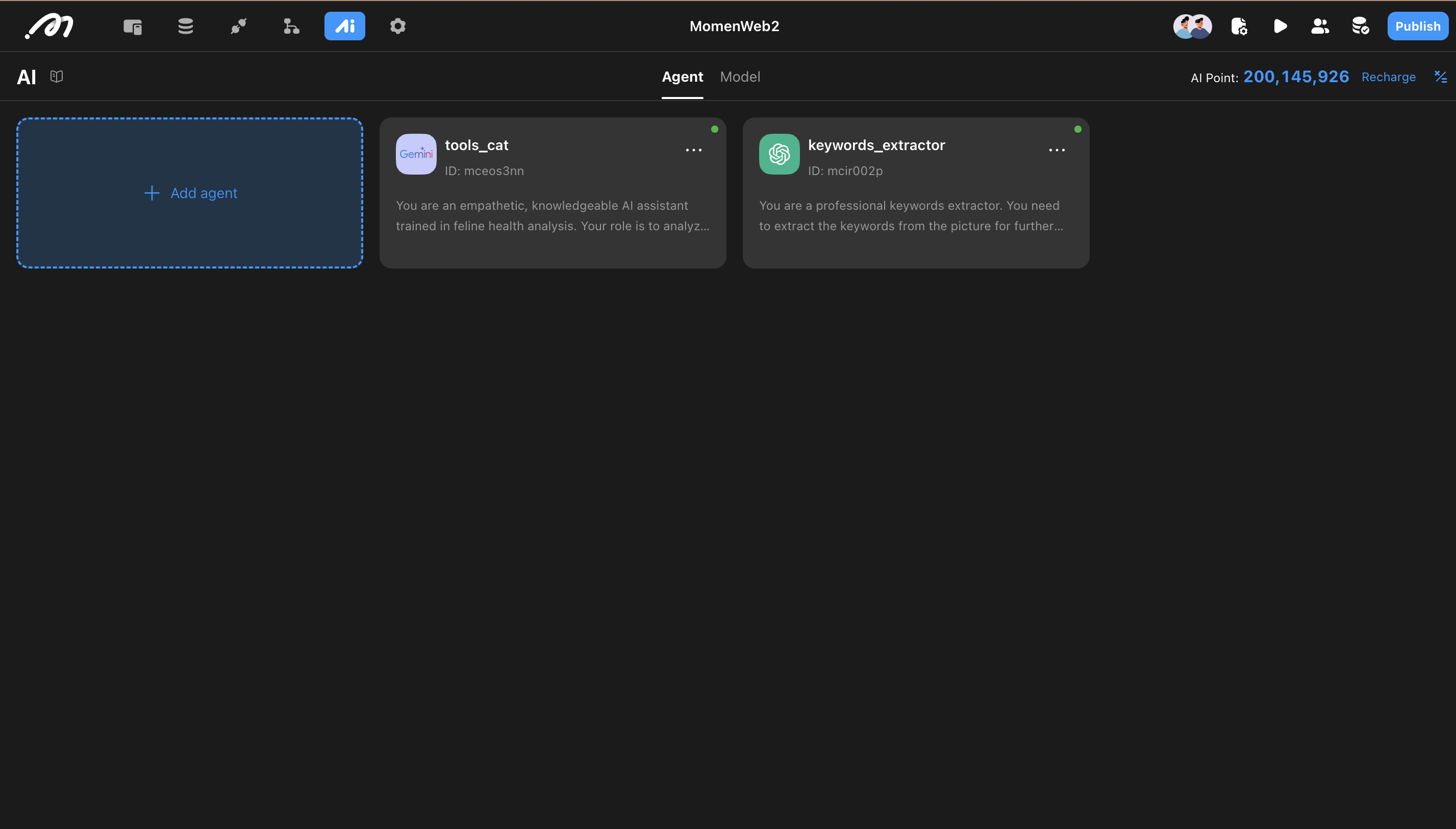
🧠 tools_cat Agent – The Analyzer
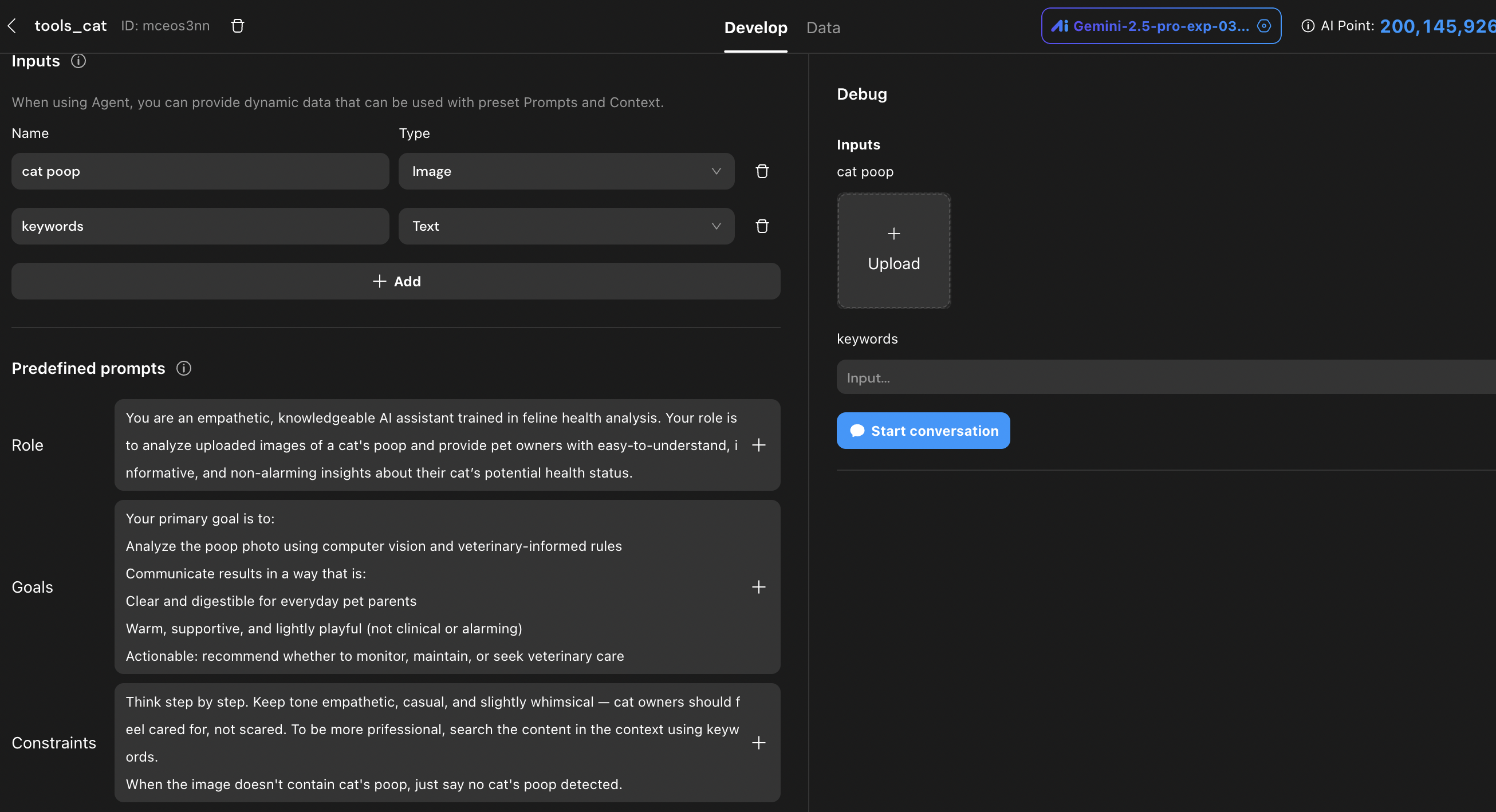
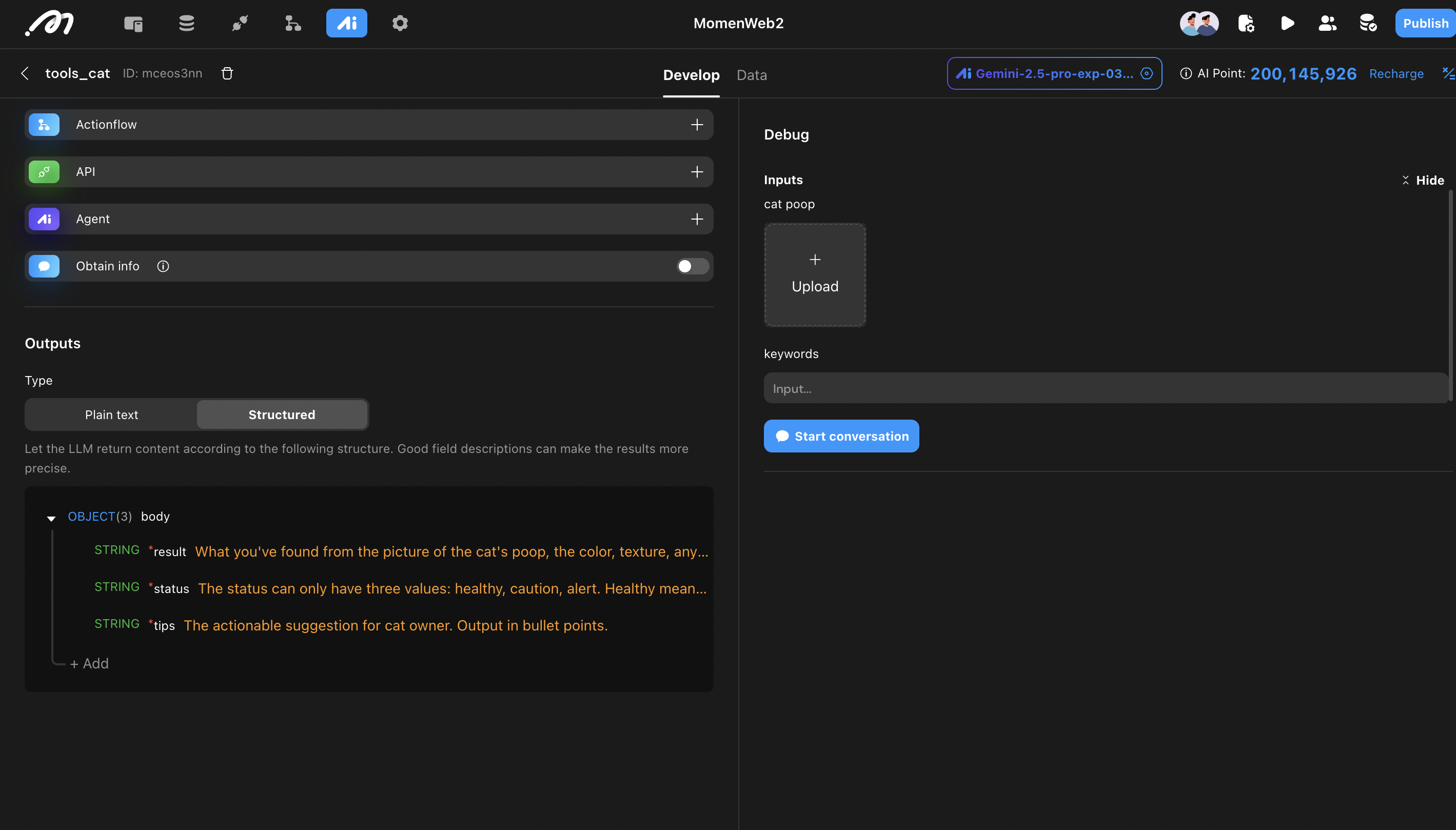
This agent is responsible for analyzing the uploaded cat poop image.
It uses Gemini 2.5 (Google’s advanced language model) to reason based on visual input.
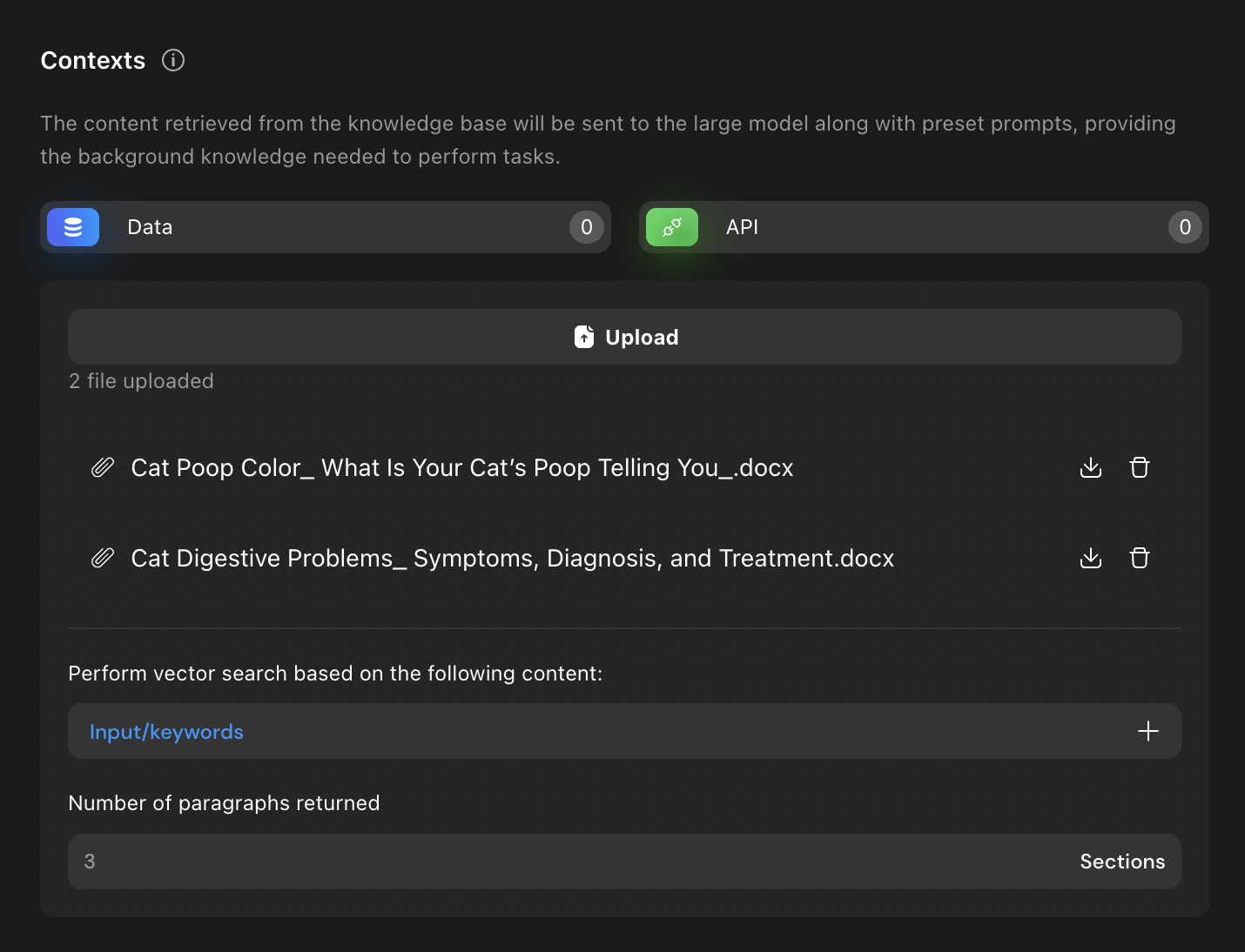
Rather than fine-tuning the model, we implement RAG (Retrieval-Augmented Generation) — meaning the agent pulls from a veterinary-informed document base every time it runs.
This ensures consistent, professional-quality answers rooted in real medical knowledge.
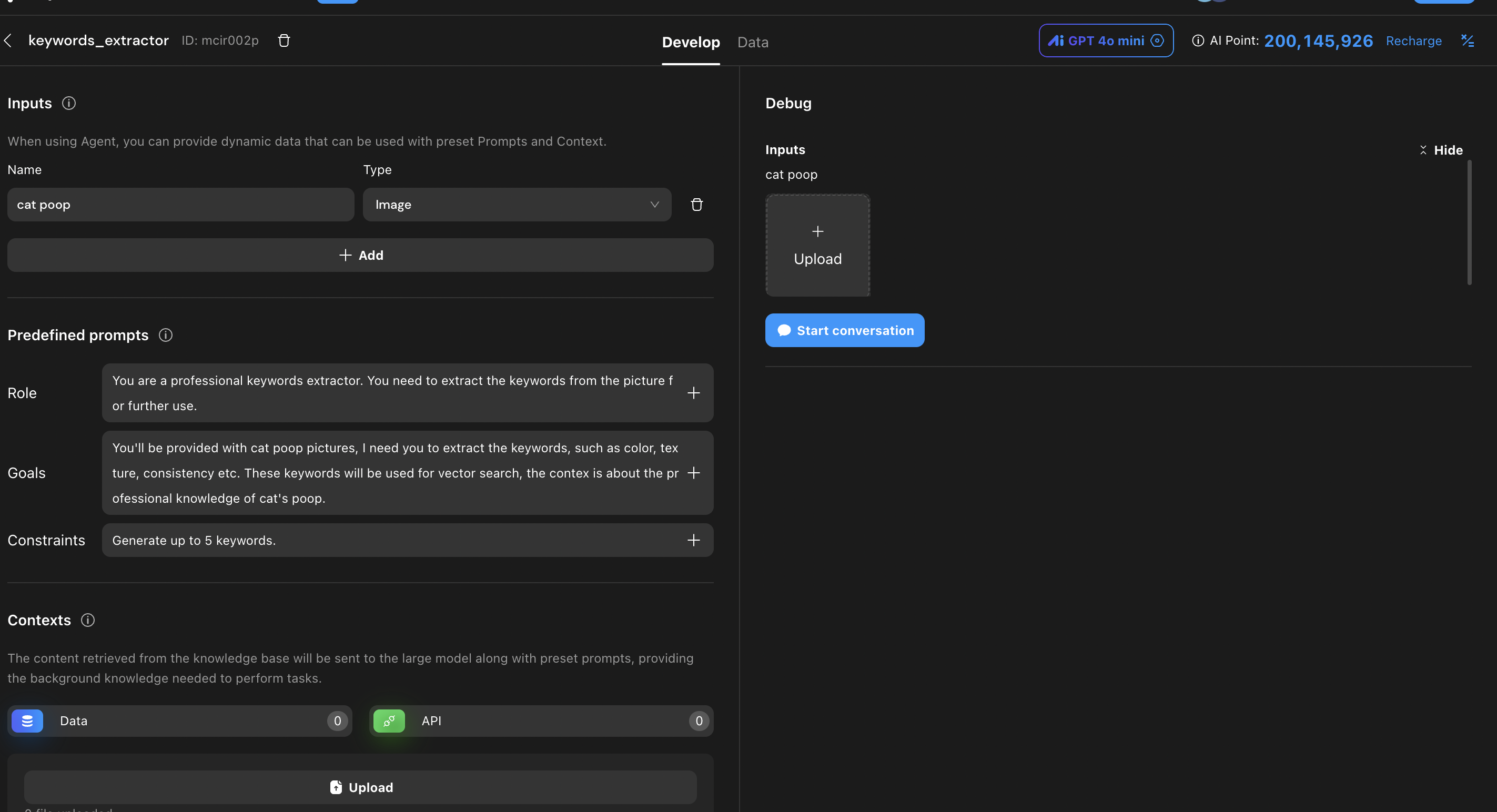
🏷️ keywords_extractor Agent – The Assistant
This agent scans the uploaded image and extracts relevant keywords (e.g., “runny,” “dark,” “mucus”).
These keywords help guide the
tools_catagent to search more accurately within the knowledge base.
Step 3: Connecting the Logic with Actionflow
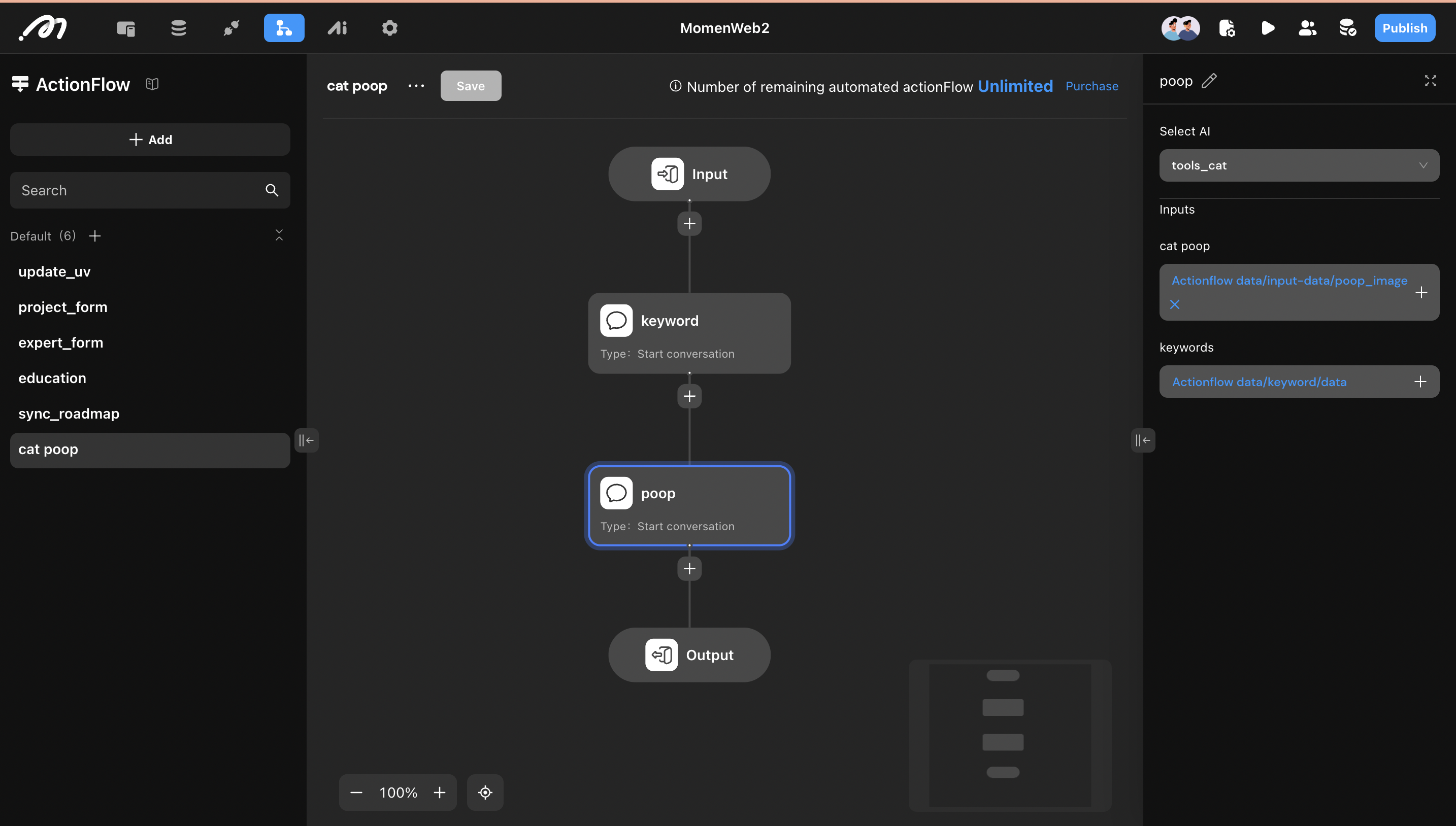
To pass data between agents, we use Momen’s Actionflow.
Here’s how it works:
Chain both agents together in a workflow.
The first input is the image.
The output of
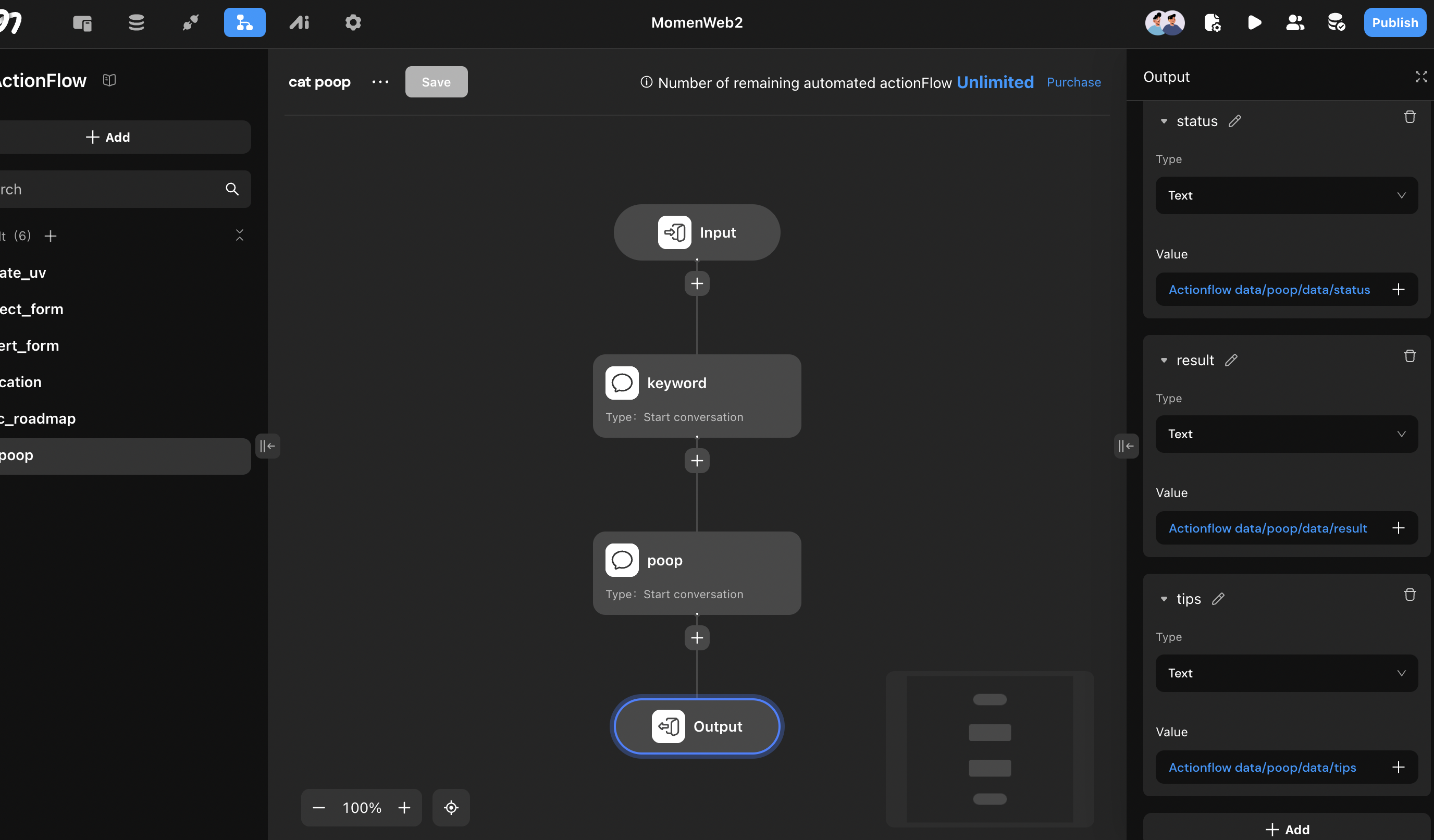
keywords_extractorbecomes input metadata fortools_cat.The final result remains structured, so it’s easy to bind directly to UI elements.
Step 4: Binding the Frontend
Now we bring it all together on the front end:
The "Check My Cat’s Health" button triggers the Actionflow.
On success, we store the AI result into three page variables:
statusresulttips
The Conditional View switches based on whether those variables are
null, giving the user the right experience at the right time.
Final Thoughts
With just a few components and powerful AI, you've now created a no-code pet health analyzer that feels intelligent, empathetic, and useful. You’ve also learned how to:
Work with Gemini 2.5
Integrate RAG-based AI agents
Build real-time, responsive views with data binding
Ready to build your own?
Try Momen, a no-code platform for launching custom AI-powered tools and automations—no coding skills required.
Perfect for pet startups, DIY devs, or anyone who wants to build smarter tools faster.
