CONTENTS

    Build a Vector Search Cocktail Picker with Claude Code and Momen BaaS

    avatar
    Cici Yu
    ·June 26, 2026
    ·5 min read

    This is the third showcase from our mini hackathon with Vibe Coding Collective — and the richest backend of the set. Too much choice, one evening, one answer. The app captures your mood from preset options, runs semantic search against a curated cocktail list, and an AI agent commits to exactly one drink. No alternatives. No takebacks.

    The backend uses Momen's vector search and a two-agent Actionflow pipeline. Claude Code built the frontend via Momen BaaS and deployed it to Vercel.

    Live demo: pick-for-me-mu.vercel.app

    One Pick, Not a List

    Most recommendation apps show options and leave you scrolling. This one deliberately commits to a single answer.

    The product constraints:

    • A shared curated catalog (15 classic cocktails) — participants do not import their own lists

    • Mood input via preset "energy" and "going for" options, plus optional free text

    • Agent 1 composes a natural-language search query from the selections

    • Agent 2 vector-matches against cocktail descriptions and picks one with a justification

    • One result per nickname

    That pipeline — seed data, embeddings, multi-agent orchestration, persistence — is substantial backend work if built from scratch. In Momen it is configured visually: tables, vector-enabled columns, two agents chained in one Actionflow. Claude Code connects through GraphQL and MCP. See Stop Prompting, Start Architecting: Why Your AI-Generated App Breaks at 80% for why a structured backend matters when AI handles the frontend.

    What the System Does

    App features

    • Nickname entry with one-shot guard

    • Two-step mood quiz: energy preset + going-for preset (10 options each, seeded)

    • Optional free-text "anything else?" field

    • Async two-agent pipeline — compose search query, then vector-pick one cocktail

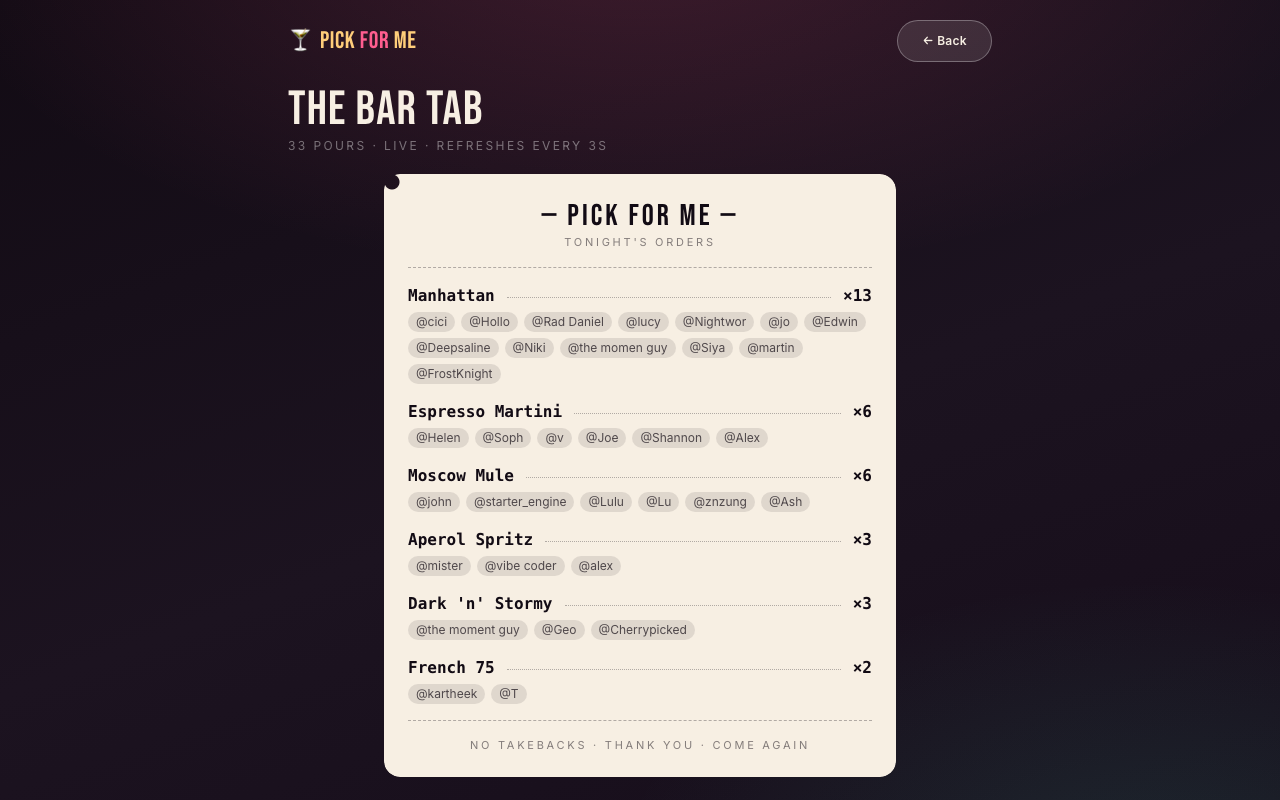
    • Result: cocktail name, description, tagline, and AI justification — single committed answer, no list of alternatives

    Mood selection quiz screen

    Data model

    Four business tables, modeled in the Momen database editor:

    Table

    Purpose

    energy_option

    10 preset rows — label, angle (e.g. "Low key", "Chaotic")

    going_for_option

    10 preset rows — label, angle (e.g. "Something classic", "Surprise me")

    cocktail

    15 curated rows — name, description (vector-enabled), tagline

    pick_result

    One row per nickname — stores selections, search query, justification, and cocktail_id FK

    Seed data — all preset options and cocktail menu copy — was imported via CSV through data import and export. The same catalog pattern works for board games, films, or any list with descriptive text: swap seed rows, keep the architecture.

    AI

    Two AI agents run sequentially inside one Actionflow:

    Agent 1 — Compose query

    • Inputs: energy_option_id, going_for_option_id, extra_text

    • Context: looks up the selected energy and going-for rows by ID

    • Output: { search_query: string } — one natural-language sentence for vector matching

    Agent 2 — Pick For Me

    • Input: search_query

    • Context: cocktail table with vector sort — cosine similarity on description against the search query, limit 1

    • Output: { picked_cocktail_id, cocktail_name, cocktail_description, cocktail_tagline, justification }

    Vector search is configured in the agent context inside the Momen editor — no separate Pinecone or embedding pipeline. Enable the vector checkbox on cocktail.description, set cosine sort against the agent's search query input, limit to one result. The Vector Data Storage and Sorting doc covers the editor setup.

    For multi-step agent pipelines in general, Getting Started with Agentic Workflows in AI Applications describes the architectural pattern this project implements concretely.

    Backend logic

    Two Actionflows:

    check-nickname-status (sync)

    • Same one-shot pattern as the other showcases: query pick_result by nickname, block duplicates, insert stub on first visit

    pick-for-me (async)

    1. Receive nickname, energy_option_id, going_for_option_id, extra_text

    2. AI: Compose query (Agent 1)

    3. AI: Pick (Agent 2 — vector context)

    4. DB: Update pick_result with all fields and cocktail_id

    5. End

    Two agents sequential inside one async Actionflow — the core teaching moment for this showcase. Agent 1 handles query composition; Agent 2 handles retrieval and commitment. Each can be tuned independently without touching frontend code.

    Integration — Momen BaaS to Claude Code frontend

    Backend (Momen editor)

    1. Create tables and import seed CSVs

    2. Enable vector search on cocktail.description

    3. Configure both agents — context filters for option lookup (Agent 1), vector sort for cocktail match (Agent 2)

    4. Build both Actionflows

    5. Sync to deploy GraphQL API

    Frontend (Claude Code + BaaS)

    1. Install momen-baas-skill

    2. Enable Momen MCP — Claude Code reads Actionflow pick-for-me input args and both agents' output schemas

    3. Generate GraphQL operations:

      • Query energy_option and going_for_option for the quiz UI

      • Sync check-nickname-status

      • Async pick-for-me + WebSocket subscription

      • Query pick_result with nested cocktail for the result screen

    4. Deploy to pick-for-me-mu.vercel.app

    The BaaS integration guide documents the full workflow: visual backend setup → MCP + Skill in the coding agent → natural-language frontend development against introspected schema.

    When the backend changes — new field, updated agent output — sync in Momen and tell Claude Code to re-read the schema. The GraphQL layer updates automatically. How to Create Data Models for Your App in Momen and Unlocking Vibe Coding: Essential Tips and Tricks for 2025 cover adjacent skills that compound with this BaaS approach.

    Design

    • Backend: headless — vector config and agent context live in the Momen editor only

    • Frontend (Claude Code): mood quiz screens, optional text input, loading during two-agent run, decisive single-result card (deliberately no "other options" UI)

    • Permissions: open anonymous access for the demo; see permissions docs for production hardening

    Technical highlights

    • Vector search without external infra: embeddings and cosine sort configured in agent context

    • Two-agent pipeline in one Actionflow: query composition separated from pick logic

    • Seed-data-driven: swap cocktails for any curated list with descriptive text

    • Deterministic frontend integration: MCP reads exact field names — picked_cocktail_id maps to cocktail_id in the DB update node

    How Long It Takes and What It Costs

    Phase

    Approximate time

    Backend (4 tables, seed CSVs, 2 agents with vector config, 2 Actionflows)

    1 hours

    Claude Code frontend + Vercel deploy

    1 hours

    Total

    ~2 hours

    Most time goes to agent context configuration and seed copy, not GraphQL wiring. Momen Pro required for AI agents and vector search. Two agent calls per pick consume AI points. Claude Code and Vercel free tier cover the rest.

    Try It Live

    Demo: pick-for-me-mu.vercel.app

    1. Enter a nickname

    2. Pick your energy and vibe

    3. Optionally add a mood note

    4. Wait for the app to commit to one cocktail

    Closing Thoughts

    Pick For Me is the fullest expression of Momen BaaS among our three Vibe Coding Collective showcases. Vector search, multi-agent logic, and curated data — all configured in the editor. Claude Code handles everything the user sees.

    If your coding agent builds the UI but you need semantic search and AI commitment logic, this pattern is worth studying. Postgres-native vector search inside agent context beats stitching pgvector, embedding APIs, and Edge Functions separately.

    Start with the BaaS getting-started doc, configure a two-agent pipeline in the editor, and connect Claude Code through MCP. Swap the cocktail catalog for any list with rich descriptions — the architecture transfers.

    Build Your App Today. Start With No Code, Gain Full Control as You Grow.