How to build an AI trip planner using Momen's template

Introduction
This template is an AI-powered trip planning application that creates complete, day-by-day itineraries. Users provide basic inputs such as destination, travel dates, budget, and preferences, and the system generates a structured travel plan with daily themes, activities, meals, accommodation recommendations, and optional images. It operates on a credit-based system, ensuring controlled access to trip generation.
See the app in action: https://ai-trip-planner.zeabur.app/
Explore the template in Momen: https://editor.momen.app/tool/xAXj4omo4gn/WEB
Basic Project Logic
After signing up, users receive free credits that are used whenever a new trip is created. The AI produces a detailed itinerary based on the user’s input, and all trip-related data is saved in the database. Each trip consumes one credit, and users can revisit past trips, like favorites, and purchase additional credits as needed. Payment processing and subscription management are fully integrated, so credit updates and recurring payments are handled automatically.
Data
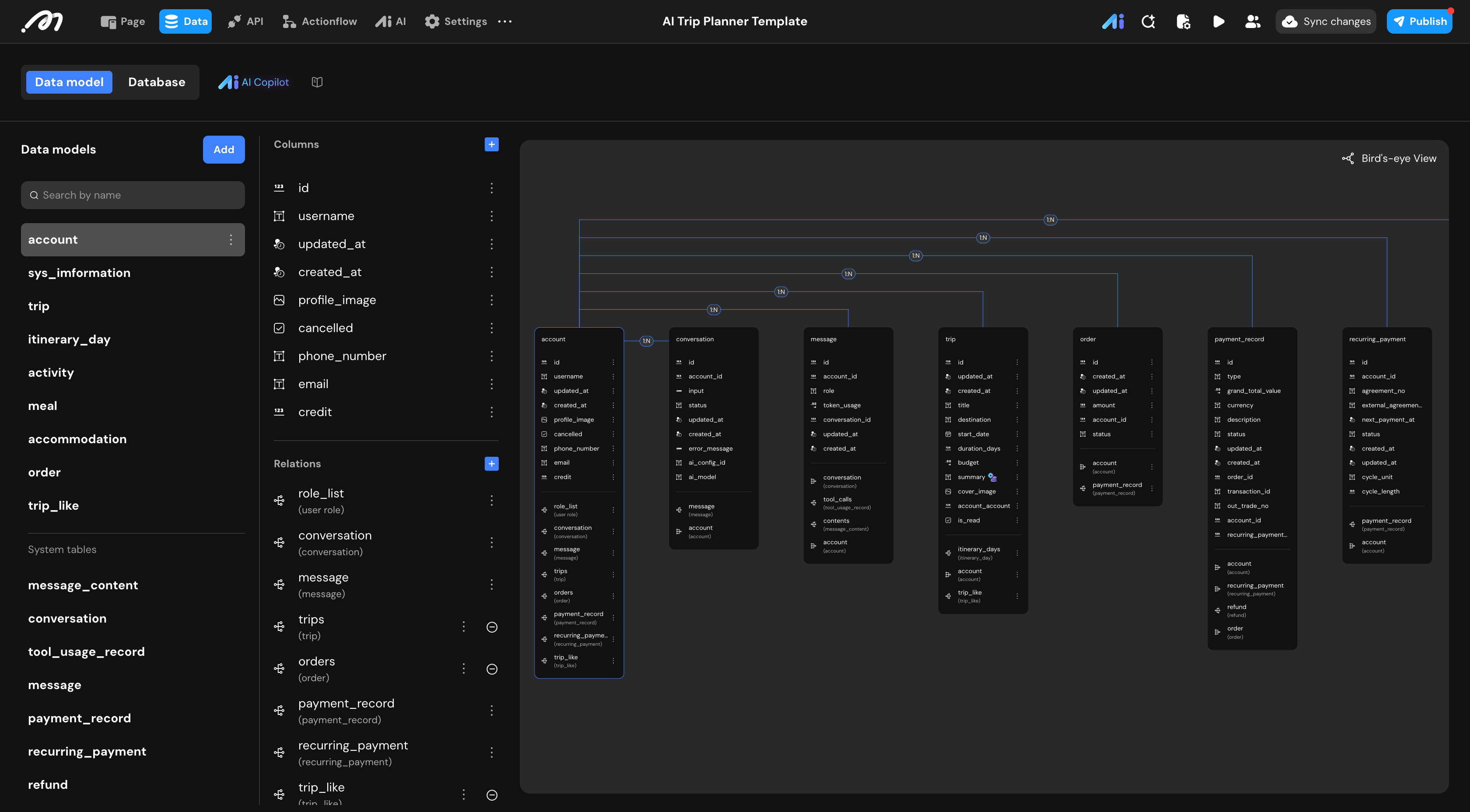
This template uses several core business tables, along with system default tables that support AI conversations, permissions, and payment logic.
Account: The Account table stores user profile information, authentication data, and the current credit balance. Credits determine how many trips a user can generate.
Trip: The Trip table represents a complete travel plan generated by the AI. It stores the trip title, destination, start date, duration, budget, summary, cover image, and the associated user account.
Itinerary Day: The Itinerary Day table stores daily breakdowns of a trip. Each record represents one day and includes the date, theme, geographic focus, timezone, and an optional generated image.
Activity: The Activity table stores individual activities scheduled for each day, including time range, activity type, description, duration, location, and pricing information.
Meal: The Meal table stores lunch and dinner recommendations for each day. Each record includes cuisine type, reasoning, price level, location, and distance information.
Accommodation: The Accommodation table stores lodging recommendations for each day, including location, rating, price level, and reasoning.
Trip Collection: This table records which users have liked specific trips, enabling basic social interaction features.
Order: The Order table represents credit purchase requests. It stores the order amount, status, and the associated user account.
In addition to business tables, the template relies on system default tables.
Payment-related tables handle payment records, recurring subscriptions, and refunds.
AI-related tables store conversations, messages, and tool usage records. These system tables operate automatically and typically do not require modification.
Design
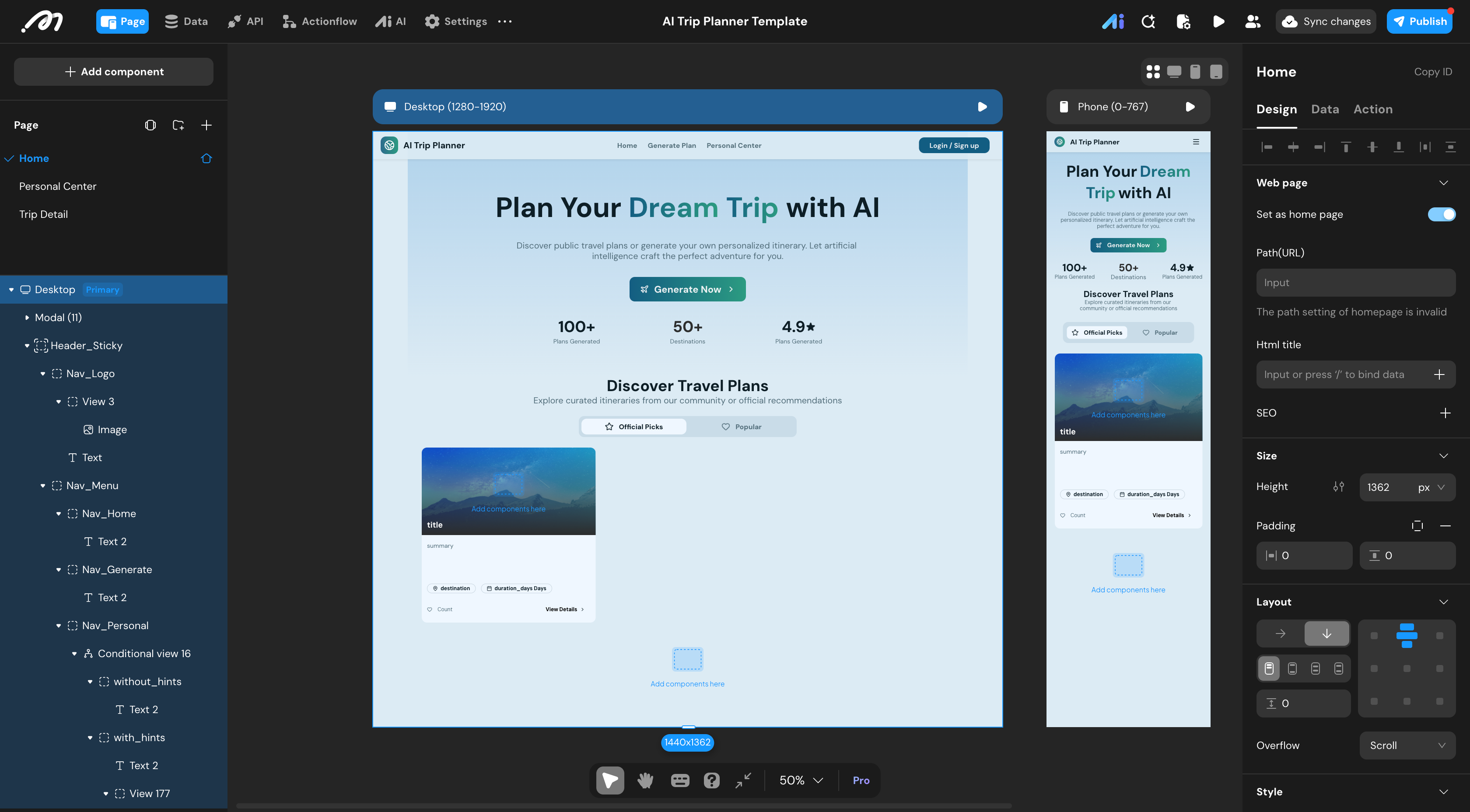
The user interface of this template is organized around 3 main pages.
Home: The Home page allows users to start creating a new trip by entering destination, dates, budget, and preferences. It also highlights generated trips and recent activity.
Personal Center: The Personal Center displays the user’s profile information, remaining credits, created trips, and liked trips. Users can also initiate credit purchases from this page.
Trip Detail: The Trip Detail page shows the complete itinerary for a selected trip. It includes the trip overview, daily plans, activities, meals, accommodation details, and AI-generated images.
AI
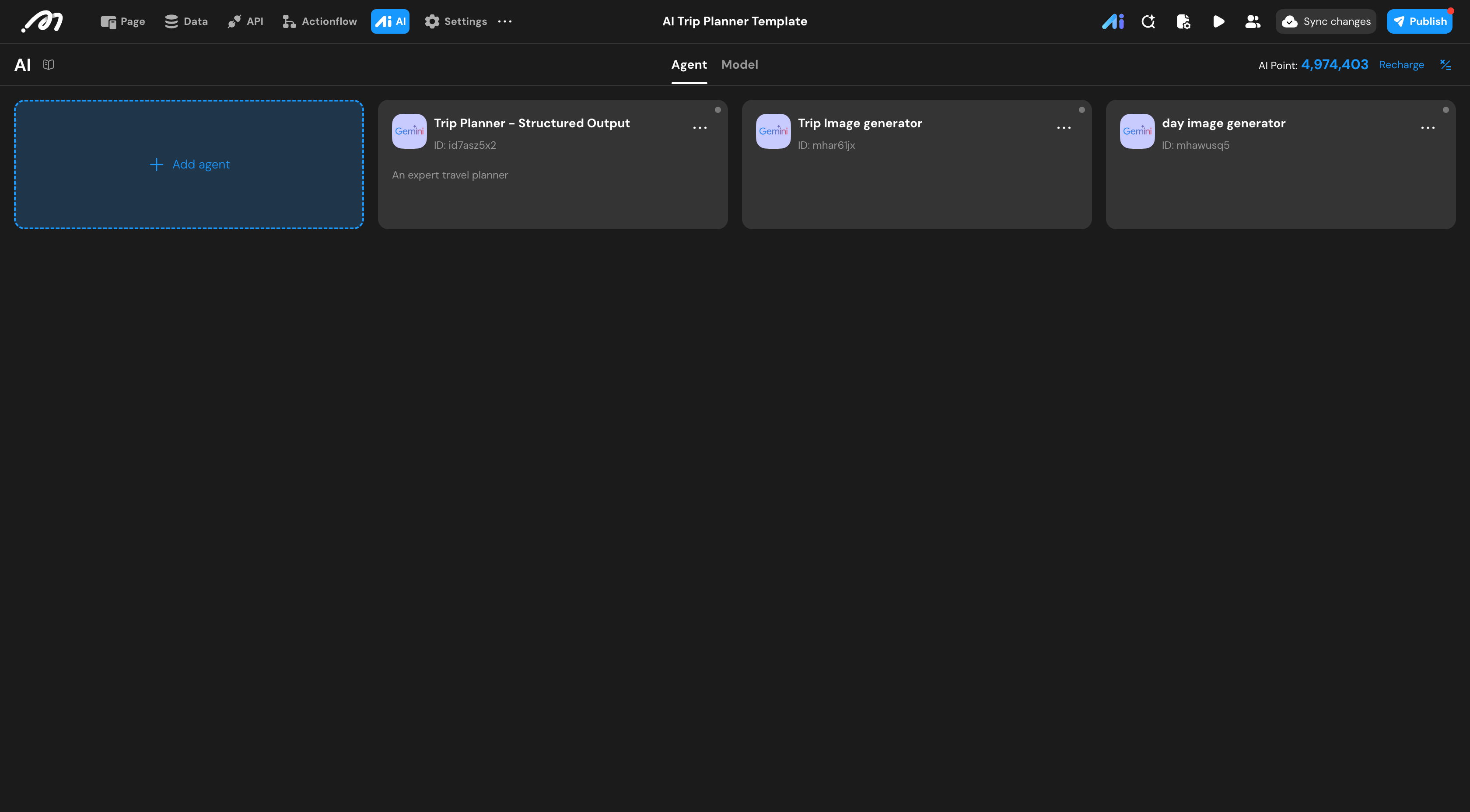
This template uses 3 AI agents to support trip generation and visualization.
The Trip Planning Agent: This template uses one core AI agent for trip planning, it takes destination, start date, duration, budget, and preferences as input, and returns a structured multi-day itinerary. The output includes a trip title, summary, daily themes, activities, meals, accommodation suggestions, and timezone information. To improve accuracy and realism, the agent leverages geocoding and nearby search tools to retrieve real-world location data.
The AI image generation agent: This Trip Image Agent generates a visual cover image based on the overall trip summary and saves the result to the Trip record.
Day Image Agent: It is used to generate images for individual itinerary days. It creates visuals based on the day’s theme, geographic focus, and position within the trip.
Actionflow
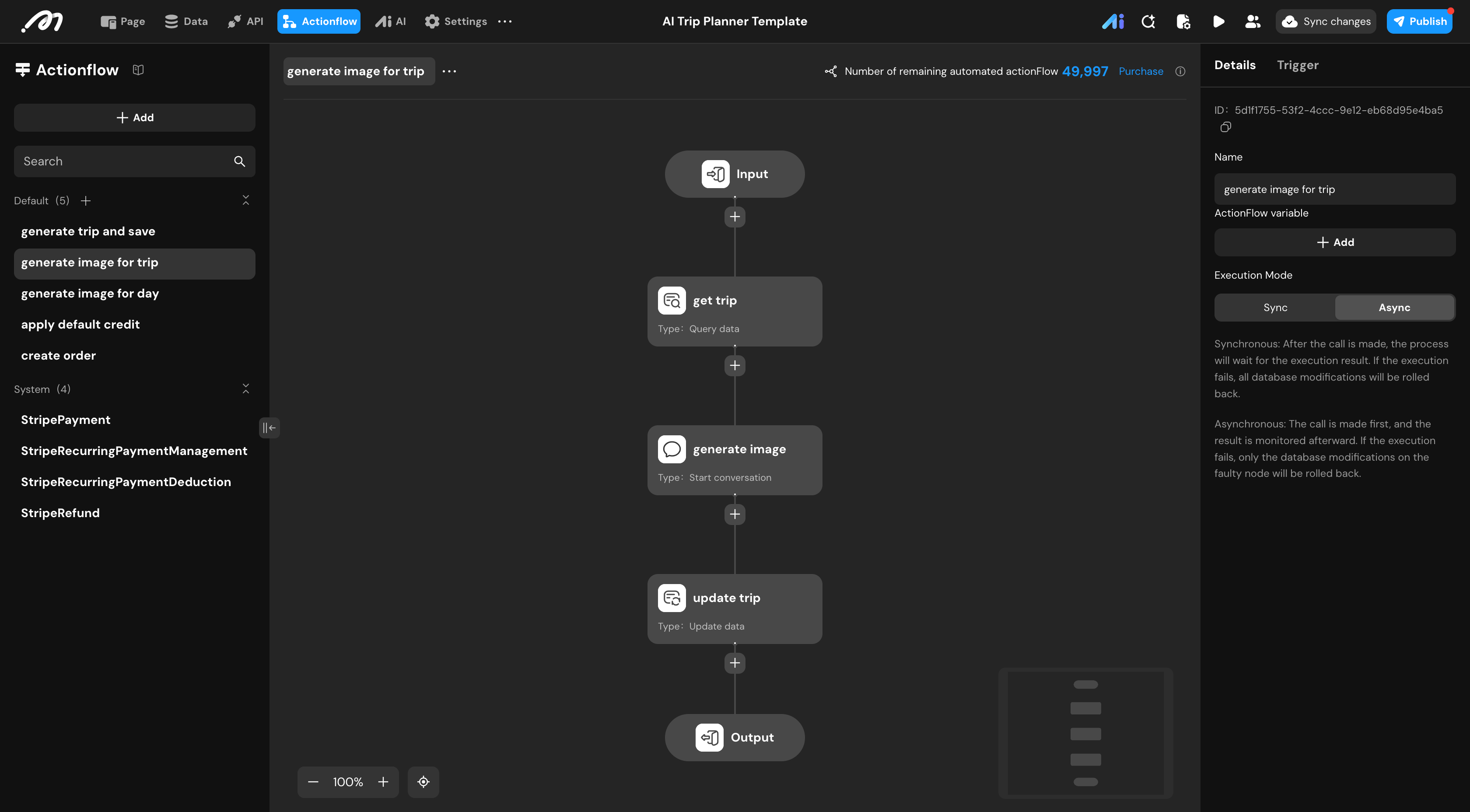
Actionflows handle all automated logic in this template, including trip generation, credit management, image generation, and payment processing.
Generate trip and save: When a user submits trip parameters, the system retrieves the user account, calls the Trip Planning AI agent, creates a Trip record, and then iterates through each itinerary day to create related Itinerary Day, Activity, Meal, and Accommodation records. Geographic coordinates are resolved using external APIs. After successful creation, one credit is deducted from the user account.
Generate image for trip: After a trip is created, the system retrieves the trip summary, calls the Trip Image AI agent, and saves the generated image as the trip cover image.
Generate image for day: For each itinerary day, the system retrieves day-specific information, calls the Day Image AI agent, and saves the generated image to the corresponding day record.
Apply default credit: When a user signs up, the system automatically assigns initial free credits to the account.
Create order: When a user chooses to buy credits, the system creates a secure order record with a fixed price to prevent client-side tampering.
Stripe payment handling: Payment-related actionflows process Stripe payment callbacks, update order status, grant credits upon successful payment, and handle recurring subscriptions and refunds automatically.
API

This template integrates 2 external APIs to enhance trip quality and location accuracy.
Geocoding API: The geocoding API converts textual addresses into geographic coordinates. It is used to generate precise latitude and longitude data for activities, meals, and accommodation locations, enabling accurate distance calculations and map-based features.
Nearby Search API: The nearby search API retrieves nearby places based on geographic coordinates and category filters. It is used by the AI agent to find relevant attractions, restaurants, and accommodations that match the trip’s context, budget, and preferences.
These APIs work behind the scenes and are called automatically during trip generation. No manual configuration is required after initial setup.

