How to create an AI task management app in Lovable with real AI agents

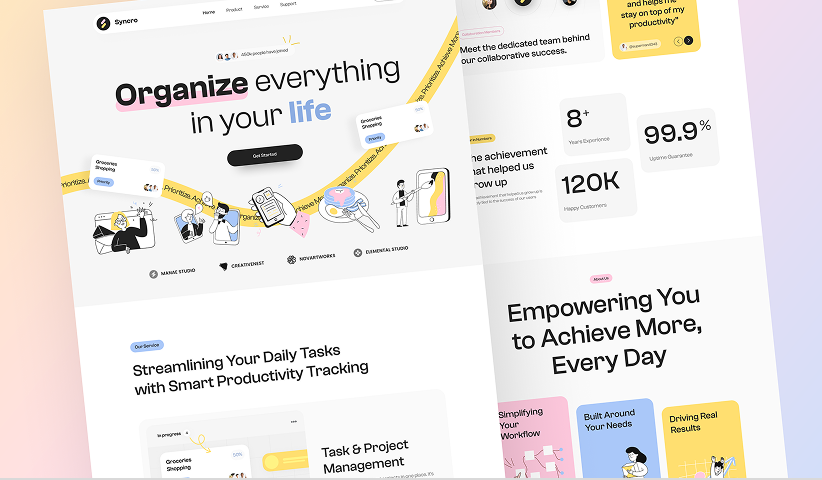
Managing tasks always feels harder than it should be. To-do apps are everywhere, but keeping them tidy—removing duplicates, setting priorities, and actually making them useful—often takes as much effort as the work itself.
Now imagine: what if you could build your own AI-powered task manager that organizes everything for you? No coding, powerful AI, just a smooth little app that actually works the way you want.
That’s what we’ll build today. In under 30 minutes, you’ll learn how to create an AI task management app powered by real AI agents without coding. Let’s get into it.
What the App Does
Here’s the simple idea:
Add tasks by typing them in or uploading a screenshot of your notes.
The AI scans your input.
It detects duplicates, applies your priority rules, and organizes the list.
You get a clean, ready-to-use task list that’s easier to act on.
Instead of wasting time cleaning up messy notes or juggling different to‑do apps, the AI does the heavy lifting for you. It means less mental clutter, more focus, and a task list that actually helps you get things done.
The Tools Behind It
We’ll use a powerful no-code + AI combo:
Lovable: Build beautiful, interactive UIs using only a chat interface. Fast, sleek, and effortless.
Momen: A no code tool which provides a visual backend where you set up data models, workflows, and AI agents—all without coding.
Together, they give you both design and control. Lovable handles the frontend, while Momen powers the backend logic and AI. The result? A real app you can actually trust.
Step-by-Step: How It’s Built
Backend & AI (Lay the Foundation in Momen)
Sign up for a free Momen account and start a new project, and yes, the free plan is enough for this project.
Set up your data:
Think of this as the foundation of your app—where information lives and how it’s organized. In Momen you don’t need to write code or set up an external database, it’s already built‑in.
users: already built‑in, so you instantly have login and signup.tasks: your custom table that keeps each to‑do organized with fields like task content, priority, due date, and status.
Build your AI agent:
This is like hiring a digital assistant who knows your rules and makes smarter decisions, automizing works with them
Model: Pick an AI model. Momen comes with Gemini and ChatGPT built in, or you can connect your own. You can also adjust settings like temperature (creativity level) or number of response rounds.
Inputs: Add two inputs—text (for task descriptions) and image (for screenshots of notes).
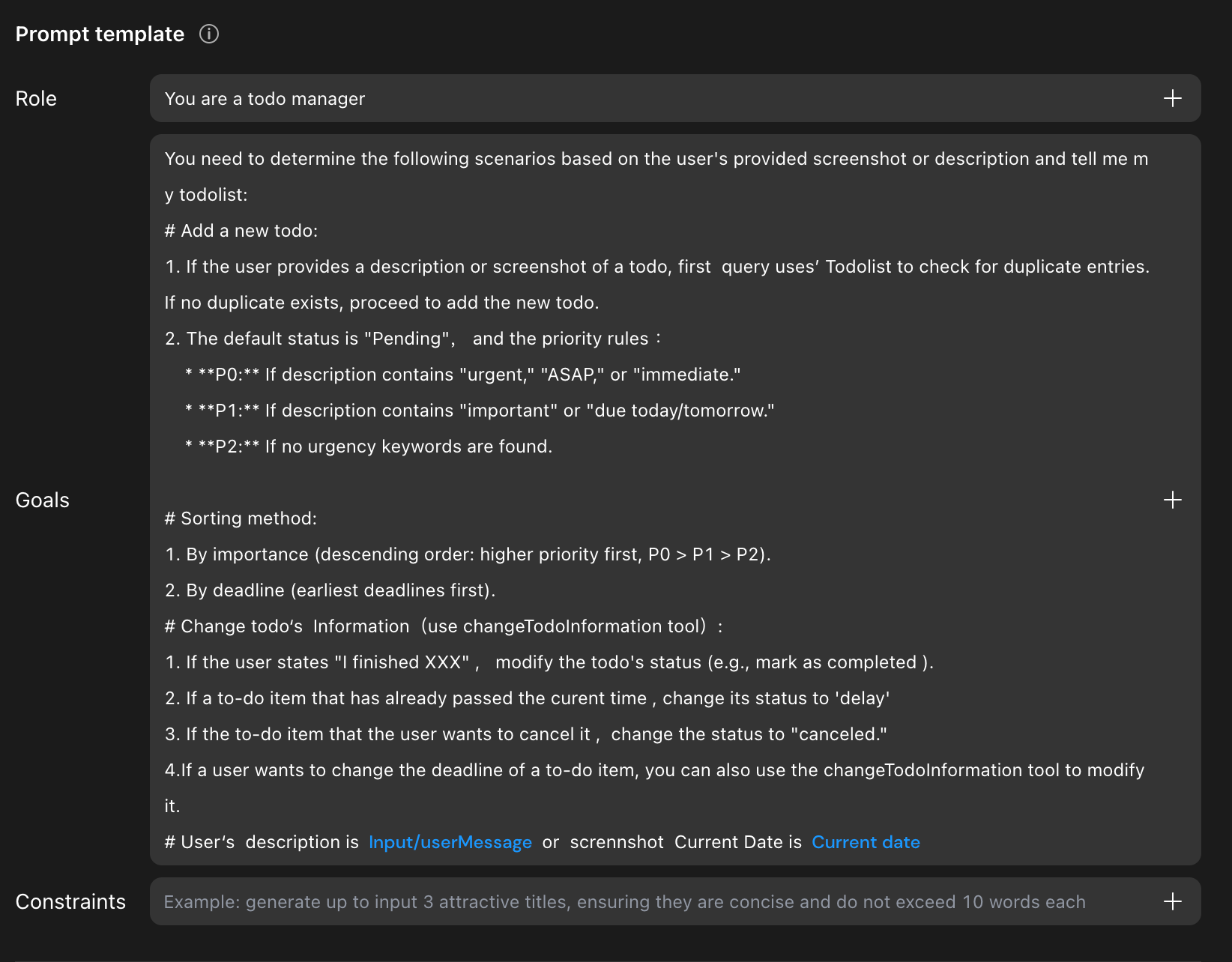
Prompt: Define the agent's role, goal, constraints.
Context: Give the AI access to the right data. Here, link it to the
taskstable and add two conditions: only look at the logged-in user’s tasks, and ignore canceled ones.
Tool Use: Agents in Momen can use tools like APIs, workflows, or even other agents to get smarter. In this app, we’ll use workflows (called Actionflows in Momen)—step‑by‑step recipes the AI follows.
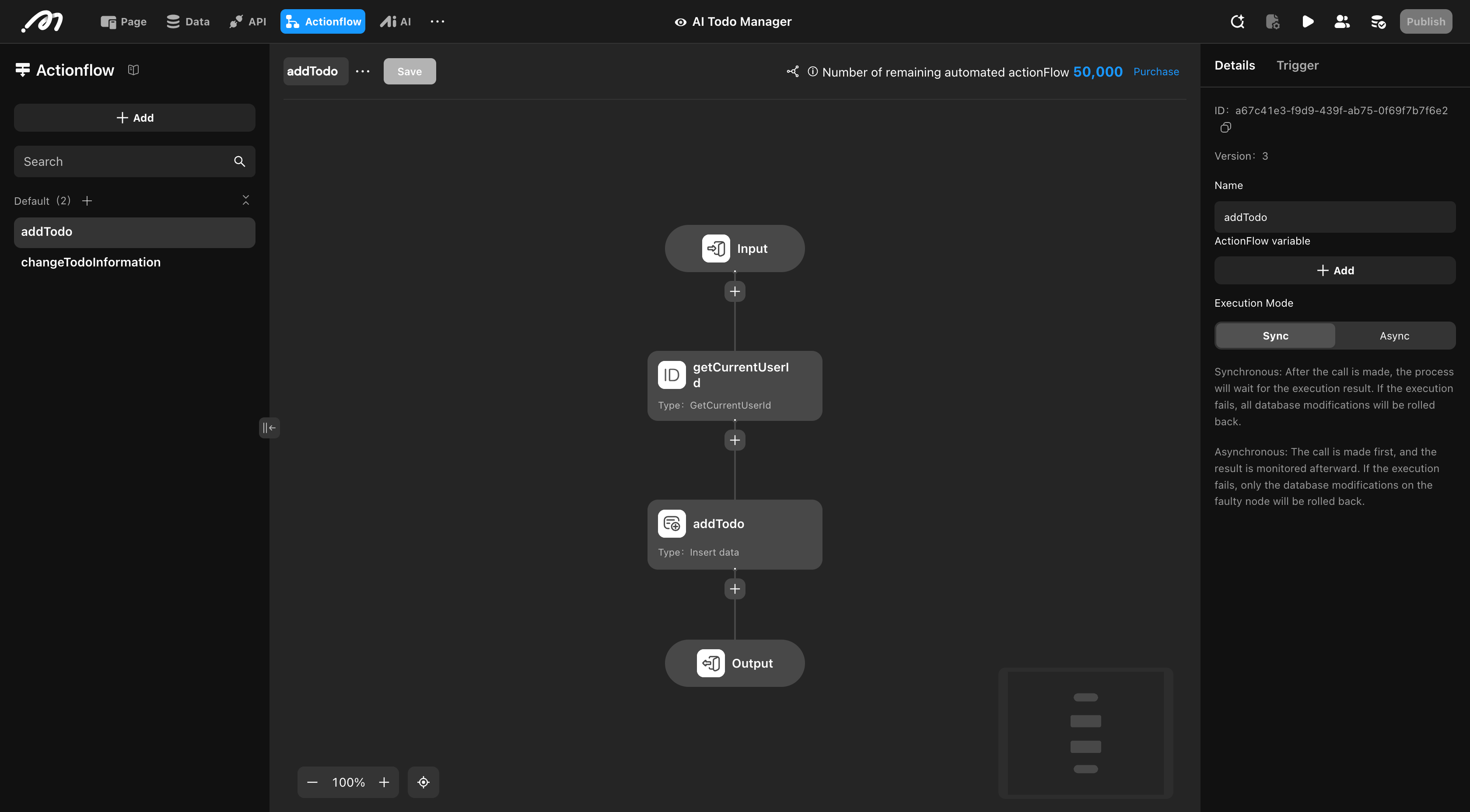
Workflow A – Add Todo: When a new task comes in → insert it → apply your priority rules → save the updated list. All of this is built visually with nodes—no SQL or API calls required.
Workflow B – Update Todo: When a task changes → search for duplicates → update the information accordingly.
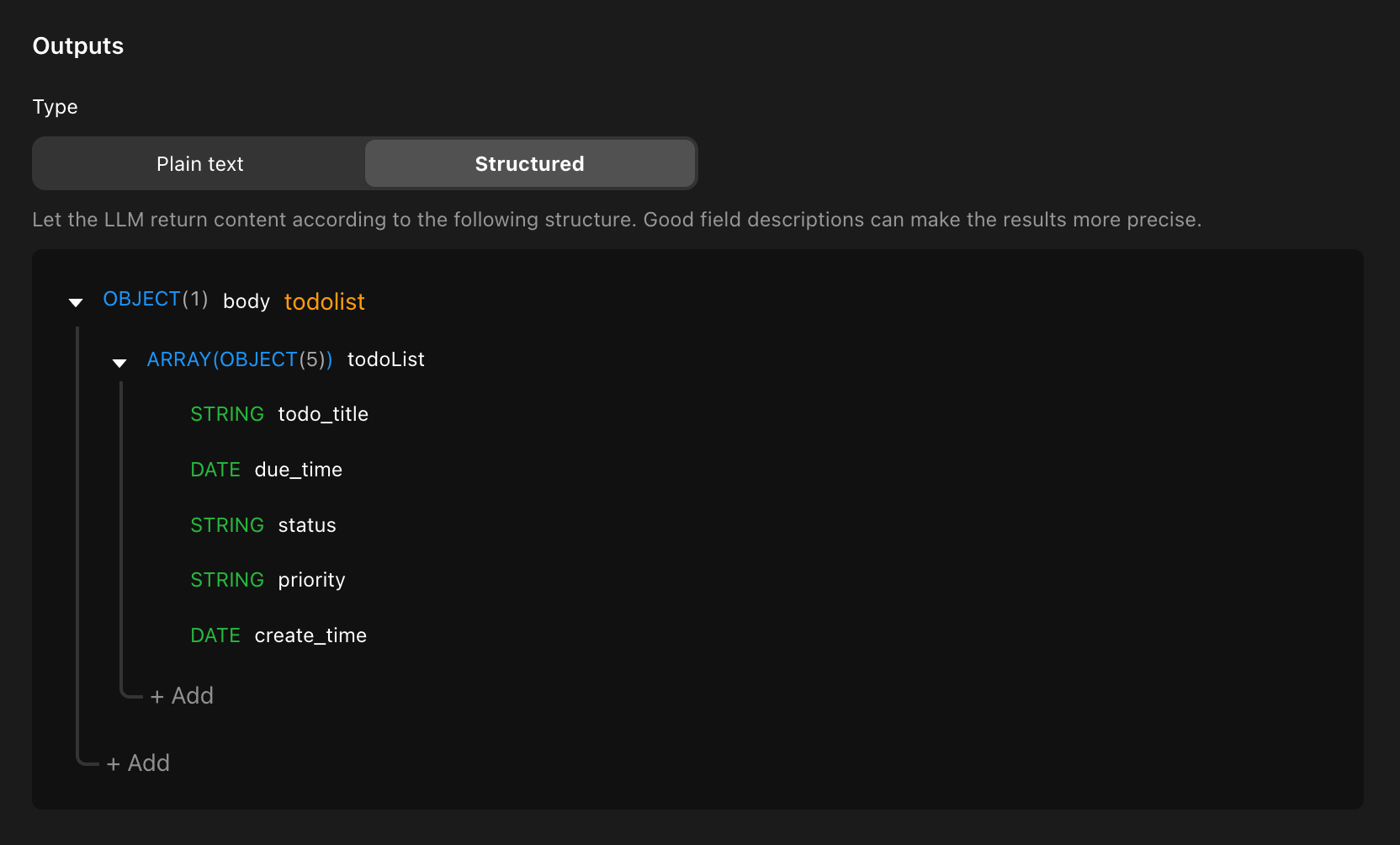
Structured Output: Instead of long AI text, format the results into neat, structured fields (like task title, due date, status). This makes the output instantly usable by your app.
Debug: Use the testing panel on the right side of Momen’s AI builder to see exactly how your agent is working and fine‑tune until it behaves the way you want.
Connect to Lovable for a beautiful UI
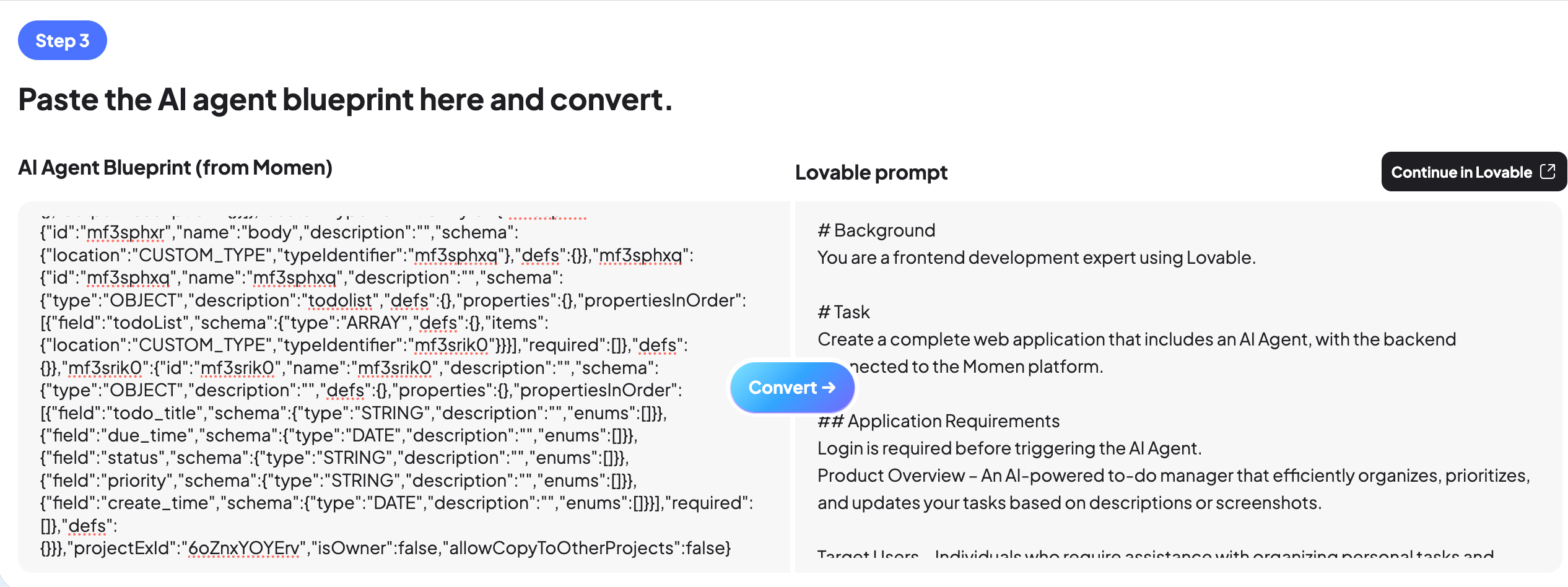
Now that the brain is ready, let’s give it a face. This step makes your backend logic interactive and user-friendly.
In Momen, go to your AI agent and copy its Blueprint (a simple config export).
Open Vibe Architect → paste the Blueprint → click Convert.
You’ll instantly get a ready-to-use Lovable prompt.
In Lovable, paste the prompt, and watch the UI connect directly to your AI agent.
At this point, your Lovable app isn’t just pretty—it’s backed by a real backend with real AI logic. You type in a task, and the whole chain—from AI cleaning to database updates—runs invisibly in the background.
Why Use Momen Instead of Supabase or Pure Code?
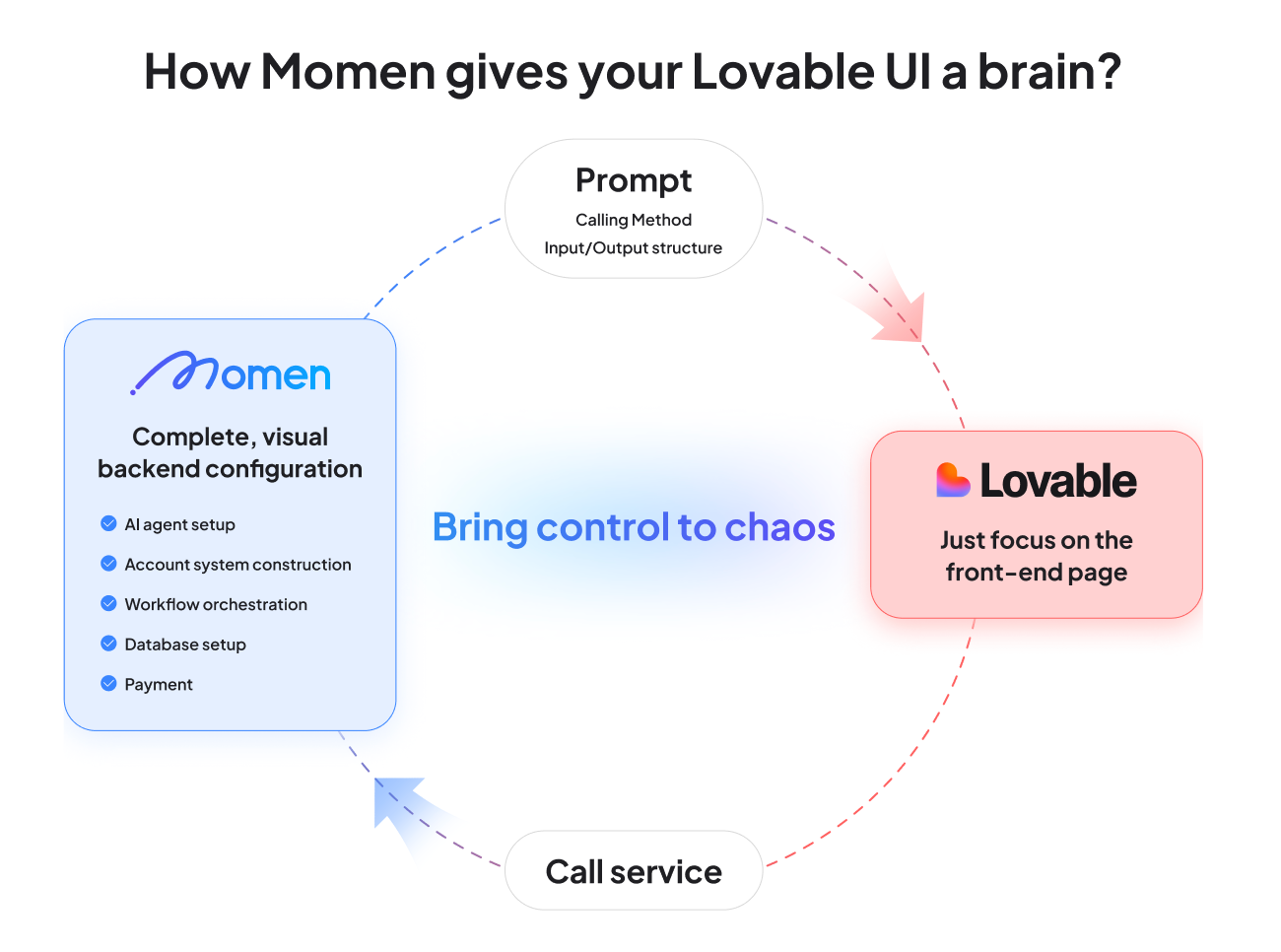
Lovable on its own is amazing for quickly spinning up UI. But when you want AI agents, you usually have to wire in Supabase or code your own backend.
That’s where things break for non-techies:
Supabase means SQL, APIs, and even edge functions—basically, writing code.
Custom code gives you control, but also bugs, errors, and hours of debugging.
Momen is different:
Visual backend, designed for no-code.
AI agents are built-in—you don’t need to reinvent prompts or handle raw LLM calls.
Everything is under your control, but without the steep technical barrier.
👉 In short: Lovable gives you speed, Momen gives you stability.
Wrapping Up
And there you have it:
A clean UI in Lovable.
Real backend logic and AI agents in Momen.
Seamless connection through Vibe Architect.
All built in under 30 minutes.
This is more than just a productivity app—it’s a blueprint. Once you see how the pieces fit, you can expand it: permissions, payments, team collaboration, or even entirely new AI-powered apps.
Ready to try it?
See it in Lovable: here.
View the configuration in Momen: here.
Start building your own AI task manager today with Lovable + Momen, and use Vibe Architect to bridge the two.
You’ll be surprised how much you can create—without ever touching code.

